Back to Menu No.06-01-01
Registering Standard Cost Estimate (CK11N)
Menu: Accounting > Controlling > Product Cost Controlling > Product Cost Planning > Material Costing > Cost Estimate with Quantity Structure > Create
Process Overview: Perform standard cost estimate on a material/plant basis.
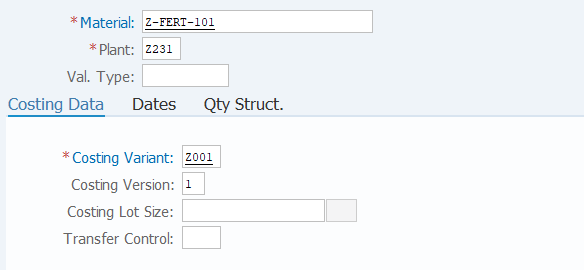
Screen 1:
Operation Process:
| 1. | {{Material}} | Enter the Material. | |
| 2. | {{Plant}} | Enter the Plant. | |
| 3. | {{Costing Variant}} | Enter the costing variant. | |
| 4. | {{Costing Version}} | Enter the costing version. | |
| 5. | {Costing Lot Size} | Enter the costing lot size. (If this field is not entered, the costing lot size set in the material master is applied.) |
|
| 6. | Press [Enter] key. |
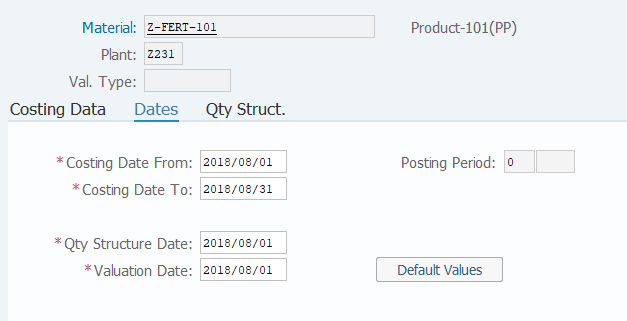
Screen 2:
Operation Process:
| 1. | {{Costing Date From}} | Enter the cost estimate validity start date. | |
| 2. | {{Costing Date To}} | Enter the cost estimate validity end date. | |
| 3. | {{Qty Structure Date}} | Enter the quantity structure date to be applied to cost estimate. | |
| 4. | {{Valuation Date}} | Enter the date when the material or activity for cost estimate is valuated. | |
| 5. |  |
Click [Qty Struct.]. |
Remarks:
| 1. | If a past date is specified for the costing run date, costing result cannot be saved or released. |
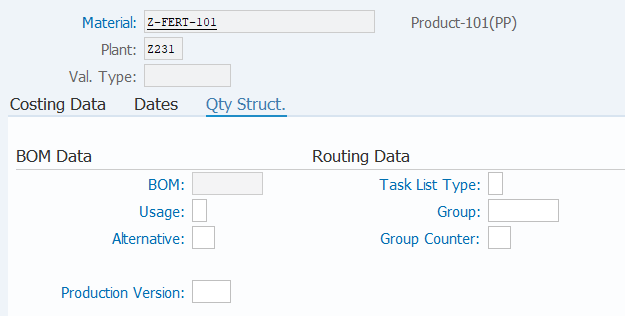
Screen 3:
Operation Process:
| 1. | When specifying quantity structure data to be applied to standard cost estimate, enter desired fields. | ||
| 2. | Press [Enter] key. | ||
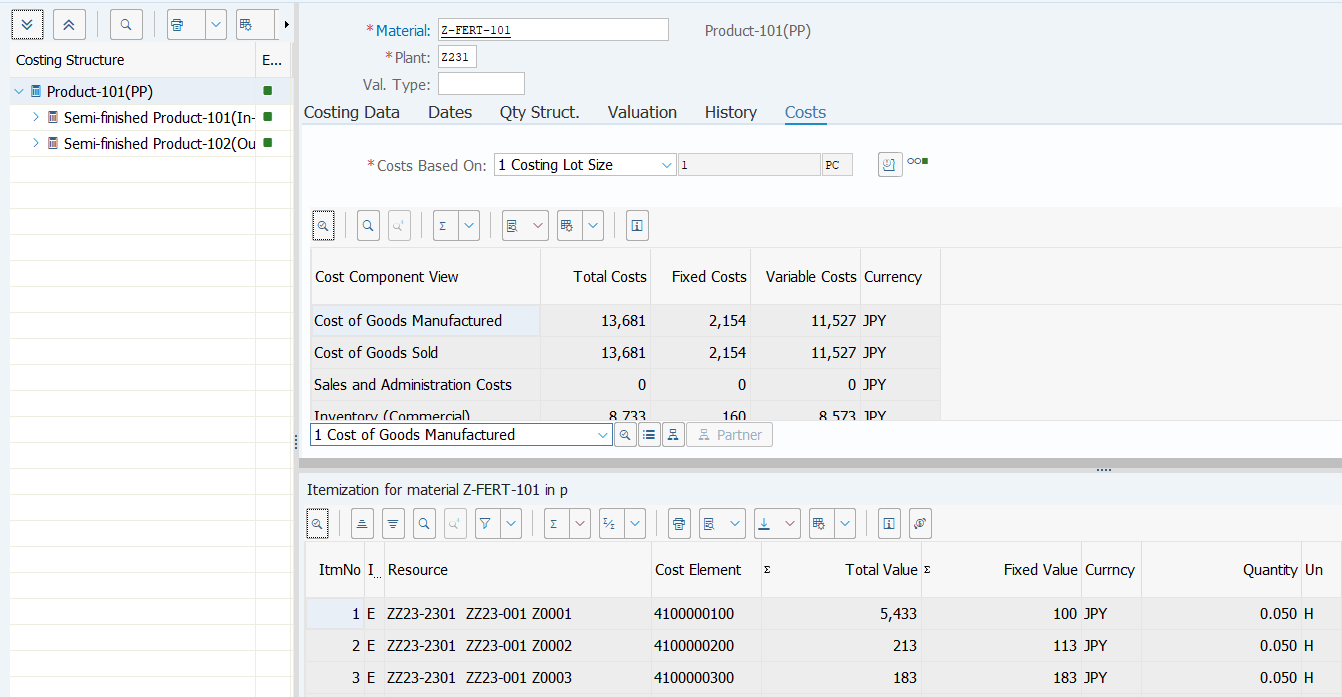
Screen 4:
Operation Process:
| 1. | Check the estimate result. | ||
| 2. |  |
Click [Save]. | |
Copyright(c) MITSUI KINZOKU YOURSOFT Inc.