Back to Menu No.06-01-02
Displaying Standard Cost Estimate (CK13N)
Menu: Accounting > Controlling > Product Cost Controlling > Product Cost Planning > Material Costing > Cost Estimate with Quantity Structure > Display
Process Overview: Display standard cost estimate on a material/plant basis.
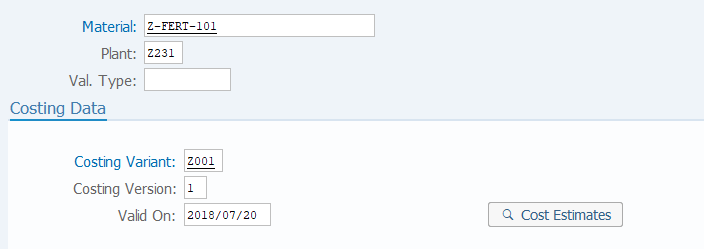
Screen 1:
Operation Process:
| 1. | {{Material}} | Enter the Material. | |
| 2. | {{Plant}} | Enter the Plant. | |
| 4. | {{Costing Variant}} | Enter the costing variant. | |
| 5. | {{Costing Version}} | Enter the costing version. | |
| 6. | {{Valid On}} | Enter the validity start date of the cost estimate to be displayed. | |
| 4. | Press [Enter] key. |
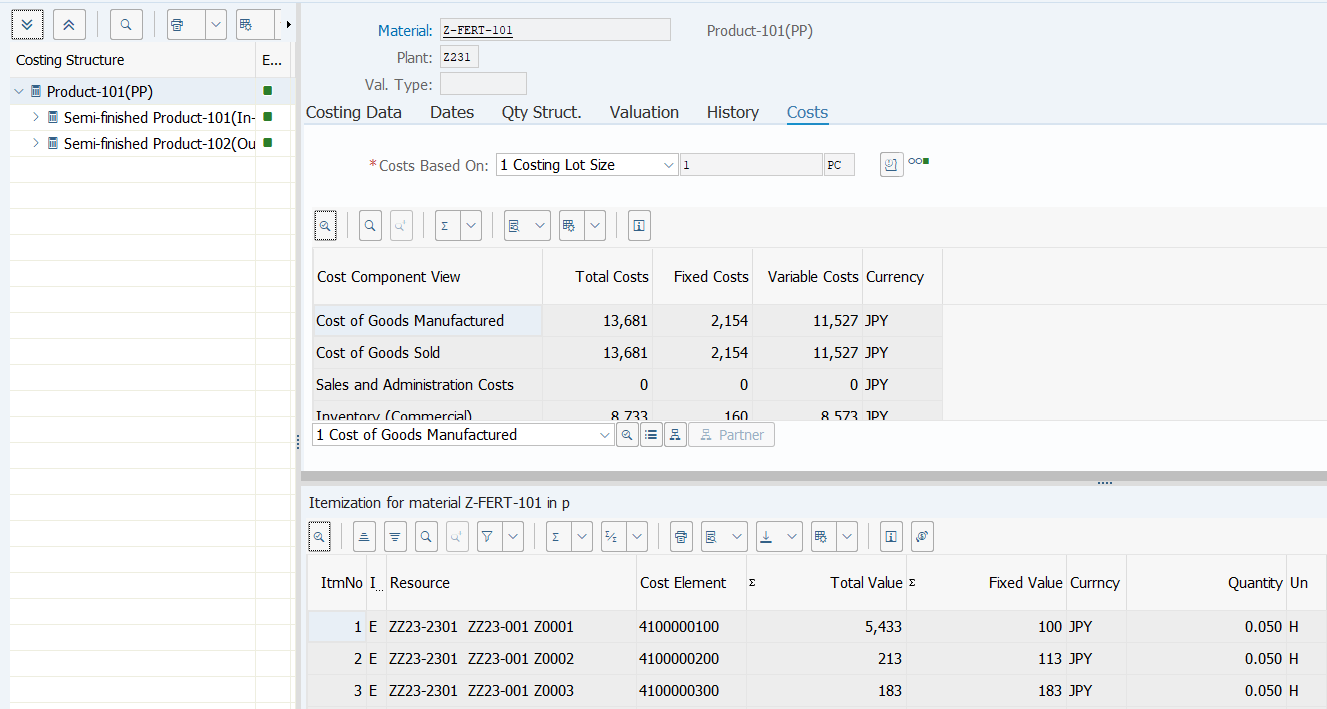
Screen 2:
Operation Process:
| 1. | Check the registered contents. |
Copyright(c) MITSUI KINZOKU YOURSOFT Inc.