Register Actual Income Transfer Document (KB41N)
Menu: Accounting > Controlling > Cost Center Accounting > Actual Postings > Manual Reposting of Revenues > Enter
Process Overview: Transfer the actual cost posted to Cost element to another Profitability analysis.
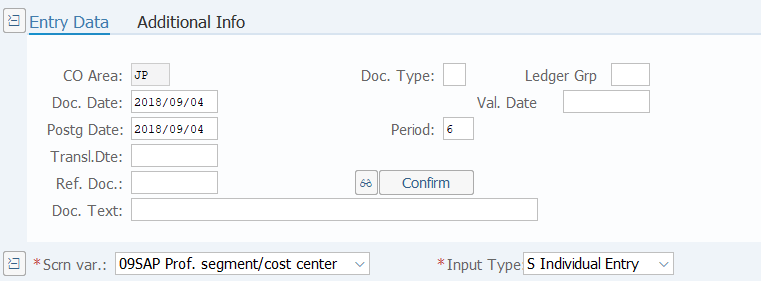
Screen 1:
Operation Process:
| 1. | {{Doc. Date}} | Enter any date. (Used as a substitute for memorandum) | |
| 2. | {{Postg Date}} | Enter the Posting Date. | |
| 3. | {Doc. Text} | Enter the Document header Text. | |
| 4. | {{Scrn var.}} | Select '09' (SAP Prof. segment/ cost center). | |
| 5. | {{Input Type}} | Select 'S' (Individual Entry). |
Screen 2:
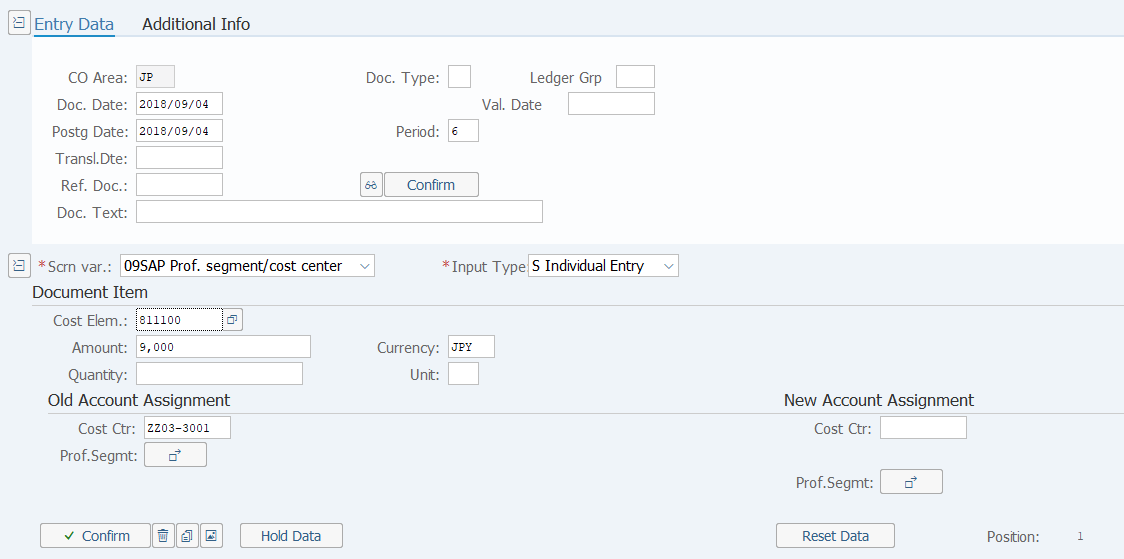
Operation Process:
|
Document items |
|||
| 1. | {{Cost Elem.}} | Enter the Cost Element code whose Cost element type is income. | |
| 2. | {{Amount}} | Enter the transfer Amount. | |
| 3. | {{Currency}} | Enter the Currency code for managing the item amount. | |
| 4. | {Quantity} | Enter the total transfer Quantity. | |
| 5. | {Unit} | Enter the quantity Unit. | |
|
Old Account Assignment |
|||
| 6. | {{Cost Ctr}} | Enter the Cost Center for the sender (from). | |
|
New Account Assignment |
|||
| 7. |
 |
Click [Assigned]. | |
Remarks:
| 1. |
 |
|
| If the above message appears, click the [Enter] key and proceed. |
Screen 3:
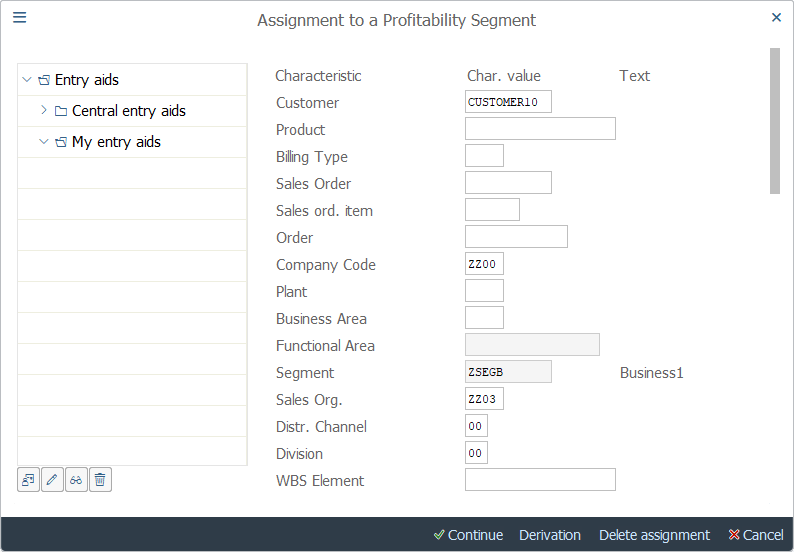
Operation Process:
| 1. | {{Characteristic value}} | Enter a value for the necessary characteristic. | |
| 2. |
 |
Click [Continue]. |
Screen4:
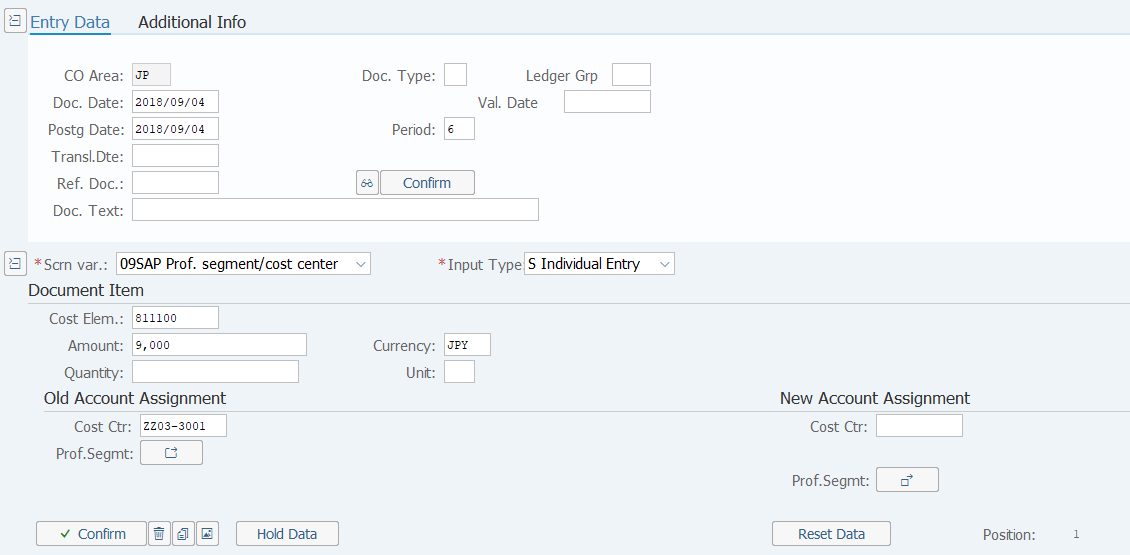
Operation Process:
| 1. |
 |
Click [Post]. |
Copyright(c) MITSUI KINZOKU YOURSOFT Inc.