
Display Profit Center Group (KCH3)
Menu: Accounting > Controlling > Profit Center Accounting > Master Data > Profit Center Group > Display
Process Overview: Display Profit center group.
Screen 1:
Operation Process:
| 1. | {{Profit Center Group}} | Enter the Profit Center Group. | |
| 2. |  |
Click [Enter]. |
Screen 2:
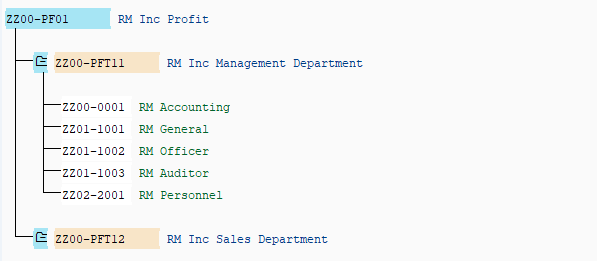
Operation Process:
| Level expansion | |||
 |
Click [+] on the left side of each field to be expanded. | ||
| Or | |||
 |
Position the cursor on the field to be expanded and click [Expand All]. | ||
| Level compression |
|||
 |
Click [-] on the left side of each field to be compressed. | ||
| Or | |||
 |
Position the cursor on the field to be expanded and click [Collapse All]. | ||
Copyright(c) MITSUI KINZOKU YOURSOFT Inc.