Back to Menu No.05-03-01
Display Actual Line Items (KE24)
Menu: |
Accounting > Controlling > Profitability Analysis > Actual Postings > Display Line Items |
| Accounting > Controlling > Profitability Analysis > Information System > Display Line Items |
Process Overview: Display the actual profitability analysis item.
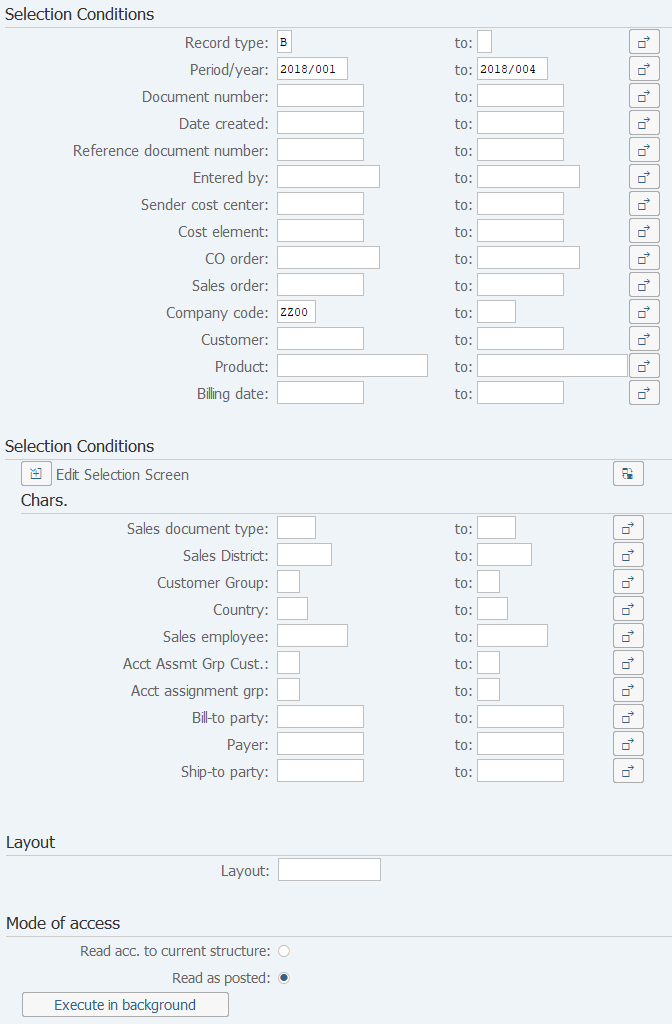
Screen 1:
Operation Process:
| Selection Conditions | |||
| 1. | {Record type} | Enter the Record type of the target data. (Ex. Invoice data 'F') | |
| 2. | {Period/year} | Enter the Fiscal year and a period of the target data. | |
| 3. | {Document number} | Enter the Document number of the target data. | |
| 4. | {Date created} | Enter the registration date of the target data. | |
| 5. | {Reference document number} | Enter the Reference document number of target data. | |
| 6. | {Entered by} | Enter the registrar of the target data. | |
| 7. | {Sender cost center} | Enter the Cost center of the target data. | |
| 8. | {Cost element} | Enter the Cost element of the target data. | |
| 9. | {CO order} | Enter the Order sheet of the target data. | |
| 10. | {Sales order} | Enter the Sales order number of the target data. | |
| 11. | {{Company code}} | Enter the Company code of the target data. | |
| 12. | {Customer} | Enter the Customer code of the target data. | |
| 13. | {Product} | Becomes the target of 'Enter material number'. | |
| 14. | {Billing date} | Enter the Billing data of the target data. | |
| 15. |  |
Click [Execute]. | |
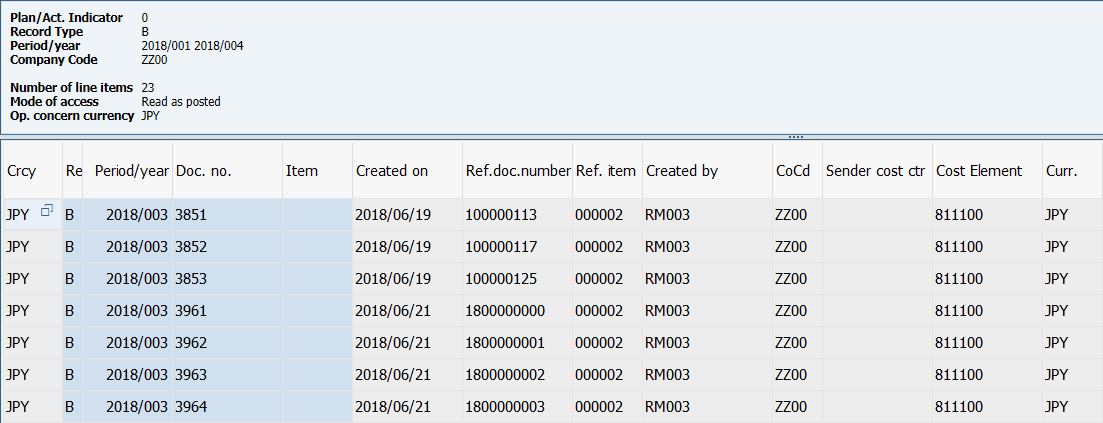
Screen 2:
Operation Process:
| 1. | When the item is double-clicked on, drill-down occurs to the document generated. |
Copyright(c) MITSUI KINZOKU YOURSOFT Inc.