Back to Menu No.05-02-01
Periodic Valuation (KE27)
Menu: Accounting > Controlling > Profitability Analysis > Actual Postings > Period-End Closing > Periodic Valuation > Execute
Process Overview: Revaluate the profitability analysis data according to the periodic unit price calculated with actual costing.
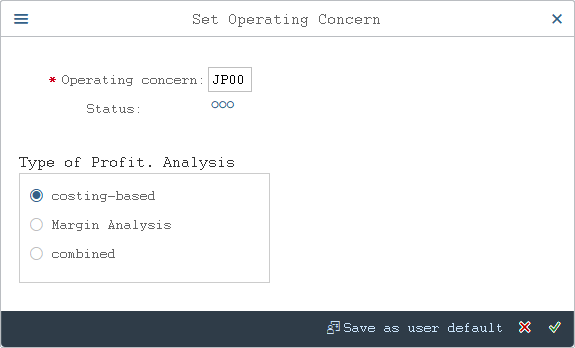
Screen 1:
Operation Process:
| 1. | {{Operating concern}} | Enter the Operating concern. | |
| Type of Profit. Analysis | |||
| 2. | {costing-based} | Tick this option to process based on the cost center. | |
| 3. | {account-based} | Tick this option to process based on the account number. | |
| 4. |  |
Click [Continue]. | |
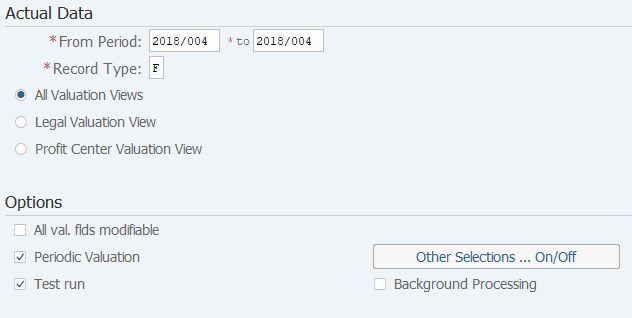
Screen 2:
Operation Process:
| Actual Data | |||
| 1. | {{From Period}} | Enter the fiscal year/period for which periodic valuation will be performed. | |
| 2. | {{Record Type}} | Select the target data source. (Ex. 'F' Billing data.) | |
| Options | |||
| 3. | {Periodic Valuation} | Tick this option to register the posting date of periodic valuation as the posting date of the target source document. | |
| 4. | {Test run} | Tick this option to perform test run. | |
| 5. | {Background Processing} | Tick this option to perform background (job) processing. | |
| 6. |  |
Click [Selection criteria]. | |
Remarks:
| 1. | For the first execution, tick [Test Run] before execution. | |
| 2. | If the test result is OK, tick off [Test Run] option and execute. |
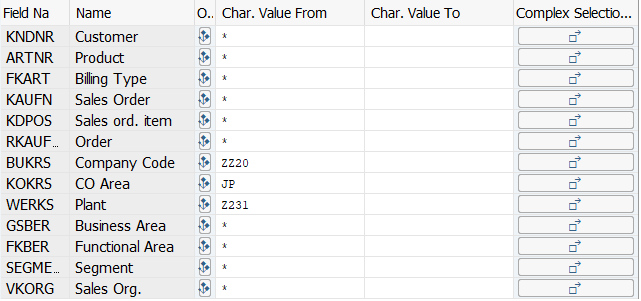
Screen 3:
Operation Process:
| 1. | {Company Code} | Enter the target Company Code. | |
| 2. | {CO Area] | Enter the target Controlling Area. | |
| 3. | {Plant] | Enter the target Plant. | |
| 4. |  |
Click [Value fields]. |
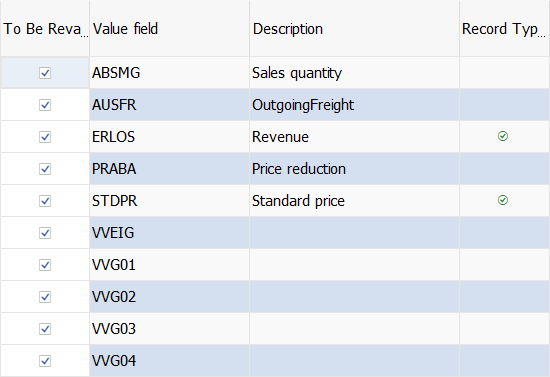
Screen 4:
Operation Process:
| 1. | Tick the value fields to be revaluated. | ||
| 2. |  |
Click [Execute]. | |
Screen 5:
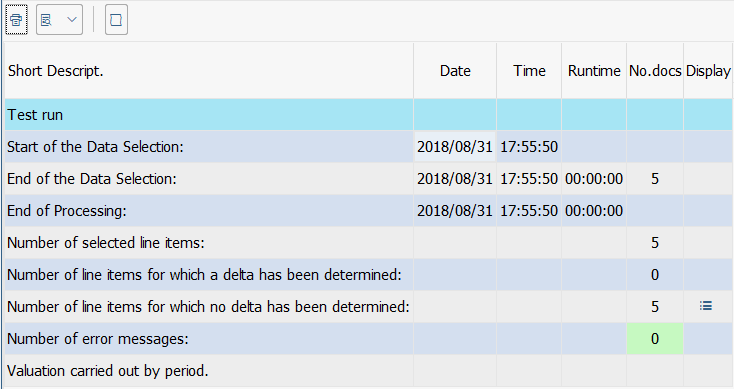
Operation Process:
| 1. | Check that revaluation has been executed without errors. |
Copyright(c) MITSUI KINZOKU YOURSOFT Inc.