Back to Menu No.05-03-02
Sales Actual (KE30)
Menu: Accounting > Controlling > Profitability Analysis > Information System > Execute Report
Process Overview: Display the actual sales data.
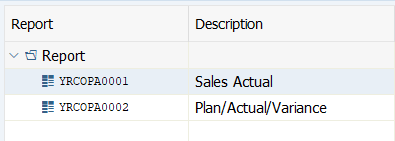
Screen 1:
Operation Process:
| 1. | Double-click on Report. (Ex. 'YRCOPA0001' Sales Actual) |
Screen 2:
Operation Process:
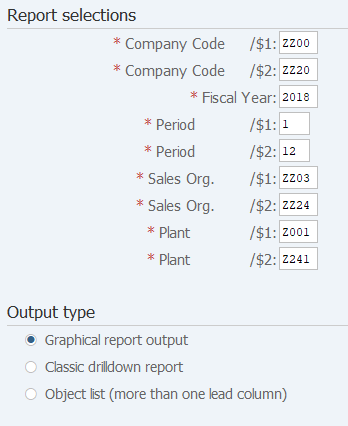
| Report selections | |||
| 1. | {{Company Code /$1}} | Enter the starting Company code. | |
| 2. | {{Company Code /$2}} | Enter the ending Company code. | |
| 3. | {{Fiscal Year /$1}} | Enter the Fiscal year. | |
| 4. | {{Period /$1}} | Enter the starting Fiscal period. | |
| 5. | {{Period /$2}} | Enter the ending Fiscal period. | |
| 6. | {{Sales Org. /$1}} | Enter the starting Sales organization. | |
| 7. | {{Sales Org. /$2}} | Enter the ending Sales organization. | |
| 8. | {{Plant /$1}} | Enter the starting Plant. | |
| 9. | {{Plant /$2}} | Enter the ending Plant. | |
| 10. | {{Output type}} | When 'Classic drilldown report' is selected, the report is displayed in the conventional report format.
When 'Graphical report-output' is selected, the report is displayed in the format that is shown from Screen 3. |
|
| 11. |  |
Click [Execute]. | |
Screen 3:
Operation Process:
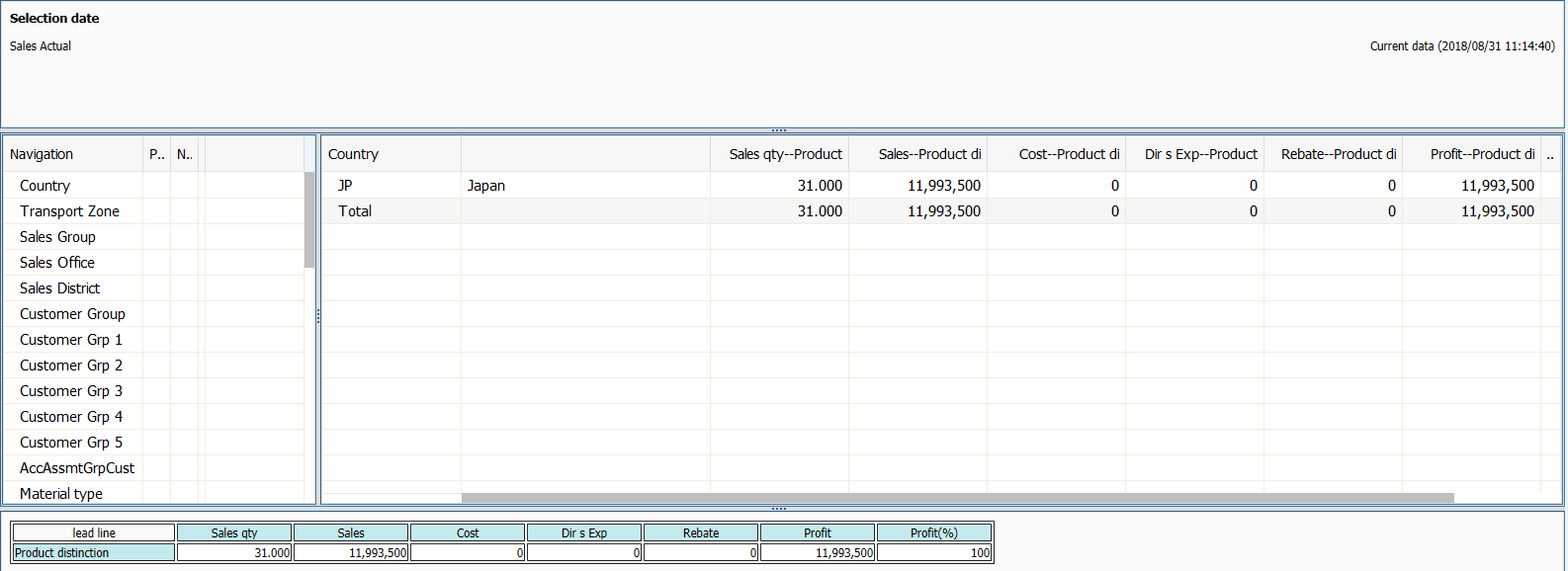
| 1. | {Navigation} | Double-click on the field to be selected further in 'Navigation' on the left side. | |
| Check that the selected fields are displayed in the window on the right side. |
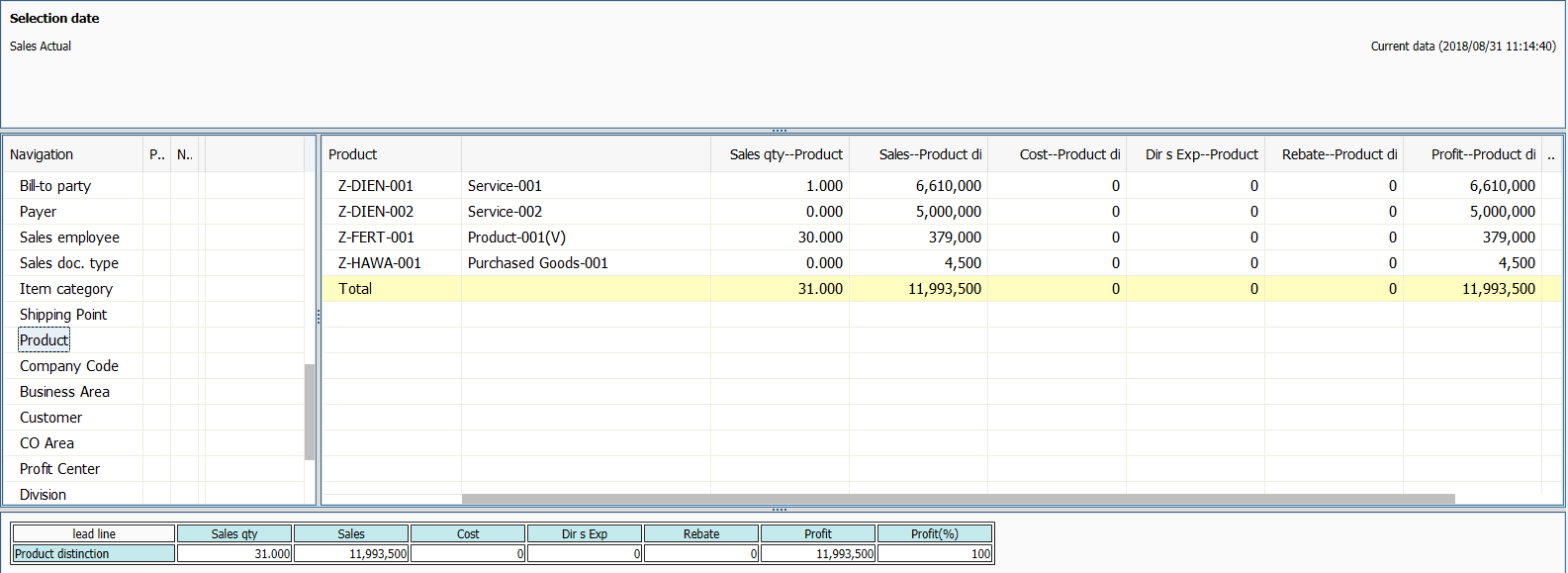
| 2. | By double-clicking on the field that is displayed in the window on the right side, further drilling-down is possible. |
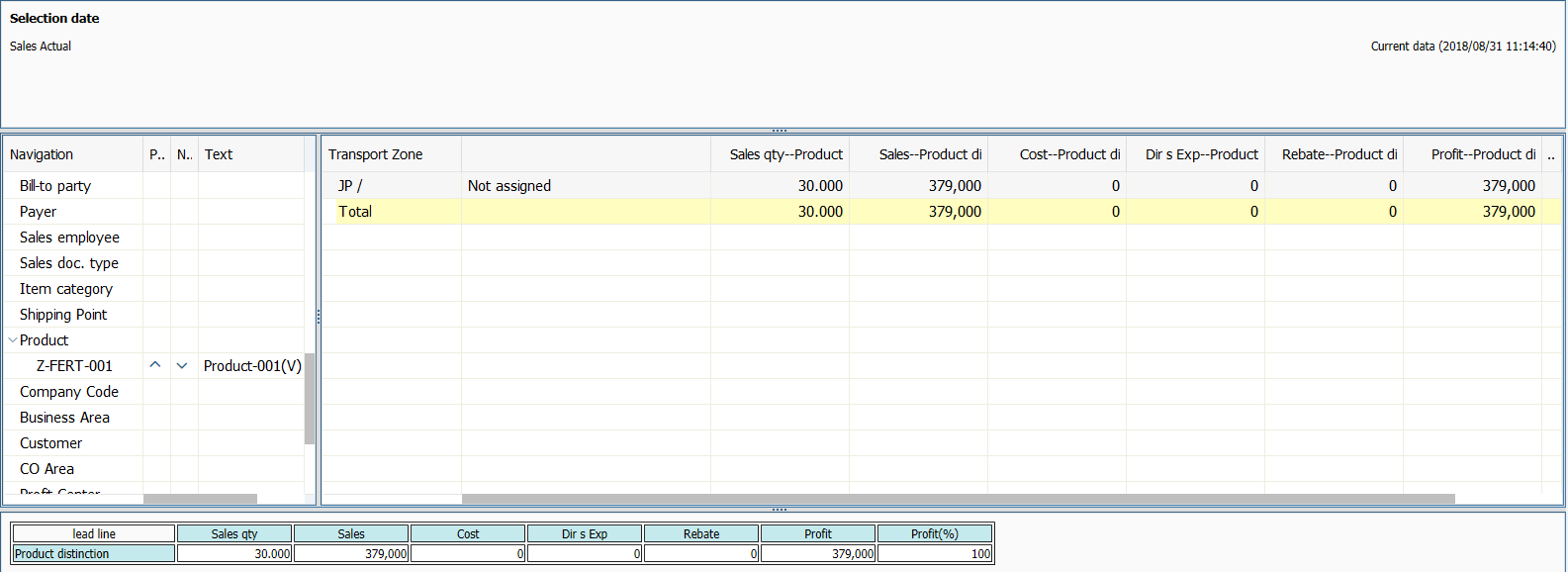
| 3. | When there are multiple fields, control can be moved among the fields with   . . |
|
| To reset, double-click on the field that is currently selected in 'Navigation' on the left side. |
Copyright(c) MITSUI KINZOKU YOURSOFT Inc.