Back to Menu No.05-01-01
Planning Framework (KEPM)
Menu: Accounting > Controlling > Profitability Analysis > Planning > Edit Planning Data
Process Overview: Register the planning data of Profitability analysis.
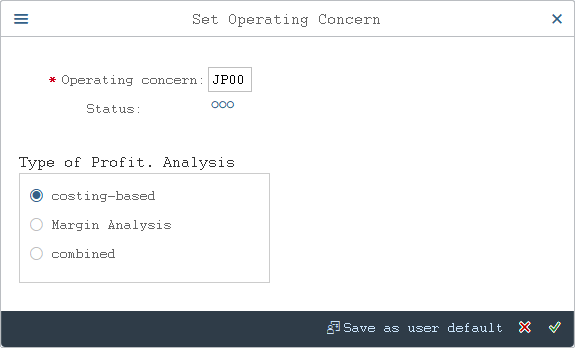
Screen 1:
Operation Process:
| 1. | {{Operating concern}} | Enter the Operating concern. | |
| 2. |  |
Click [Enter]. |
Screen 2:
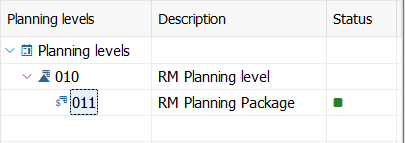
Operation Process:
| 1. | Drill down to the target planning package from the planning level. |
Screen 3:
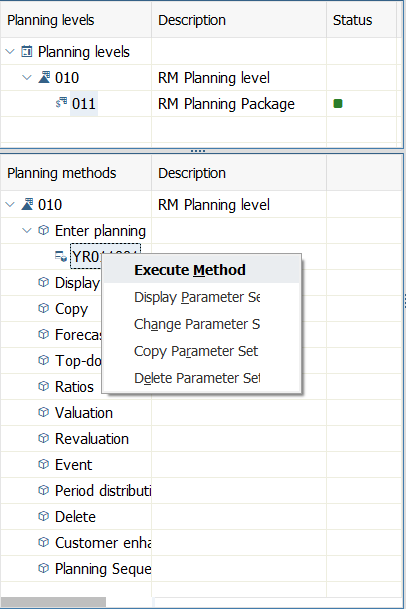
Operation Process:
| 1. | Expand planning data input and select method execution by clicking the right mouse button on the planning method for registering the planning value. |
Screen 4:
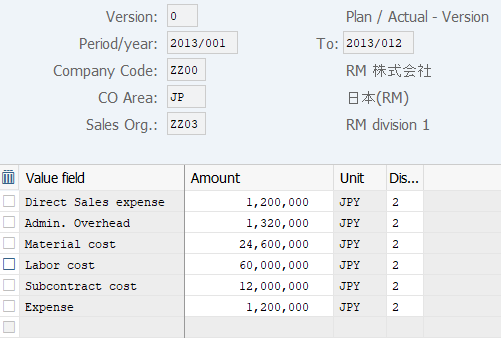
Operation Process:
| 1. | {{Amount}} | Enter the Amount by each line. | |
| 2. | {{Distribution Code}} | Enter the distribution code. When entering a value manually in each period, enter '0'. When distributing the annual value to each period equally, enter '1'. When distributing the annual value to each period based on the proportion of the existing value, enter '2'. |
Screen 5:
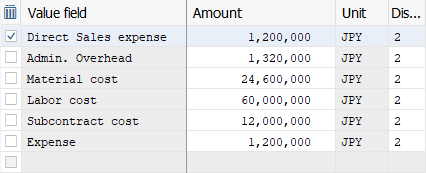
Operation Process:
| 1. | Select a value field whose period distribution result is to be referenced or changed. | ||
| 2. |  |
Click [Period Screen]. | |
Screen 6:
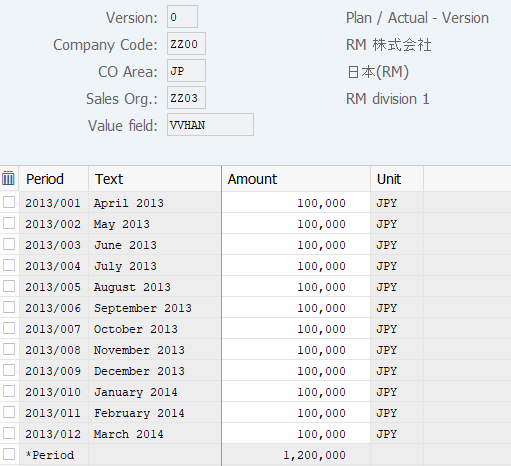
Operation Process:
| 1. | {{Amount}} | When the amount of each month is to be modified, enter the amount. | |
| 2. |  |
Click [Post]. |
Copyright(c) MITSUI KINZOKU YOURSOFT Inc.