Back to Menu No.06-02-08
Variance Calculation (Collective Processing) (KKS1)
Menu: Accounting > Controlling > Product Cost Controlling > Cost Object Controlling > Product Cost by Order > Period-End Closing > Single Functions > Variances > Collective Processing
Process Overview: Calculate the variance value between Standard cost & Actual cost collectively.
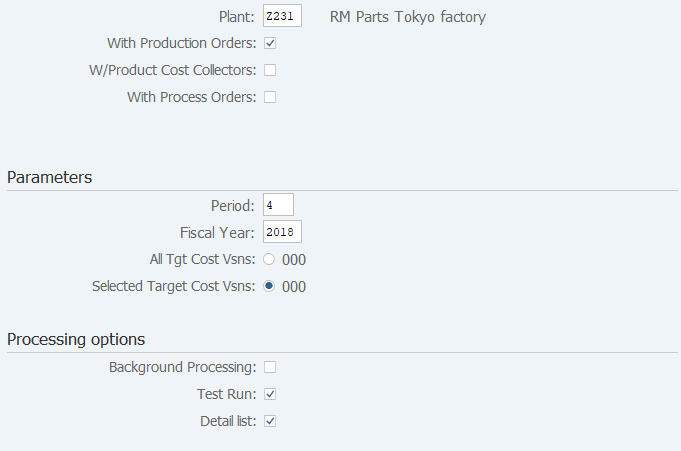
Screen 1:
Operation Process:
| 1. | {Plant} | Enter the plant. (When no plant is specified, all the plants belonging to the controlling area are processed.) | |
| 2. | {With Production Orders} | Select this option if you want to include manufacturing costs in the processing. | |
| 3. | {W/Product Cost Collectors} | Select this option if you want to include product cost collector in the processing. | |
| Parameters | |||
| 4. | {{Period}} | Enter the fiscal period. | |
| 5. | {{Fiscal Year}} | Enter the fiscal year. | |
| 6. | {All target cost vsns} | Select this option if you want to include all results analysis versions in the processing. | |
| 7. | {Selected Target Cost Vsns} | Select this option if you want to include a specific results analysis version in the processing. (Enter the version if selected.) |
|
| Processing options | |||
| 8. | {Background Processing} | Select this option to perform background (job) processing. | |
| 9. | {Test Run} | Select this option to run test. | |
| 10. | {Detail list} | Select this option to display the detail list after processing execution. | |
| 11. |  |
Click [Execute]. (Test run) | |
Remarks:
| 1. | For the first execution, select [Test Run] before execution. | |
| 2. | If the test result is OK, deselect Test run option and execute. |
Supplement:
| When Selective target cost version is selected in Parameter, select a desired target cost version using the following processing: |
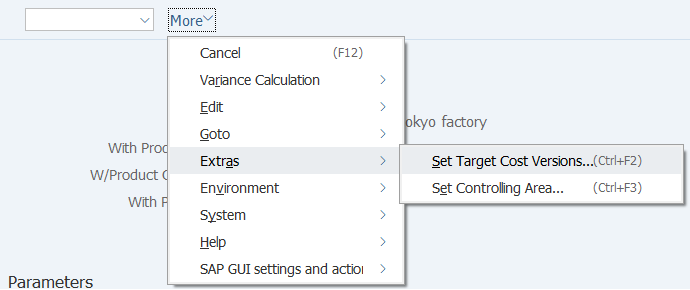
| 1. | Menu: Extras > Set Target Cost Versions... |
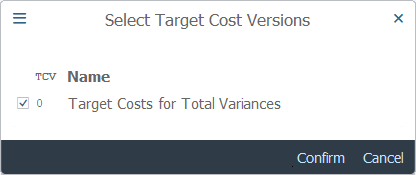
| 2. | Select this option to run test. | ||
| 3. |  |
Click [Confirm]. | |
Screen 2:
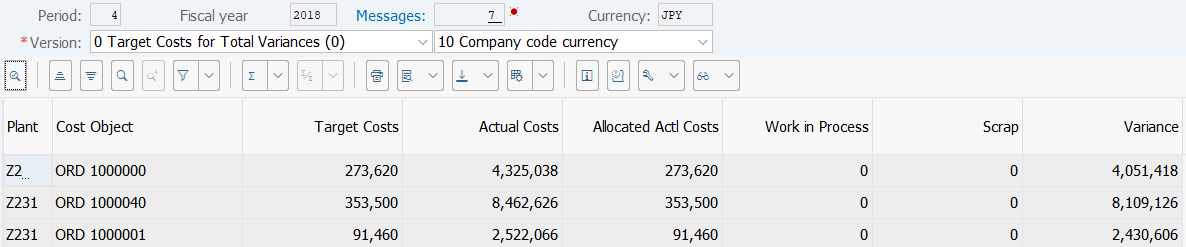
Operation Process:
| 1. | Check the calculation results. | ||
| 2. |  |
Click [Cost Elements] to check detailed variance calculation results. |
Screen 3:
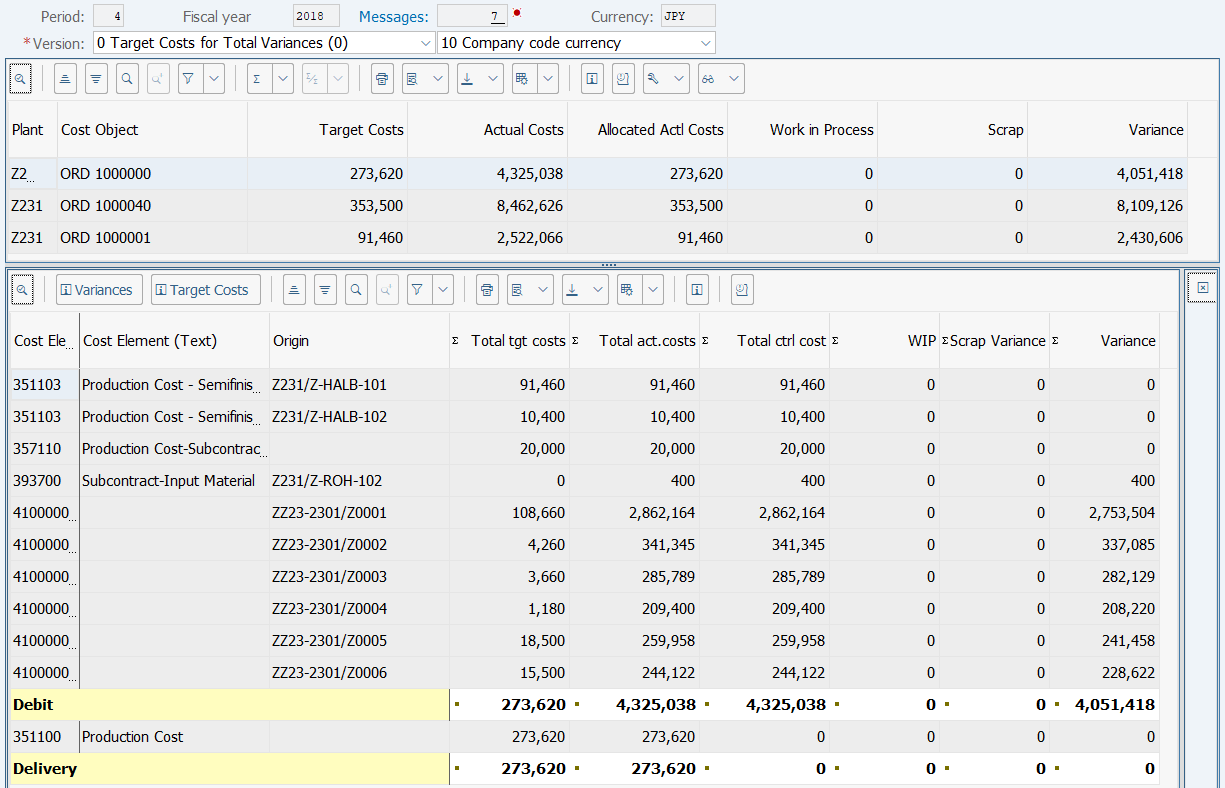
Operation Process:
| 1. | Check the variance calculation results for each cost element. |
Copyright(c) MITSUI KINZOKU YOURSOFT Inc.