Internal Order/Actual Settlement (KO88)
Menu: Accounting > Controlling > Internal Orders > Period-End Closing > Single Functions > Settlement > Individual Processing
Process Overview: Transfer the actual amount from C.W.I.P to Fixed asset or Cost Center.
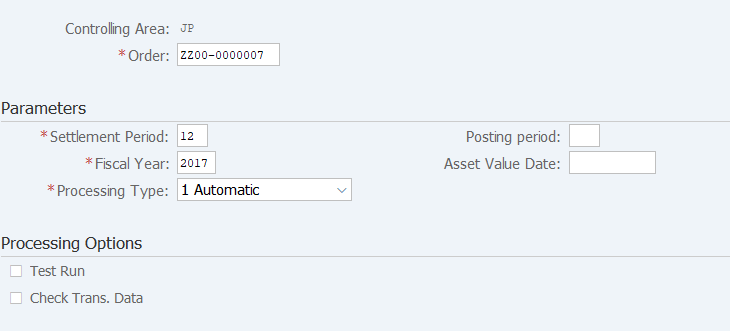
Screen 1:
Operation Process:
| 1. | {{Order}} | Enter the internal Order. | |
| Parameters | |||
| 2. | {{Settlement Period}} | Enter the Settlement Period. | |
| 3. | {{Fiscal Year}} | Enter the Fiscal Year. | |
| 4. | {{Processing Type}} | Enter the Processing type. | |
| Processing Options | |||
| 5. | {Test Run} | Tick the flag at Test Run. | |
| 6. | {Check Trans. Data} | Tick the flag when checking the individual transaction data. | |
| 7. |  |
Click [Execute]. | |
Execution result
Screen 2:
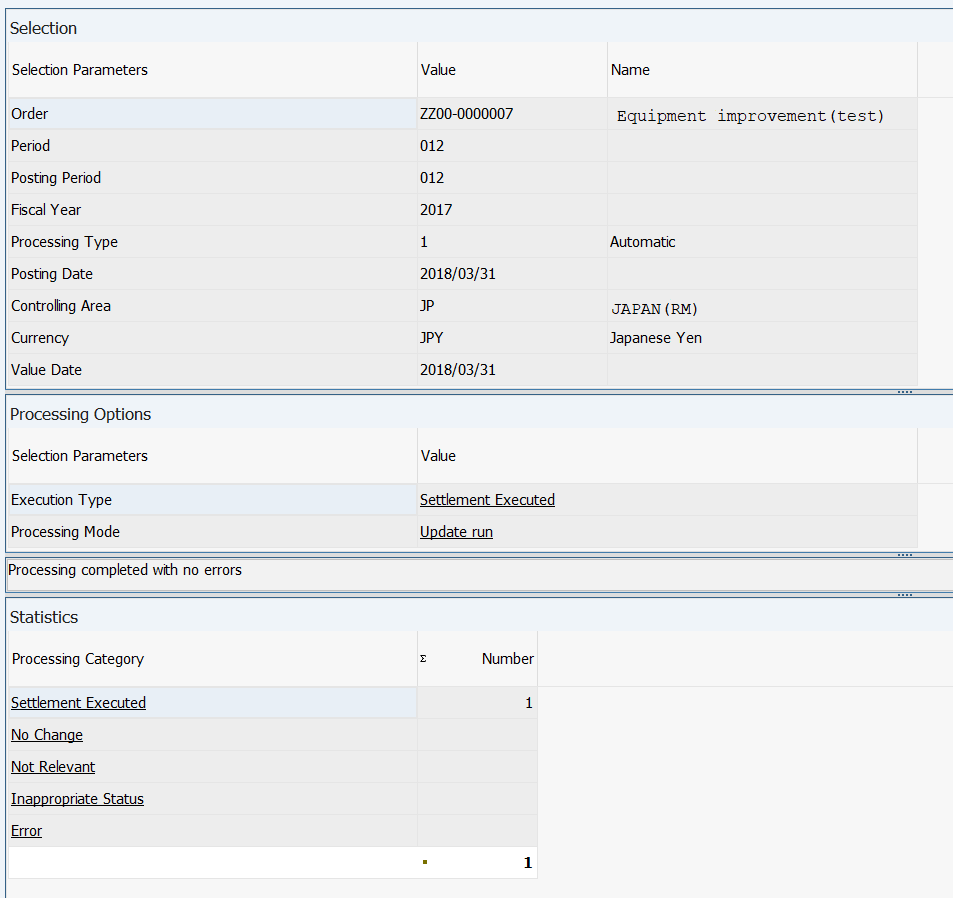
Operation Process:
| 1. |  |
Click [Detail lists]. |
Remarks:
| 1. | Check that there is no value displayed in 'Error' of the processing category. | |
| 2. | When this processing is executed by not ticking the test run, an accounting document is issued automatically at termination of the processing. Therefore, display the document. |
Screen 3:
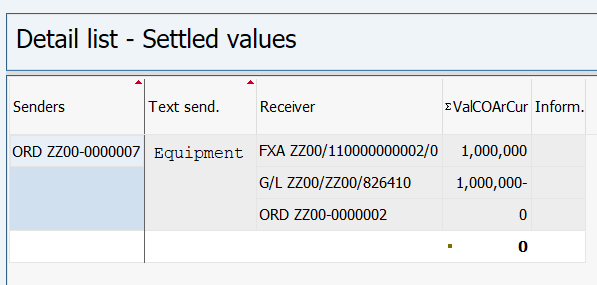
Operation Process:
| 1. |  |
Click [Accounting documents]. |
Screen 4:
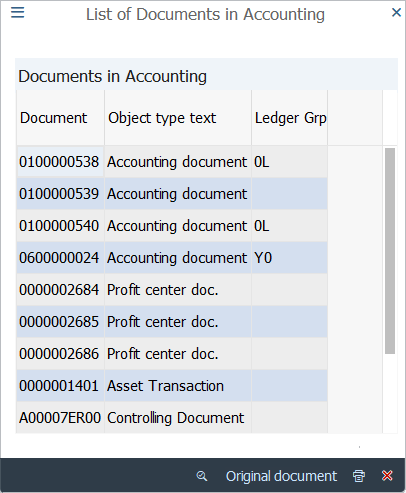
Operation Process:
| 1. | Double-click on 'Account document number'. |
Screen 5:
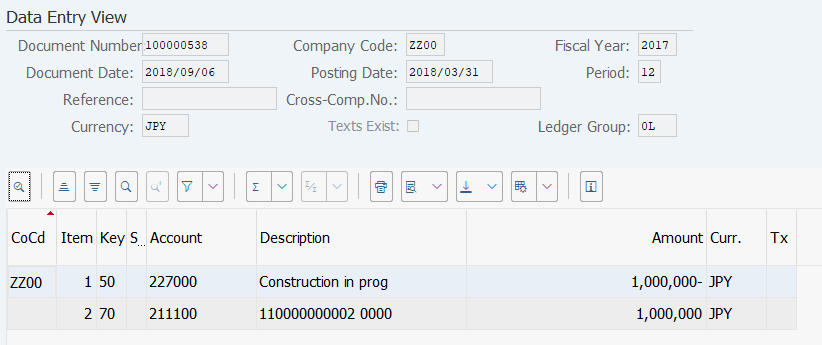
Operation Process:
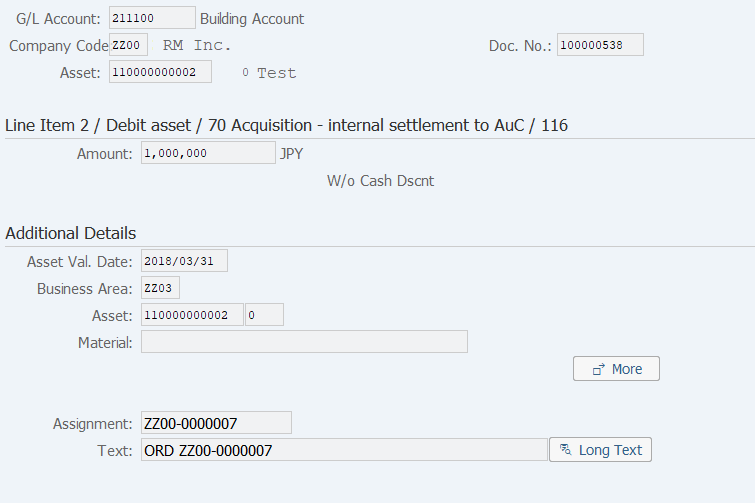
| 1. | Double-click on a fixed asset (debit) item. |
Screen 6:
Copyright(c) MITSUI KINZOKU YOURSOFT Inc.