Back to Menu No.06-02-10
Order Settlement (Single Processing) (KO88)
Menu: Accounting > Controlling > Product Cost Controlling > Cost Object Controlling > Product Cost by Order > Period-End Closing > Single Functions > Settlement > Individual Processing
Process Overview: Settle the difference or value of work in process recorded in Production Orders to each account.
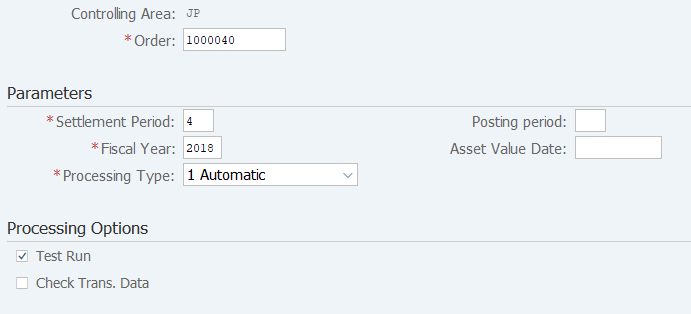
Screen 1:
Operation Process:
| 1. | {{Order}} | Enter the Order number. | |
Parameters |
|||
| 2. | {{Settlement period}} | Enter the Settlement period. | |
| 3. | {Posting period} | Enter the processing Fiscal Year. | |
| 4. | {{Fiscal Year}} | Enter the Fiscal Year. | |
| 5. | {{Processing type}} | Select the Processing type. | |
|
Processing Options |
|||
| 6. | {Test Run} | Select this option to run test. | |
| 7. | {Check Trans. Data} | Select this option to check individual transaction data. | |
| 8. |  |
Click [Execute]. (Test run) | |
Remarks:
| 1. | For the first execution, select [Test Run] before execution. | |
| 2. | If the test result is OK, deselect Test run option and execute. |
Screen 2:
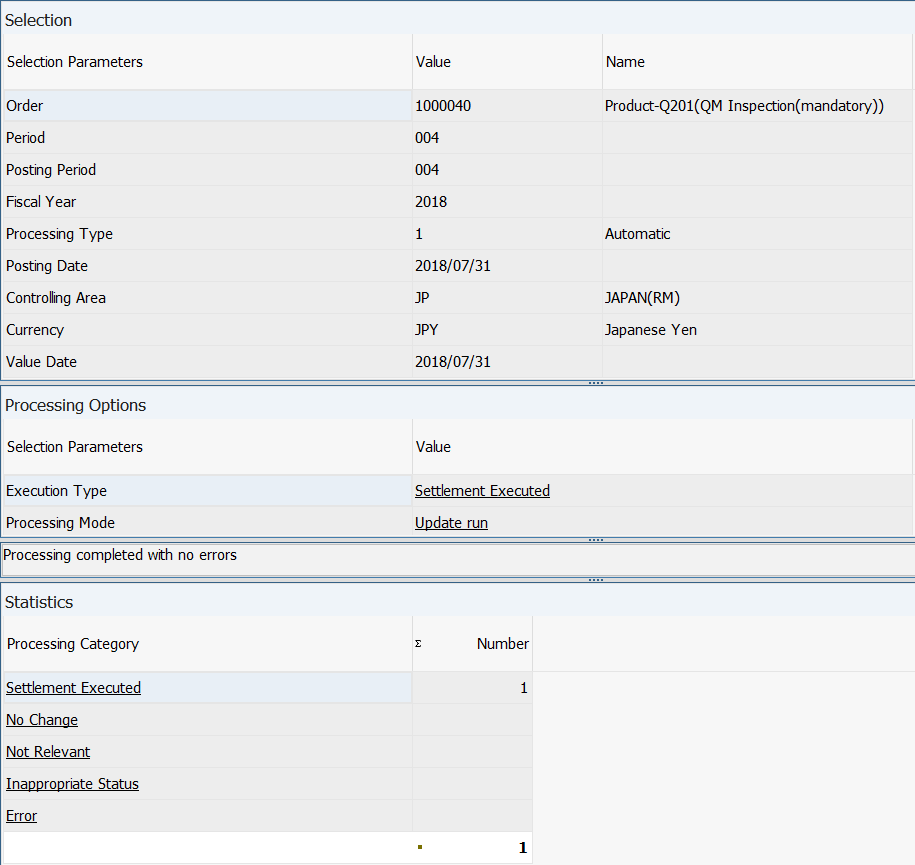
Operation Process:
| 1. |  |
Click [Detail lists]. |
Remarks:
| 1. | Verify that no value is shown in the 'Error' row of each processing category. | |
| 2. | If this processing is executed with the "Test run" option deselected, an accounting document is automatically issued at processing completion. |
Screen 3:
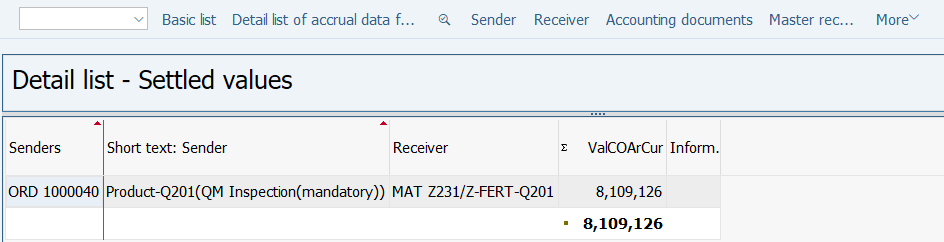
Operation Process:
| 1. | Check the settlement value. | ||
| 2. |  |
Click [Accounting documents]. | |
Screen 4:
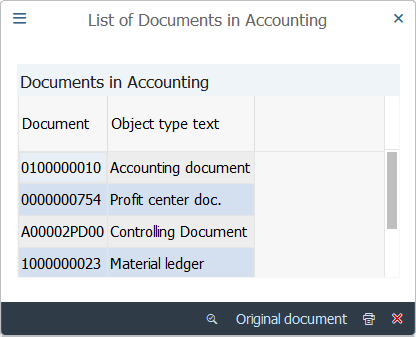
Operation Process:
| 1. | Double-click the accounting document. |
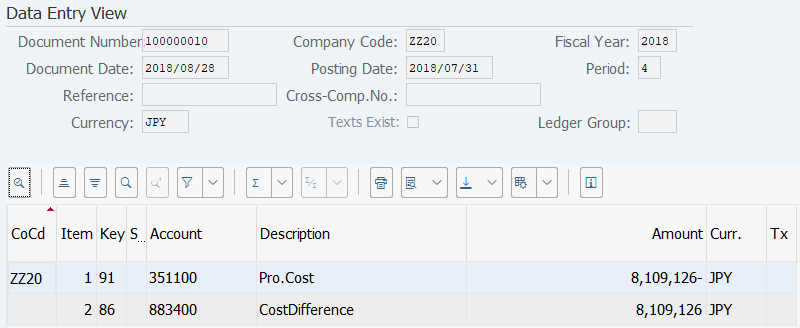
Screen 5:
Operation Process:
| 1. | Check the document details. |
Copyright(c) MITSUI KINZOKU YOURSOFT Inc.