Back to Menu No.02-03-05
Displaying Activity Output (KP27)
Menu: Accounting > Controlling > Cost Center Accounting > Planning > Activity Output/Prices > Display
Process Overview: Display the planned values for Activity consumption by the Cost center/Activity type.
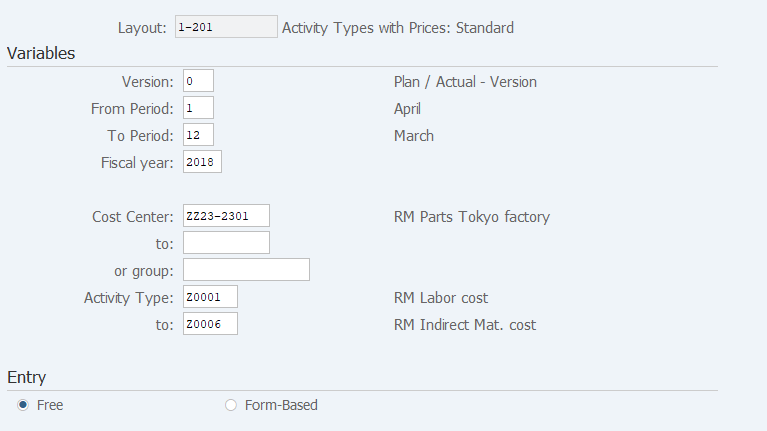
Screen 1:
Operation Process:
| Variables | |||
| 1. | {{Version}} | Enter the plan version. | |
| 2. | {{From Period}} | Enter the start fiscal period for which to display the plan. | |
| 3. | {{To Period}} | Enter the end fiscal period for which to display the plan. | |
| 4. | {{Fiscal year}} | Enter the fiscal year for which to display the plan. | |
| 5. | {{Cost Center}} or {{group}} |
Enter the Cost center or Cost center group. | |
| 6. | {{Activity Type}} or {{group}} |
Enter the Activity type or Activity type group. | |
| Entry | |||
| 7. | {Free} | Select this option if you want to display only the registered contents in the next screen. | |
| 8. | {Form-Based} | Select this option if you want to display in the next screen the contents of all activity types specified in Variables, regardless of the registered data. | |
| 9. |  |
Click [Overview Screen] to access the screen from which you can enter the cumulative total.Go to Screen 2 | |
| 10. |  |
Click [Period Screen] to access the screen from which you can enter periodic plan value. Go to Screen 3 | |
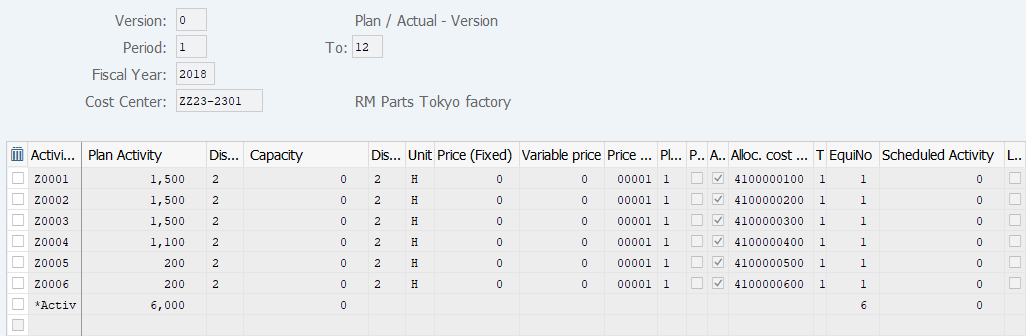
Operation Process:
| 1. | Check the registered contents. |
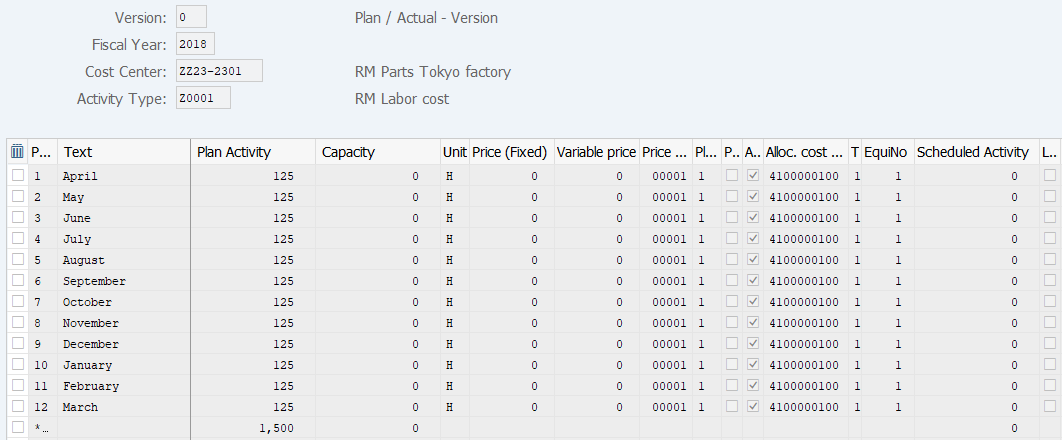
Operation Process:
| 1. | Check the registered contents. |
Copyright(c) MITSUI KINZOKU YOURSOFT Inc.