Change Cost Center (KS02)
Menu: Accounting > Controlling > Cost Center Accounting > Master Data > Cost Center > Individual Processing > Change
Process Overview: Change Cost master center.
(1) Information on how to implement time-dependent change management is available from here
Screen 1:
Operation Process:
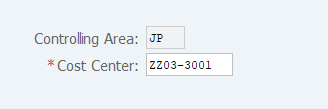
| 1. | {{Cost Center}} | Enter the Cost Center to be changed. | |
| 2. | Press [Enter] key. |
Operation Process:
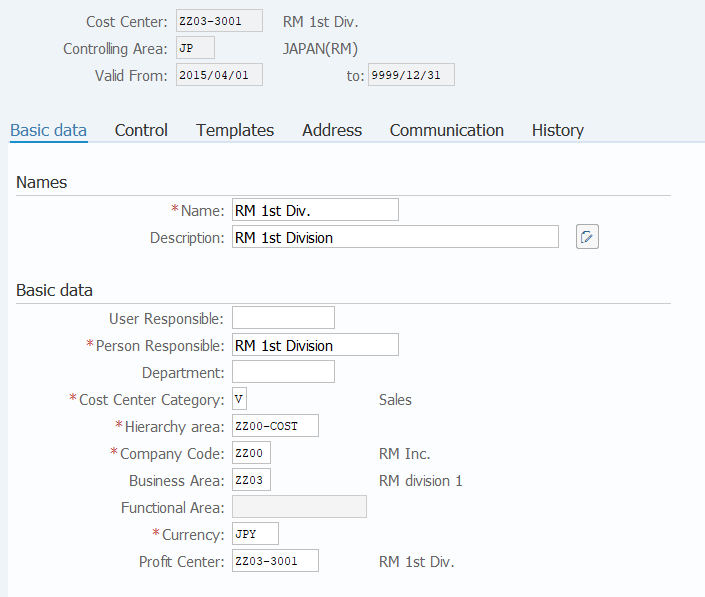
| Names | |||
| 1. | {{Name}} | Enter the Name (short) of the Cost Center. | |
| 2. | {{Description}} | Enter the Description (long) of the Cost Center. | |
| Basic Data | |||
| 3. | {User Responsible} | Enter the ID of the User Responsible for the Cost Center. | |
| 4. | {{Person Responsible}} | Enter the name of the Person Responsible. | |
| 5. | {Department} | Enter the Department name. | |
| 6. | {{Cost Center Category}} | Enter the Cost Center Category. | |
| 7. | {{Hierarchy area}} | Enter the cost center group to which the Cost Center belongs. | |
| 8. | {{Company Code}} | Enter the Company Code. | |
| 9. | {{Business Area}} | Enter the Business Area. | |
| 10. | {{Currency}} | Enter the Currency code. (Ex. 'JPY' for Japan) | |
| 11. | {{Profit Center}} | Enter the Profit Center corresponding to the Cost Center. (Entry of a representative is allowed.) | |
| 12. |  |
Click [Save]. | |
(1)How to implement time-dependent change management
Screen (1)-1:
Operation Process:
| 1. | {{Cost Center}} | Enter the Cost Center to be changed. | |
| 2. | Press [Enter] key. |
Screen (1)-2:
Operation Process:
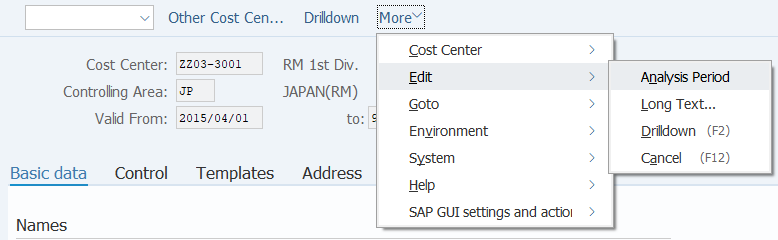
| 1. | Menu: More > Edit > Analysis Period |
Screen (1)-3:
Operation Process:
| 1. |  |
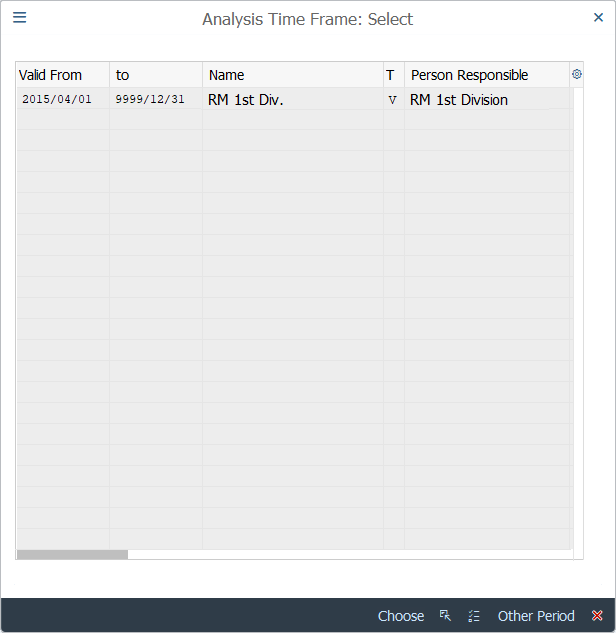
Click [Other Period]. |
Screen (1)-4:
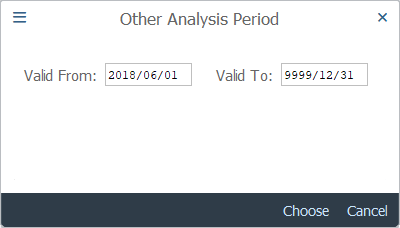
Operation Process:
| 1. | {{Valid From}} | Enter the start date for the analysis period. | |
| 2. | {{Valid To}} | Enter the end date for the analysis period. | |
| * If no specific end date is to be set, enter '9999/12/31'. | |||
| 3. |  |
Click [Choose]. |
Screen (1)-5:
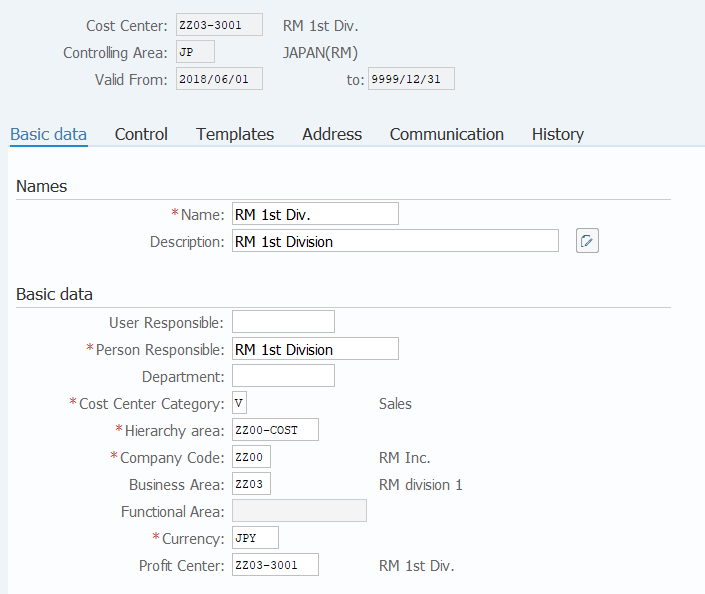
Operation Process:
| 1. | Change only the necessary part. (Refer to Screen 2) | ||
| 2. | |
Click [Save]. |
Copyright(c) MITSUI KINZOKU YOURSOFT Inc.