Back to Menu No.02-04-13
Cost Center: Variance Calculation (KSS1)
Menu: Accounting > Controlling > Cost Center Accounting > Period-End Closing > Single Functions > Variances
Process Overview: Calculate the variance between planned costs and actual costs for Cost centers.
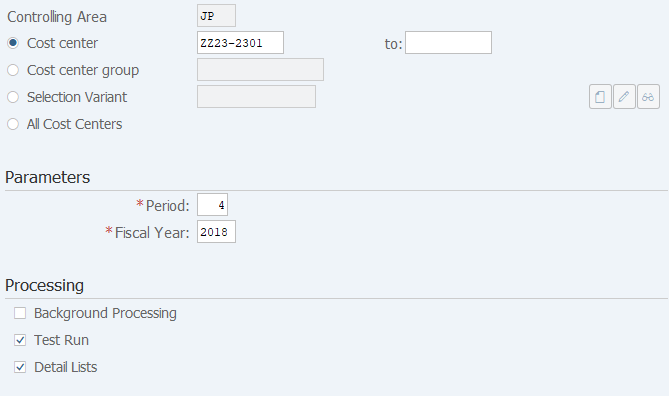
Screen 1:
Operation Process:
| 1. | {Cost center} | Enter the cost center. | |
| 2. | {Cost center group} | Enter the cost center group. | |
| 3. | {Selection Variant} | Enter the variant. | |
| 4. | {All Cost Centers} | Select this option to apply all cost centers to the processing. | |
| Parameters | |||
| 5. | {{Version}} | Enter the version. | |
| 6. | {{Period}} | Enter the fiscal period. | |
| 7. | {{Fiscal Year}} | Enter the fiscal year. | |
| Processing | |||
| 8. | {Background Processing} | Select this option to perform background (job) processing. | |
| 9. | {Test Run} | Select this option to run test. | |
| 10. | {Detail Lists} | Select this option to display the detail list after processing execution. | |
| 11. |  |
Click [Execute]. (Test run) | |
Remarks:
| 1. | For the first execution, select [Test Run] before execution. | |
| 2. | If the test result is OK, deselect Test run option and execute. |
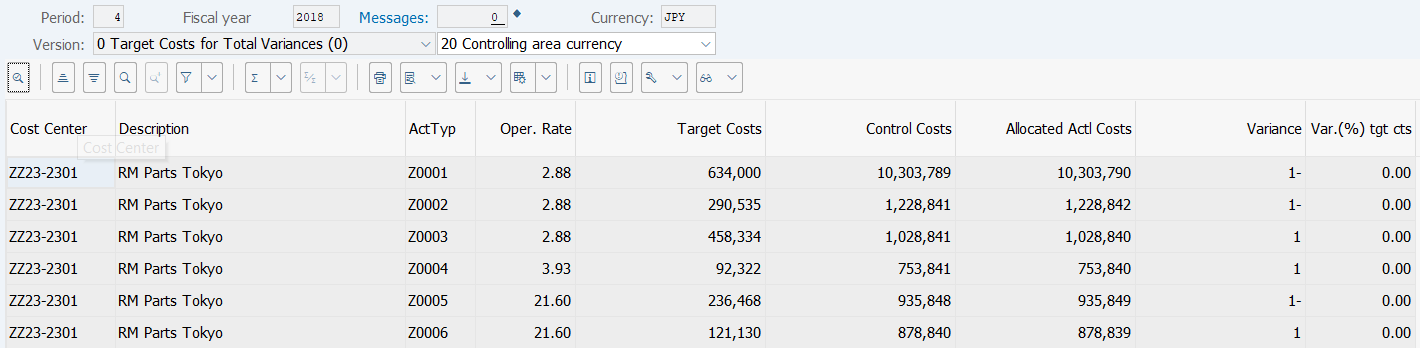
Screen 2:
Operation Process:
| 1. | Select a desired line. | ||
| 2. |  |
Click [Cost Elements]. |
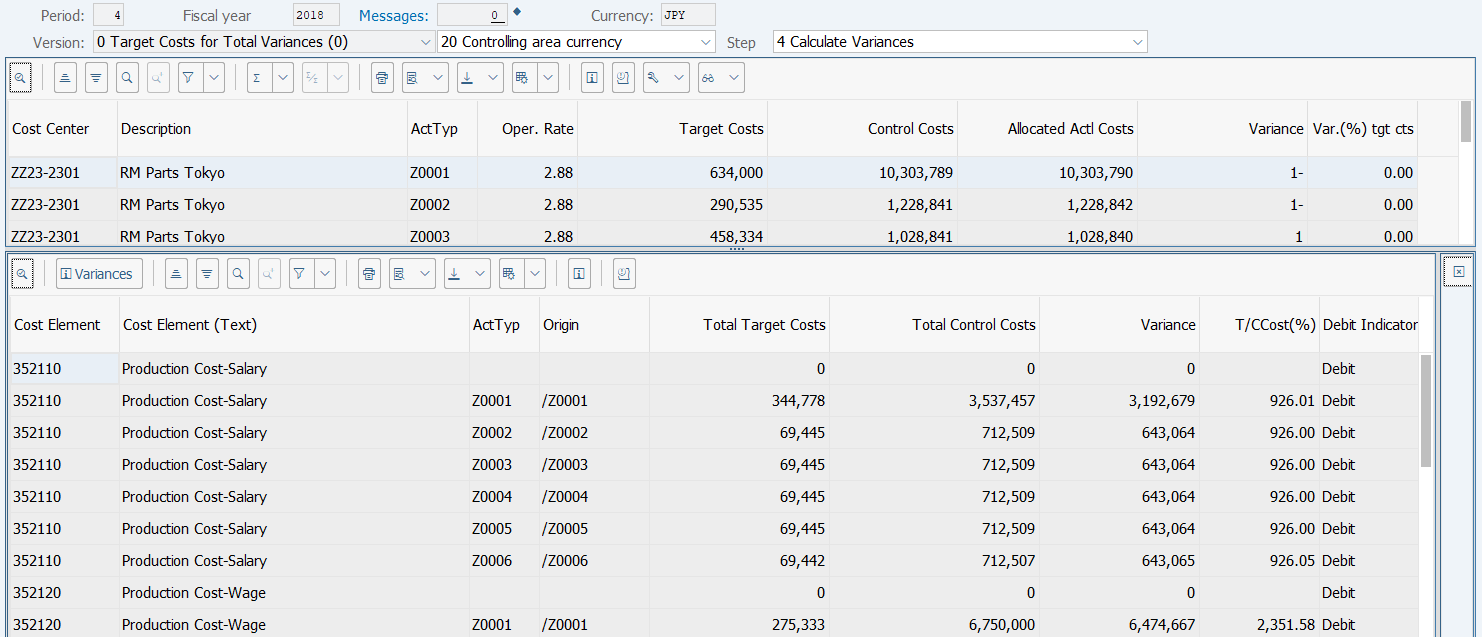
Screen 3:
Operation Process:
| 1. | Check the variance calculation results for each cost element. |
Copyright(c) MITSUI KINZOKU YOURSOFT Inc.