Back to Menu No.04-04-02
Transfer Assets Account Under Construction (YRCO0044)
Menu: Accounting > Controlling > Add: Settlement of accounts > Transfer Assets Account Under Construction
Process Overview: Transfer the actual amount from C.W.I.P to Fixed asset, other account.
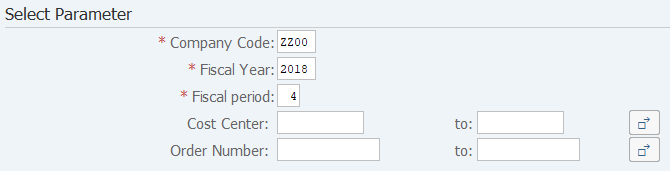
Screen 1:
Operation Process:
| Select Parameter | |||
| 1. | {{Company Code}} | Enter the Company Code. | |
| 2. | {{Fiscal Year}} | Enter the Fiscal Year. | |
| 3. | {{Fiscal period}} | Enter the Fiscal period. | |
| 4. | {Cost Center} | Enter the Cost Center. | |
| 5. | {Order Number} | Enter the Order Number. | |
| 6. |  |
Click [Execute]. | |
Screen 2:
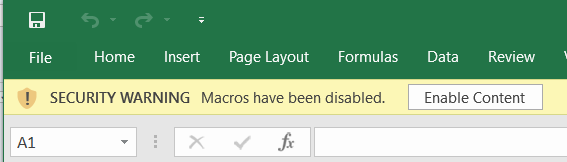
Operation Process:
| 1. |  |
Click [Enable Content]. |
Screen 3: Create asset acquisition/transfer data
Sheet (Sum by construction in prog):

Operation Process:
| 1. | {Accounting Principles} (Column G) | Enter the Accounting Principles for transferring. (Refer to Remarks 1) | |
| Asset (Refer to Remarks 1) | |||
| 2. | {Start time} (Column H) | Enter the Capitalized on for transferring. | |
| 3. | {{Asset number}} (Column I) | Enter the Asset number for transferring. | |
| Expense (Refer to Remarks 1) | |||
| 4. | {Transfer} (Column J) | Enter the Cost center for transferring. | |
| 5. | {{Account number}} (Column K) | Enter the Account number for transferring. | |
| 6. |  |
Click [Create Asset Acquisition/Transfer data]. "Go to Screen 4." | |
Remarks:
| 1. | The input value of Accounting Principles is limited by the Ledger group. |
| Ledger Group | Input value of Accounting Principles | Input value judgment | Object for transferring |
| (Blank) | X | OK | Expense |
| 0 | OK | Asset | |
| 1 | OK | LOCAL->Expense / IFRS->Asset | |
| 2 | OK | LOCAL->Asset / IFRS->Expense | |
| 0L | X | NG | - |
| 0 | NG | - | |
| 1 | OK | Expense | |
| 2 | OK | Asset | |
| Y0 | X | NG | - |
| 0 | NG | - | |
| 1 | OK | Asset | |
| 2 | OK | Expense |
Supplement:
| 1. | In Sheet (Check const. in prog items), details of data of "Sum by construction in prog" can be checked. |

Screen 4:Create Asset Acquisition/Transfer data
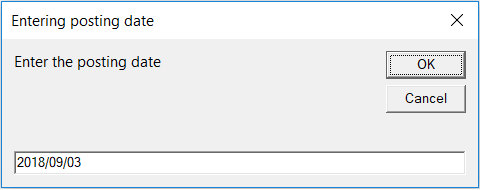
Operation Process:
| 1. | {{posting date}} | Enter the posting date of transform documents. | |
| 2. |  |
Click [OK]. |
Screen 5:Create Asset Acquisition/Transfer data
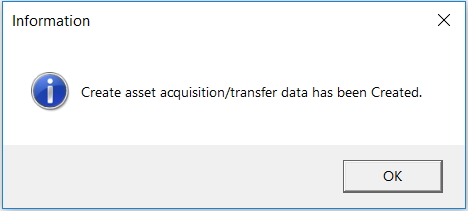
Operation Process:
| 1. | |
Click [OK]. | |
| 2. | Because the following Sheet are created, the content is checked. |
Screen 6:Check Asset Acquisition/Transfer data
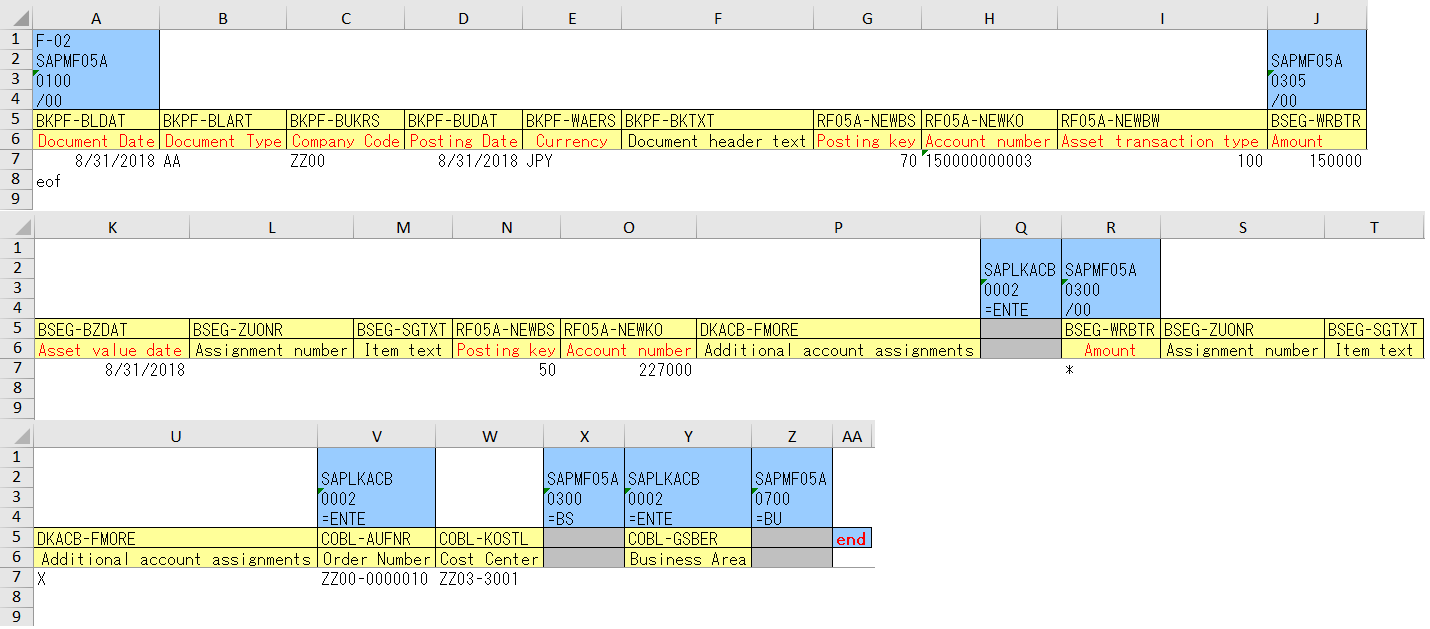
Sheet (Asset Acquisition):
Remarks:
| 1. | The content of transferring to assets is checked. | |
| 2. | Moreover, it is also possible to correct the value of the item by each details. |
Sheet (Asset Acquisition (AP)):

Remarks:
| 1. | The content of transferring to assets is checked. | |
| 2. | Moreover, it is also possible to correct the value of the item by each details. |
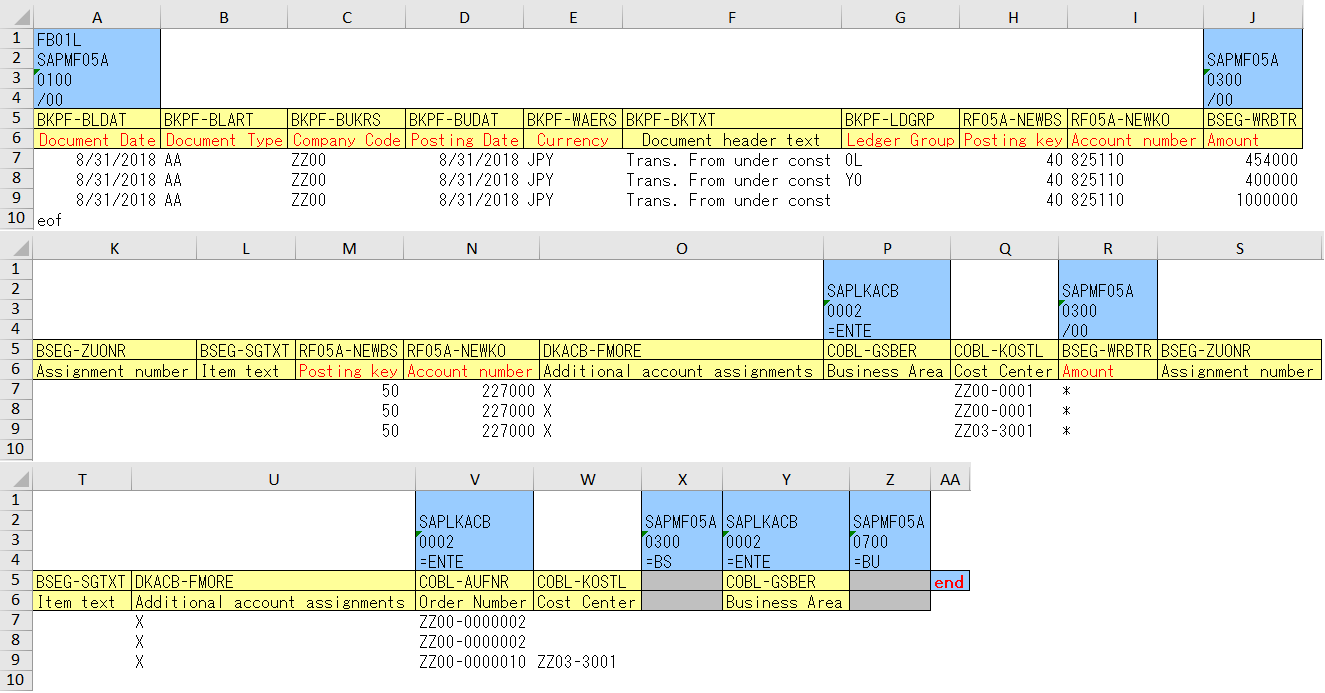
Sheet (Transfer):
Remarks:
| 1. | The content of transferring to expense is checked. | |
| 2. | Moreover, it is also possible to correct the value of the item by each details. |
Operation Process:
| 1. |  |
It returns to Sheet (Sum by construction in prog) after the asset acquisition/transfer data is checked. |
Screen 7:Create batch input data
Sheet (Sum by construction in prog):
Operation Process:
| 1. |  |
Click [Create batch input data]. |
Screen 8:Create batch input data
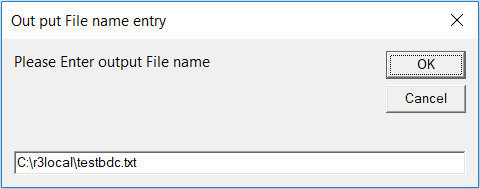
Operation Process:
| 1. | |
Click [OK]. |
Screen 9:Create batch input data
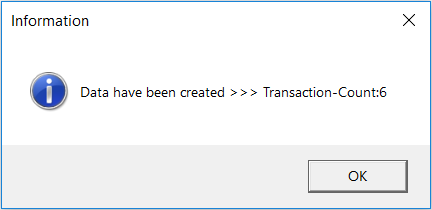
Operation Process:
| 1. | |
Click [OK]. | |
| 2. | From the SAP menu, execute 'General Batch Input' (T-cd:YR990001). |
Copyright(c) MITSUI KINZOKU YOURSOFT Inc.