Production Cost Report (YRCO0048)
Menu Pass: Accounting > Controlling > Add: Download > Production Cost Report
Process Overview: Download the Production Cost Report and Detail Report.
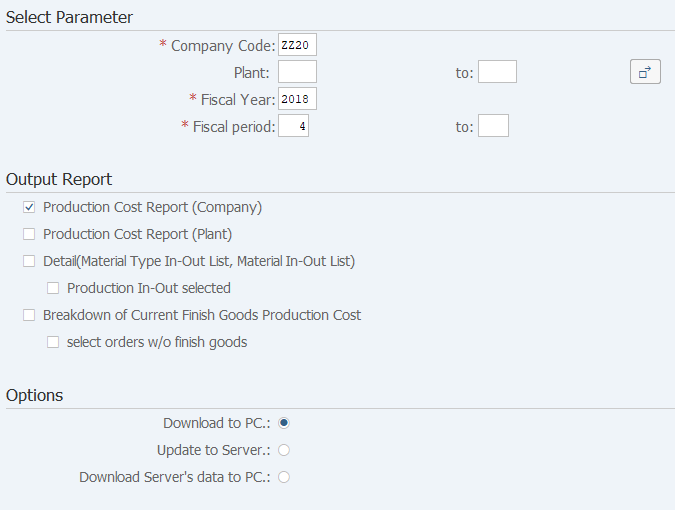
Screen 1:
Operation Process:
| Select Parameter | |||
1. |
{{Company Code}} | Enter the Company Code that processes it. | |
2. |
{Plant} | Enter the Plant that processes it. | |
3. |
{{Fiscal Year}} | Enter the Fiscal Year Code that processes it. | |
4. |
{{Fiscal period}} | Enter the Fiscal period that processes it. | |
| Output Report | |||
5. |
{Production Cost Report (Company)} | When Production Cost Report (Company Level) downloaded, tick it. | |
| 6. | {Production Cost Report (Plant)} | When Production Cost Report (Plant Level) downloaded, tick it. | |
| 7. | {Detail (Material Type In-Out List, Material In-Out List)} | When detail report downloaded, tick it. | |
| 8. | {Production In-Out selected} | When production is also included in the report downloaded, tick it. | |
| 9. | {Breakdown of Current Finish Goods Production Cost} | When Breakdown of Current Finish Goods Production Cost downloaded, tick it. | |
| 10. | {select orders w/o finish goods} | When process is also included in the report downloaded, tick it. | |
| Options | |||
| 11. | {Download to PC.} | Select this option to download and display the extracted data in Excel. To Screen 2. | |
| 12. | {Update to Server.} | Select this option when download the data to SAP ERP server. To Screen 7. | |
| 13. | {Download Server's data to PC.} | Select this option when download the data that had downloaded to SAP ERP server to local PC. To Screen2. | |
14. |
 |
Click [Execute]. | |
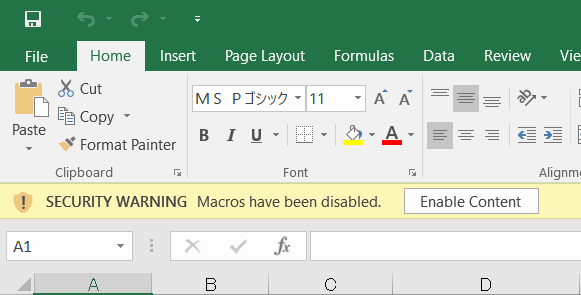
Operation Process:
| 1. |  |
Click [Enable Content]. |
Screen 3:Production Cost Report (Company Level) selection
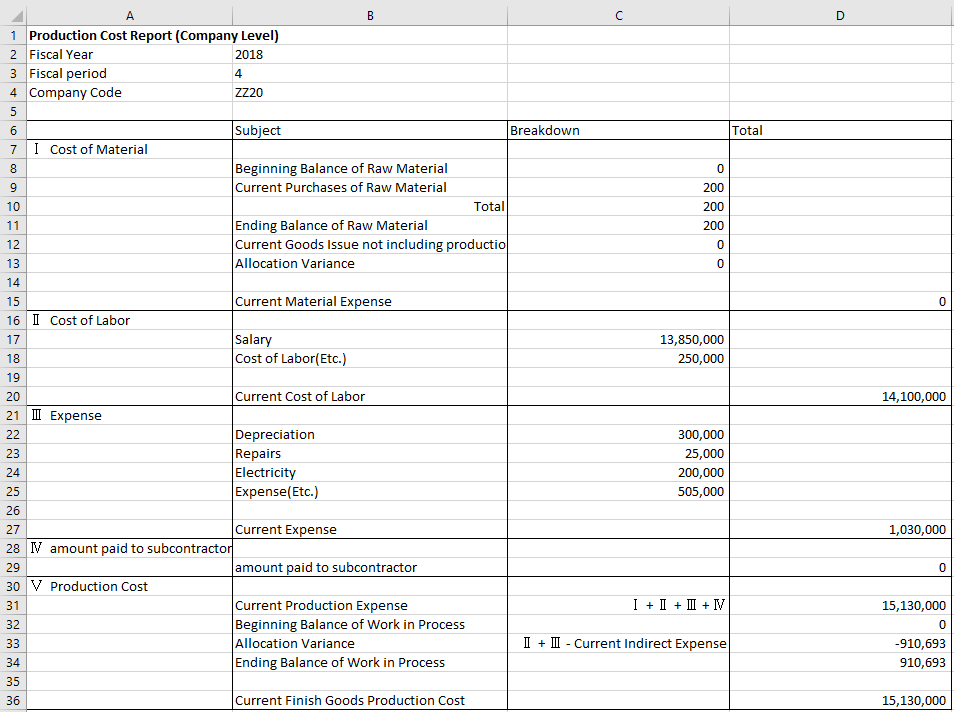
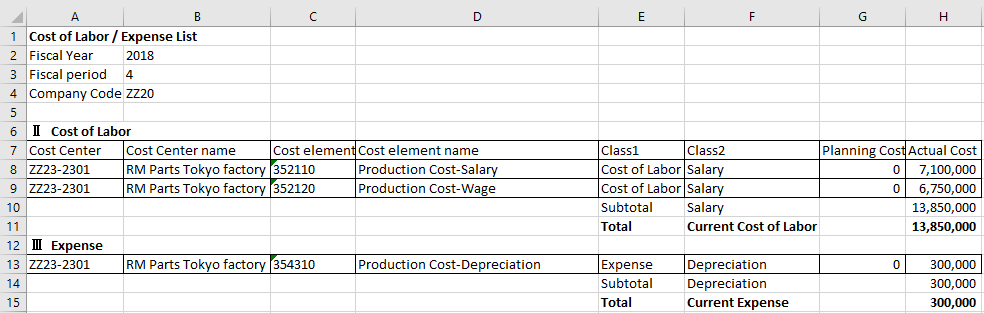
Screen 4: Production Cost Report (Plant Level) selection
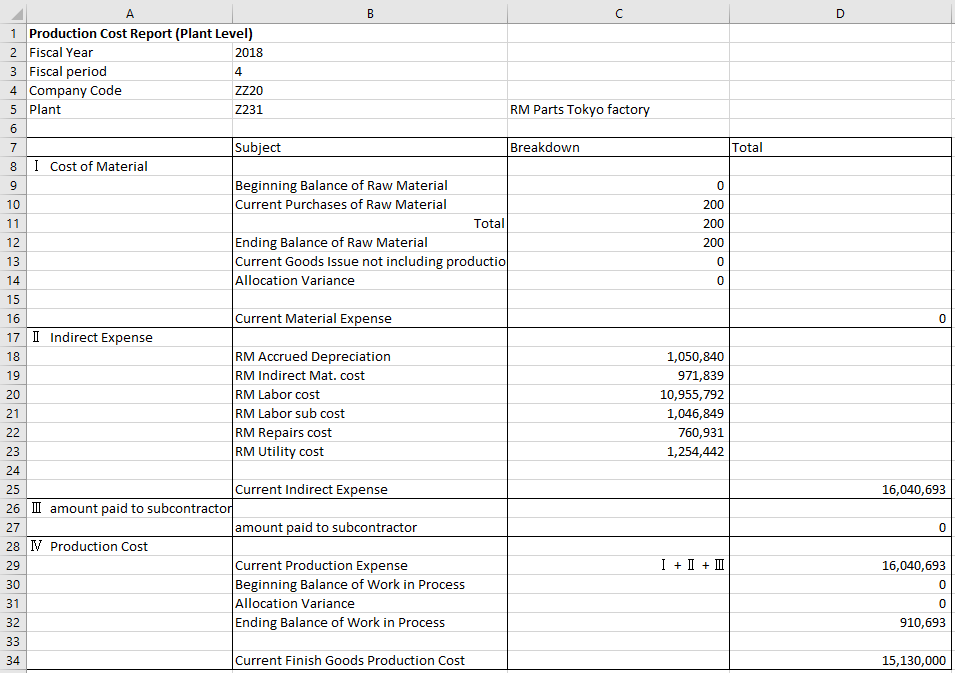
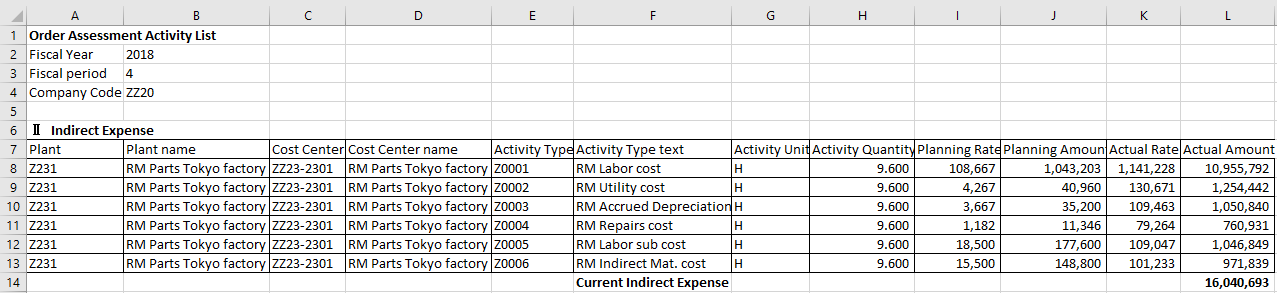
Screen 5: Detail (Material Type In-Out, Material In-Out List) selection


Screen 6: Breakdown of Current Finish Goods Production Cost selection


Copyright(c) MITSUI KINZOKU YOURSOFT Inc.