Back to Menu No.06-02-01
Reconciling the GR/IR clearing accounts (F. 13)
|
Process Overview: |
The MM goods-receipt process and invoice verification process results in the generation of 'Goods/invoice rec.'. |
| Since these accounts are unreconciled, they must be reconciled. This processing allows for the reconciliation of all GR/IR clearing accounts. |
(1) Confirmation process (2) Reconciliation process
When the materials system is closed at the end of period, the balance of the GR/IR clearing accounts should be zero. Check the balance
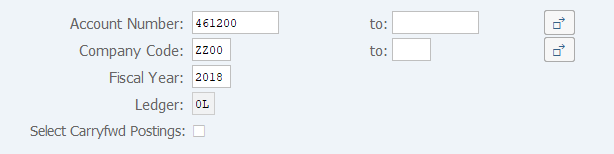
Menu: Accounting > Financial Accounting > General Ledger > Account > Display Balances(New)
Screen(1)-1:
Operation Process:
| 1. | {{Account Number}} | Enter the Account code for balance display. | |
| 2. | {{Company Code}} | Enter the Company code for balance display. | |
| 3. | {{Fiscal Year}} | Enter the Fiscal year for balance display. | |
| 4. |
 |
Click [Execute]. |
Screen(1)-2:
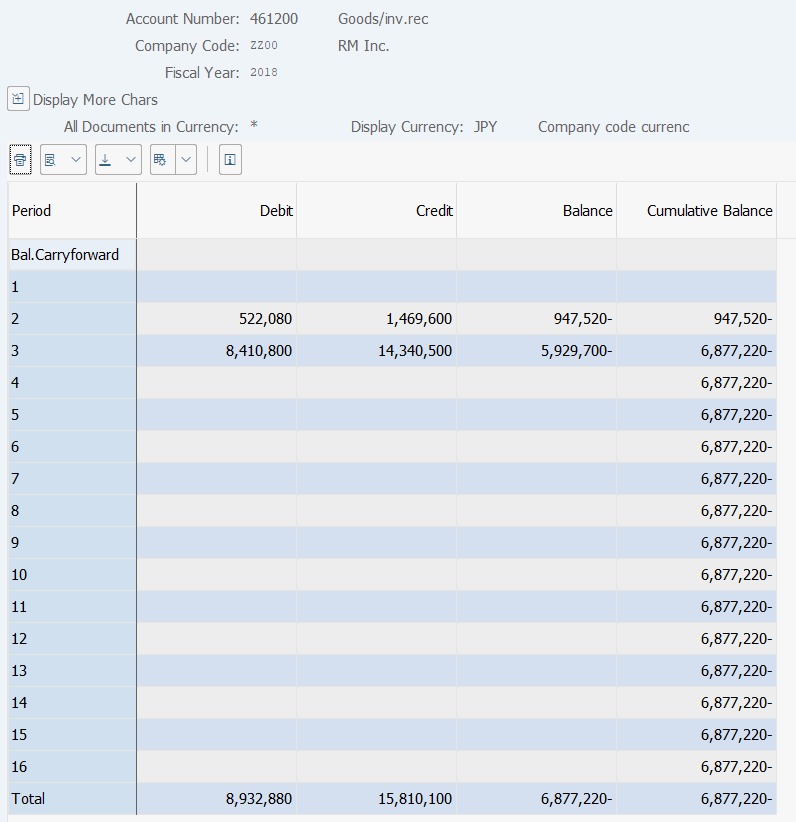
Operation Process:
| 1. | Confirm that the cumulative balance field reads '0'. | |
| If the field reads other than '0', there are some unfinished invoice verification tasks in Purchasing. Check and register those invoice verifications. |
Menu: Accounting > Financial Accounting > General Ledger > Periodic Processing > Automatic Clearing > Without Specification of Clearing Currency
Screen(2)-1:
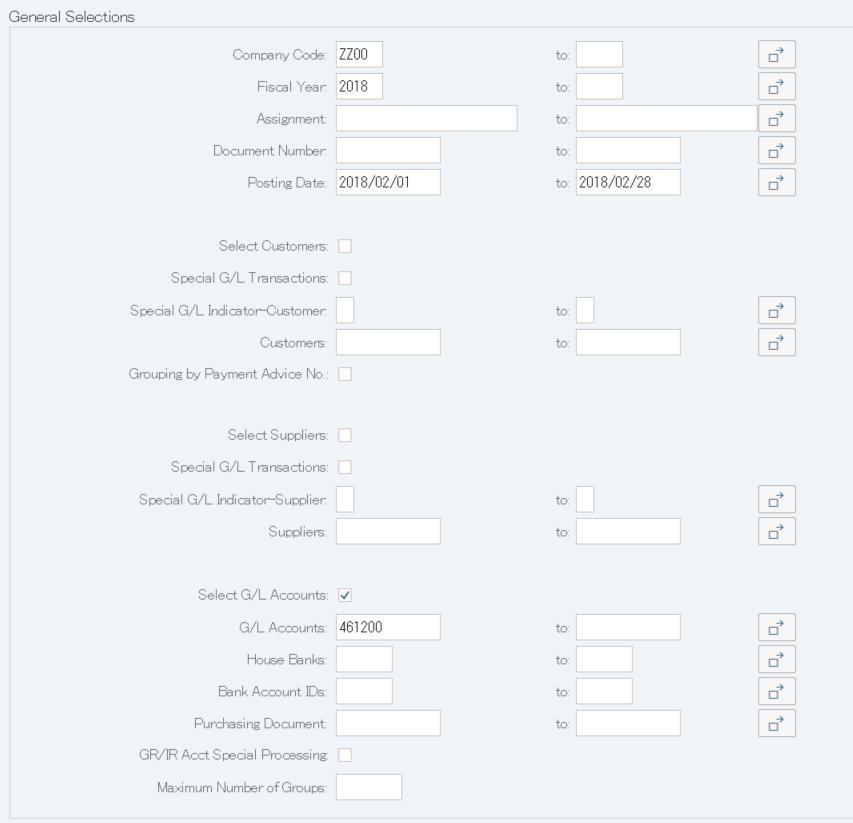
Operation Process:
| General selections | |||
| 1. | {{Company Code}} | Enter the Company code. | |
| 2. | {{Fiscal Year}} | Enter the Fiscal year subject to reconciliation. | |
| 3. | {Posting Date} | Enter the Posting date subject to reconciliation. | |
| 4. | {{Select G/L accounts}} | Select this option. | |
| 5. | {{G/L Accounts}} | Enter the '461200' GR/IR clearing accounts subject to reconciliation. | |
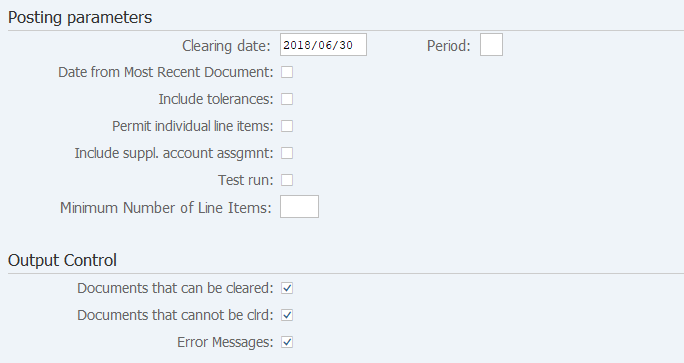
| Posting parameters | |||
| 6. | {{Clearing date}} | Enter the Clearing date. | |
| 7. | {Test run} | In case of test run, select this option. | |
|
Output Control |
|||
| 8. | {Documents that can be cleared} | Display the documents that can be reconciled. | |
| 9. | {Documents that cannot be clrd} | Display the documents that cannot be reconciled. | |
| 10. | {Error Messages} | Display the error message. | |
| 11. |
|
Click [Execute]. | |

| 12. | Click the [Enter] key. |
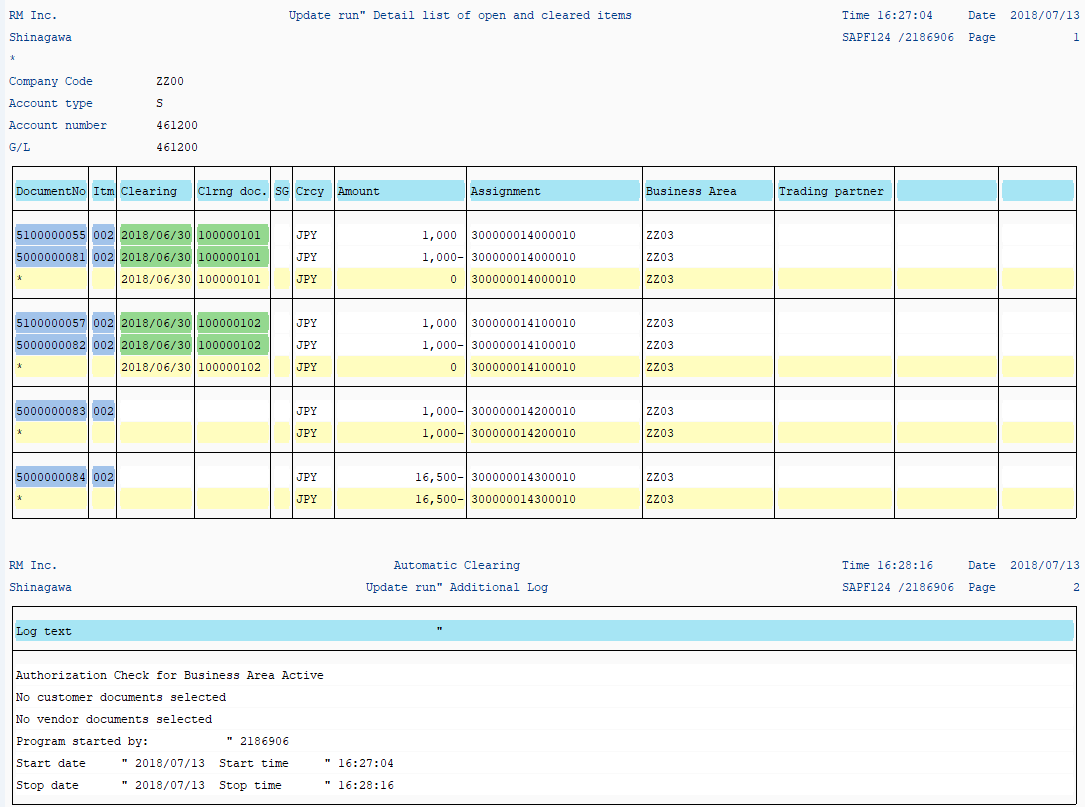
Screen(2)-2:
Copyright(c) MITSUI KINZOKU YOURSOFT Inc.