Back to Menu No.03-02-03
Automatic Payment Parameters (F110)
Menu: Accounting > Financial Accounting > Accounts Payable > Periodic processing > Payments
Process Overview: Copy parameters of Automatic payment processing which already exists in the system.
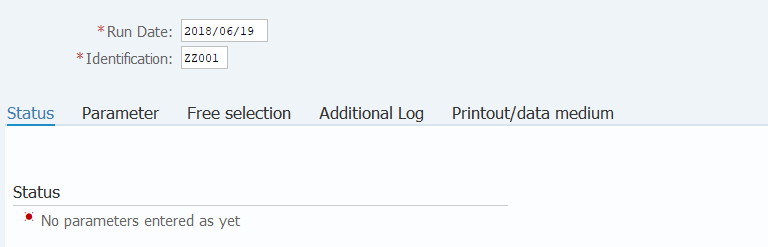
Screen 1:
Operation Process:
| 1. | {{Run Date}} | Enter the payment date. | |
| 2. | {{Identification}} | Enter the Identification name of the person in charge of payment (person in charge of fund) |
Remarks:
| 1. | Specify 'Company code (or Business area) + any information' for the identification name to avoid duplication with the person in charge. | |
| 2. | When executing twice or more on the same date, assign a sub-number to the identification name. |
Screen 2:
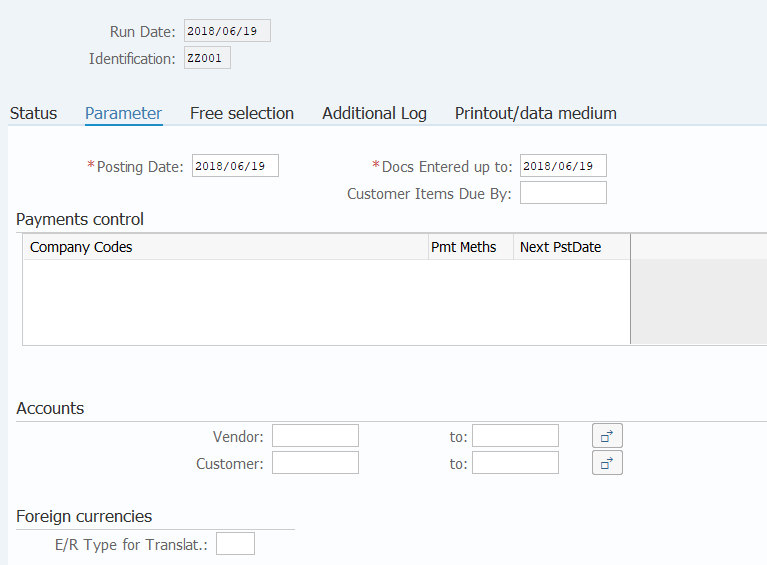
Operation Process:
| 1. |  |
Select the [Parameter] tab. (Input of payment condition) | |
| 2. |  |
Click [Copy Parameters]. |
Screen 3:
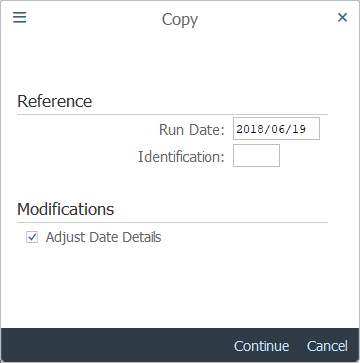
Operation Process:
| 1. | Click [Search condition] and select the execution date and ID, which are the parameter copy source, by double-clicking on them. | ||
| 2. |  |
Click [Continue]. |
Remarks:
| 1. | By checking the date adjustment details, the difference between the copy execution date and the current execution date is calculated and the difference is reflected in the parameter date. | |
| When 'ex. copy execution date:2016/10/20 parameter posting date
2016/10/20 is specified and when 2016/10/30 is specified for the current execution date, the parameter posting date is set to 2018/10/30. (The difference of execution dates is 10 days.) |
Screen 4:
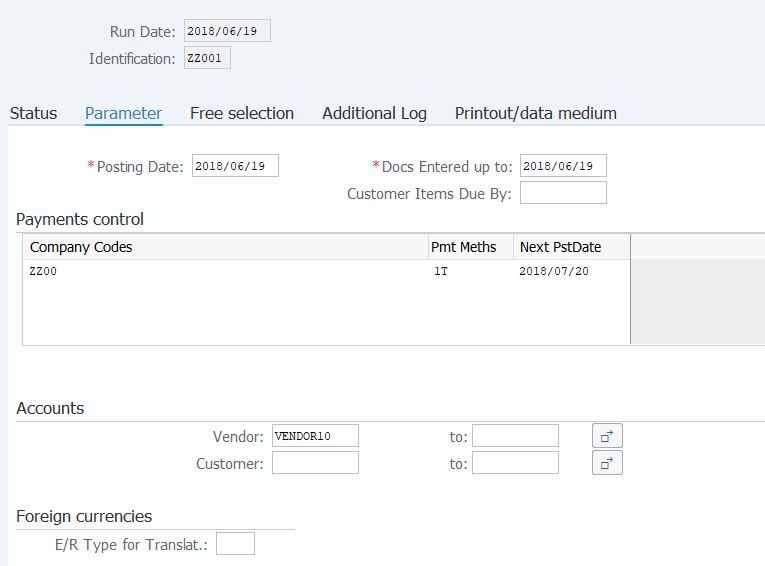
Supplement :
| 1. | Check that the parameters are copied, save the parameters, and continue the payment processing. |
Copyright(c) MITSUI KINZOKU YOURSOFT Inc.