 will not be processed.
Back to Menu No.03-02-04
Automatic Payment processing
Process Overview: Summary of Automatic payment processing and the description of how to cope with errors that may occur during the processing.
| 0. Overview of payment processing | 1. Overview (PDF) | ||
| 1. Creating proposal data | 1. Error | ||
| 2. Proposal data deficit | 1. A payment method has not been entered | 2. A wrong parameter has been input. | Supplement: Restarting the maintenance of the proposal run |
| 3. Print plan | 1. DME files |
1. Creating proposal data
Error 1-1: Data with the error
type indicating an error
will not be processed.
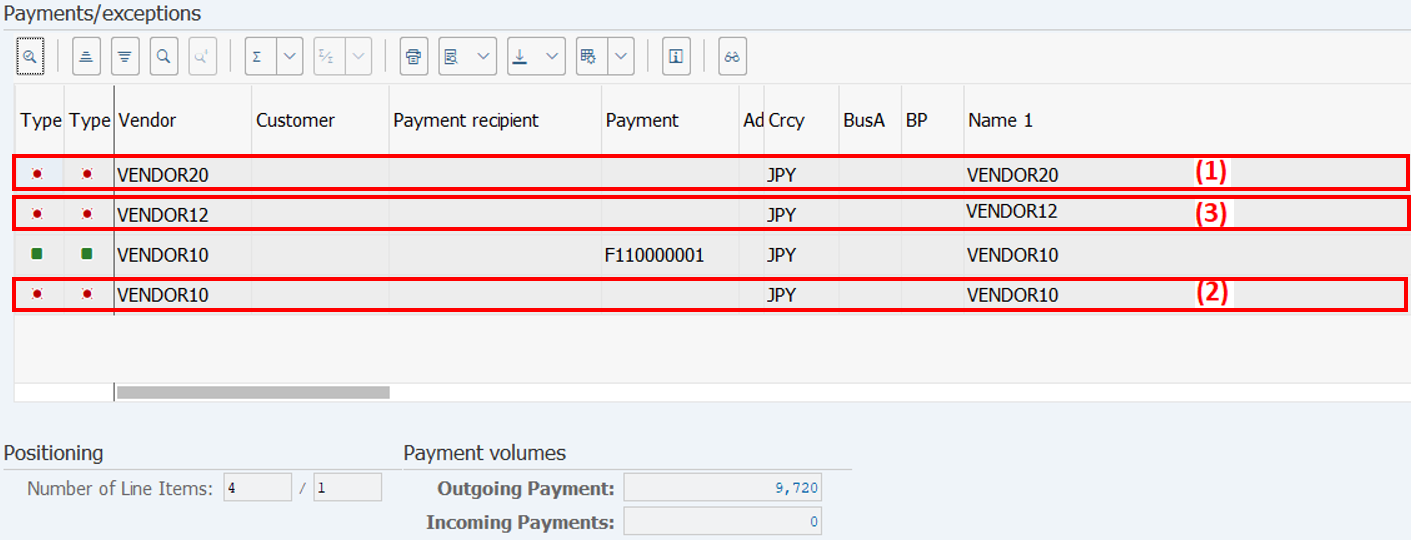
Cause:
| (1) | Bank information has not been registered for the vendor master. | |
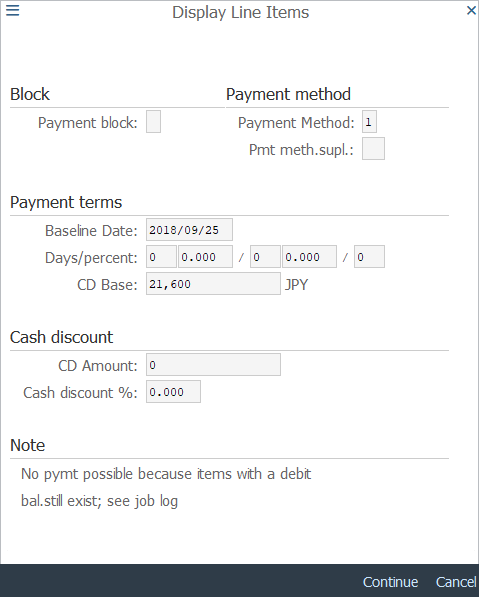
| (2) | Total amount by vendor/baseline date for payment is minus. | |
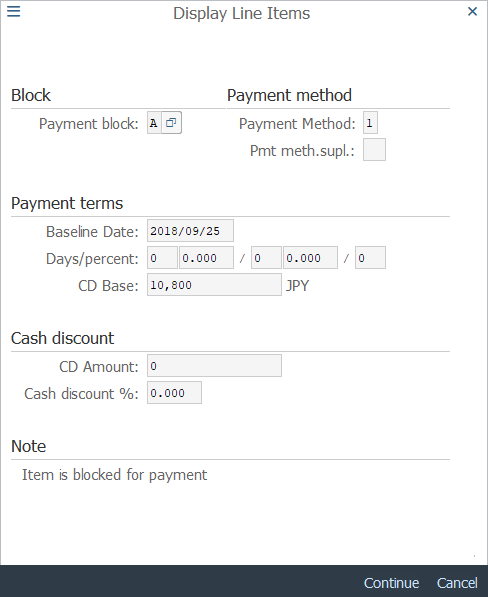
| (3) | The payment block is set. |
Check method:
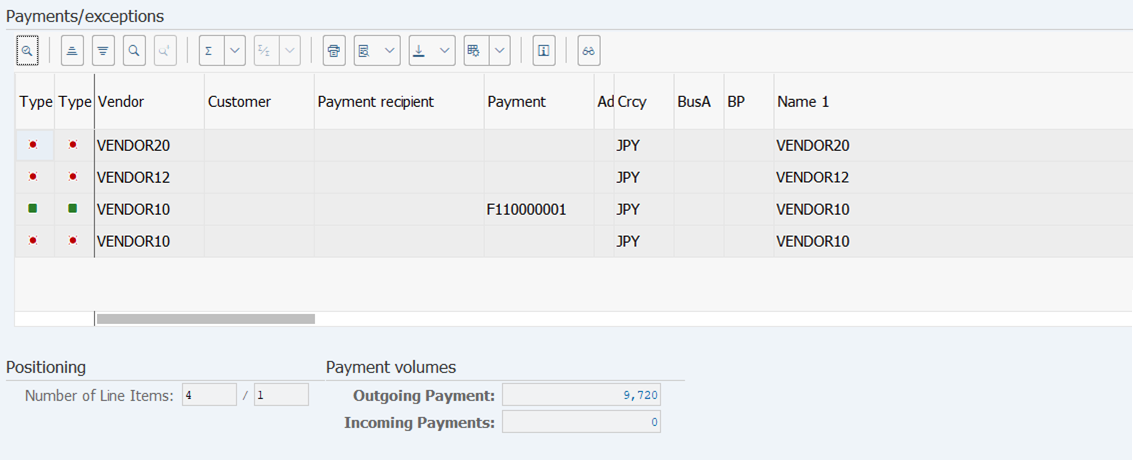
Operation Process:
| 1. | Double-click the line item to be checked. |
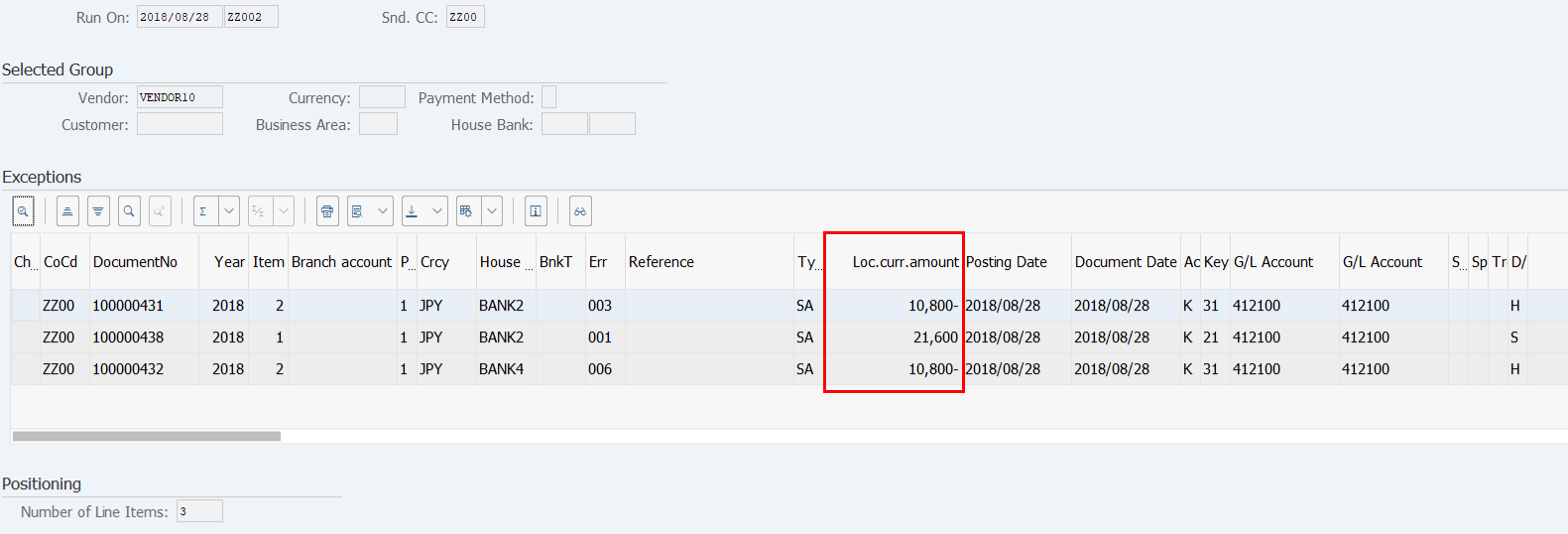
Operation Process:
| 1. | Double-click the line item. |
If the bank master data has not been registered: If the amount is minus:
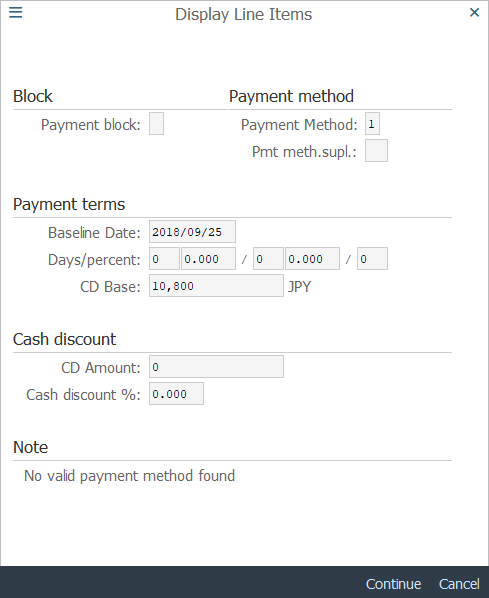
If the payment block flag is set:
Solution:
| (1) | Bank information has not been registered for the vendor master. | |
| Register the bank information in the vendor master. | ||
| (2) | Total amount by vendor/baseline date for payment is minus. | |
| Check the line item, and use reversal or a payment block flag as necessary to exclude the item from the processing. | ||
| (3) | The payment block is set. | |
| Check the line item, remove the payment block flag as necessary, and include it in the processing. |
2. Proposal data deficit
Error 2-1: If a payment method is not entered in the document, no proposal data can be created.
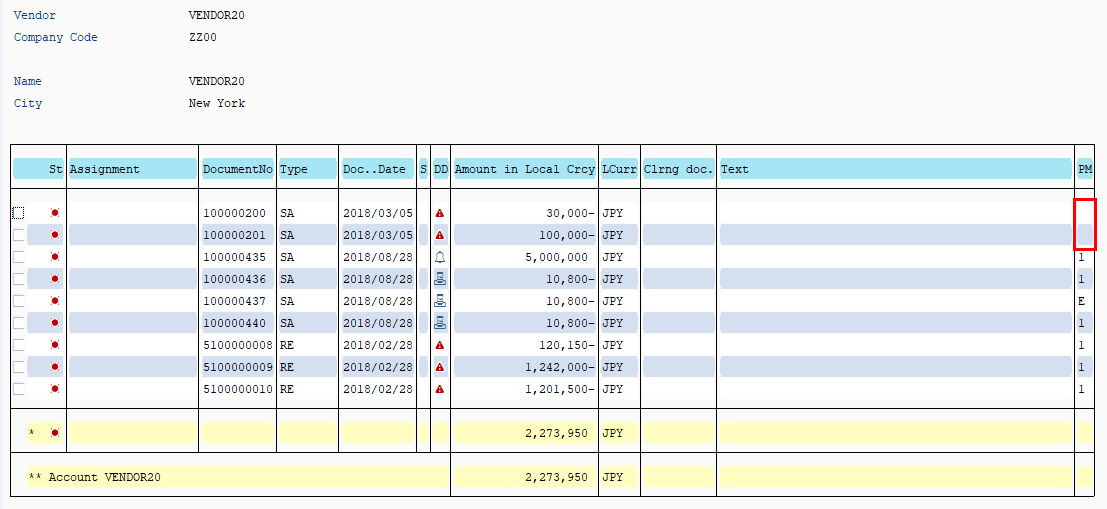
Solution:
| 1. | Open the document for modification and input a payment method. |
Error 2-2: If there is an error in the parameter input for automatic payment processing, no proposal will be made.
Solution:
| 1. | Check the parameter. |
Supplement: Restarting the maintenance of the proposal run
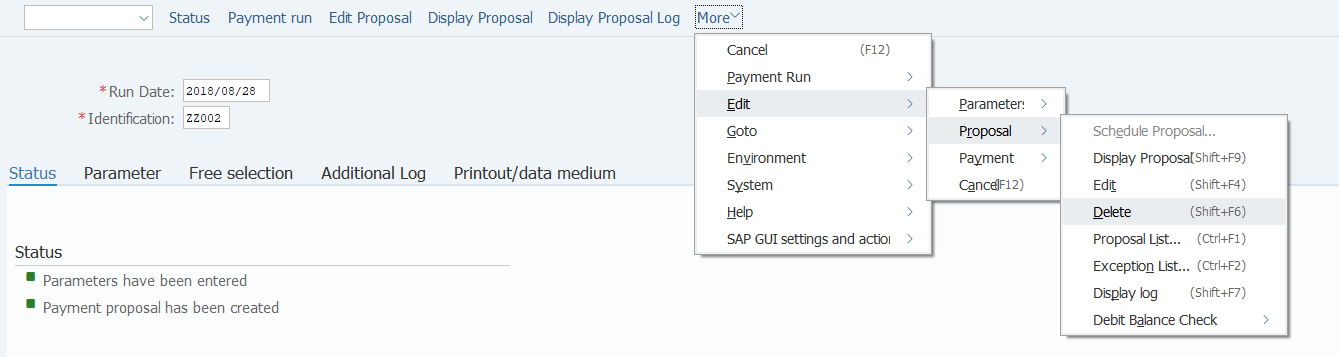
Operation Process:
| 1. | Menu: Edit > Proposal > Delete |
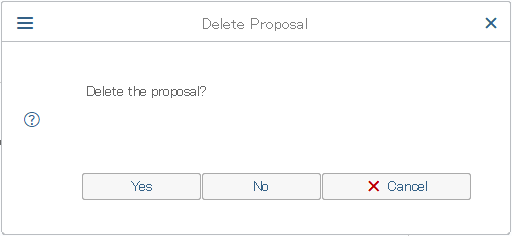
Operation Process:
| 1. |
 |
Click [Yes]. |

Operation Process:
| 1. | Check the message. | |
| 2. | Take necessary steps and then restart. |
3. Print plan
Error 3-1: When Account holder's name of vendor master is a blank, it is error.
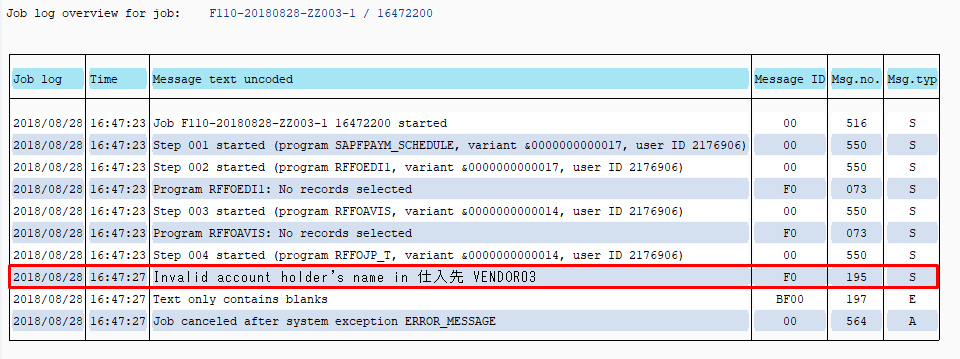
Cause:
| 1. | Account holder's name of vendor master is registered by the blank. |
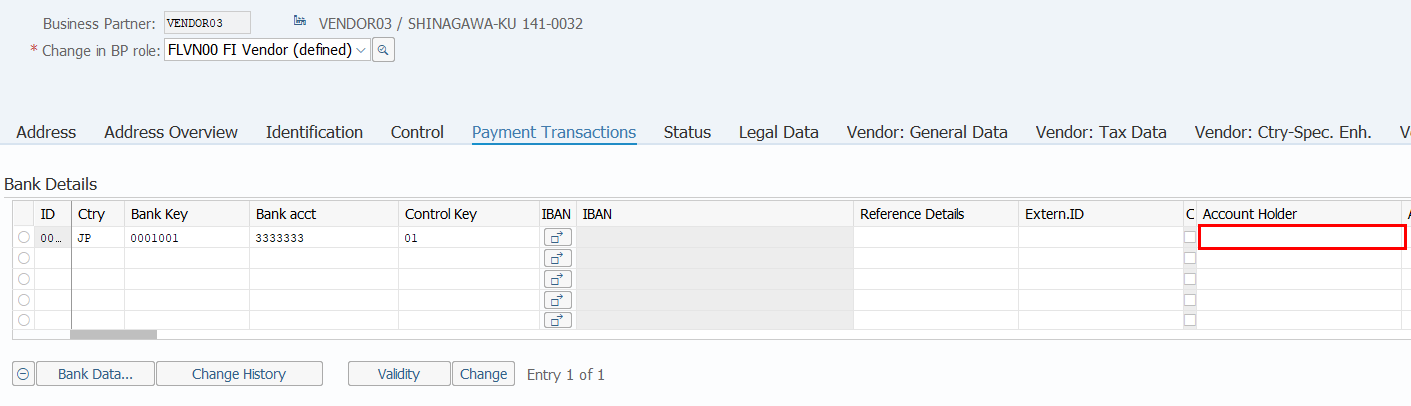
Solution:
| 1. | The account holder's name is input to the vendor master. | |
| 2. | After the master is saved, the print plan processing is executed again. |
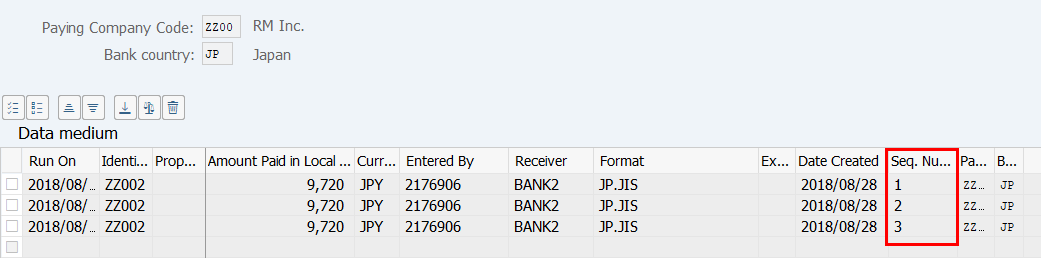
Error 3-2: When the print plan processing is executed several times, resulting in more than one DME file being created, a warning message appears.
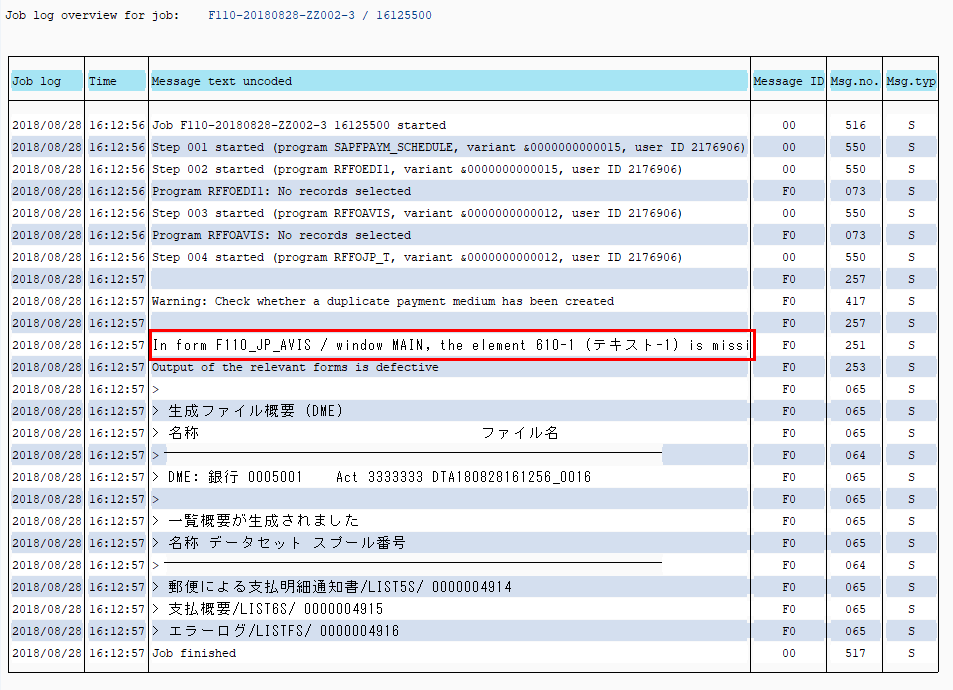
Cause:
| 1. | More than one DME file has been created. |
Solution:
| 1. | There is no problem with the data. Select the data and check if the DME file has been created successfully. | |
| 2. | The larger the sequence number, the more recent it is. Check the latest DME file. |
Copyright(c) MITSUI KINZOKU YOURSOFT Inc.