Foreign Currency Valuation (FAGL_FCV)
Menu: Accounting > Financial Accounting > General Ledger > Periodic Processing > Closing > Valuate > Foreign Currency Valuation (New)
Process Overview: Carry out period-end valuation for open payable / receivable items in foreign currency.
Screen 1:
Operation Process:
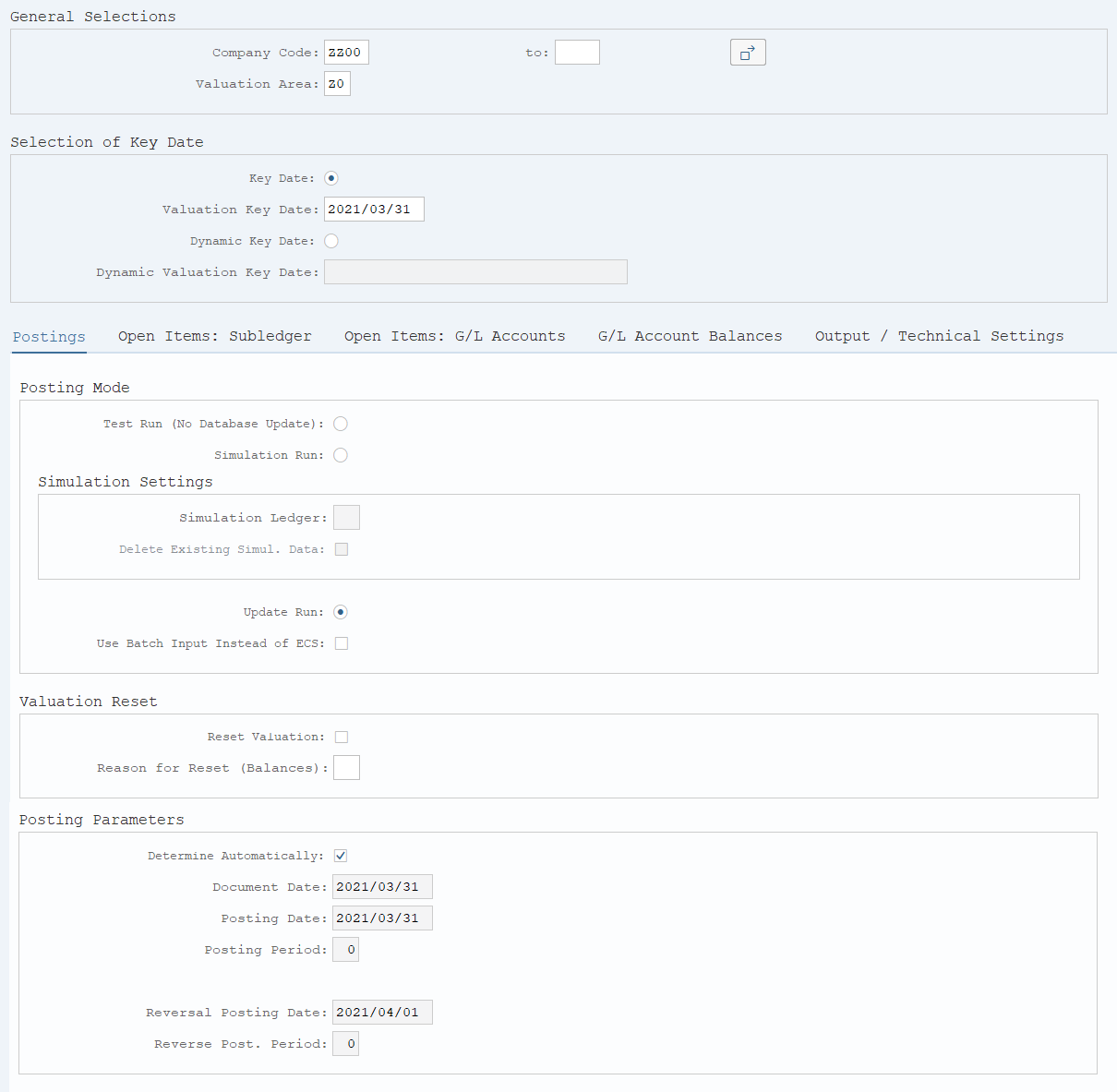
| General Selections | |||
| 1. | {{Company Code}} | Enter the target Company code. | |
| 2. | {{Valuation Key Date}} | Enter the date of the exchange rate to be evaluated. | |
| 3. | {{Valuation Area}} | Enter the valuation area. | |
| (Z0:Local valuation area, Z1:IFRS valuation area) | |||
| Posting Mode | |||
| 4. | {Test Run(No Database Update)} | Select this option when executing a test. | |
| 5. | {Update Run} | Select this option when executing post. | |
| 6. |
 |
Select the [Open Items: Subledger] tab. | |
Remarks:
| 1. | Before executing evaluation processing, the exchange rate of the evaluation date (YRFI0043) is necessary. | |
| 2. | In case the company sets global currency, it is necessary to execute the valuation area of "Z2"(IFRS_Global currency valuation area). |
Screen 2:
Operation Process:
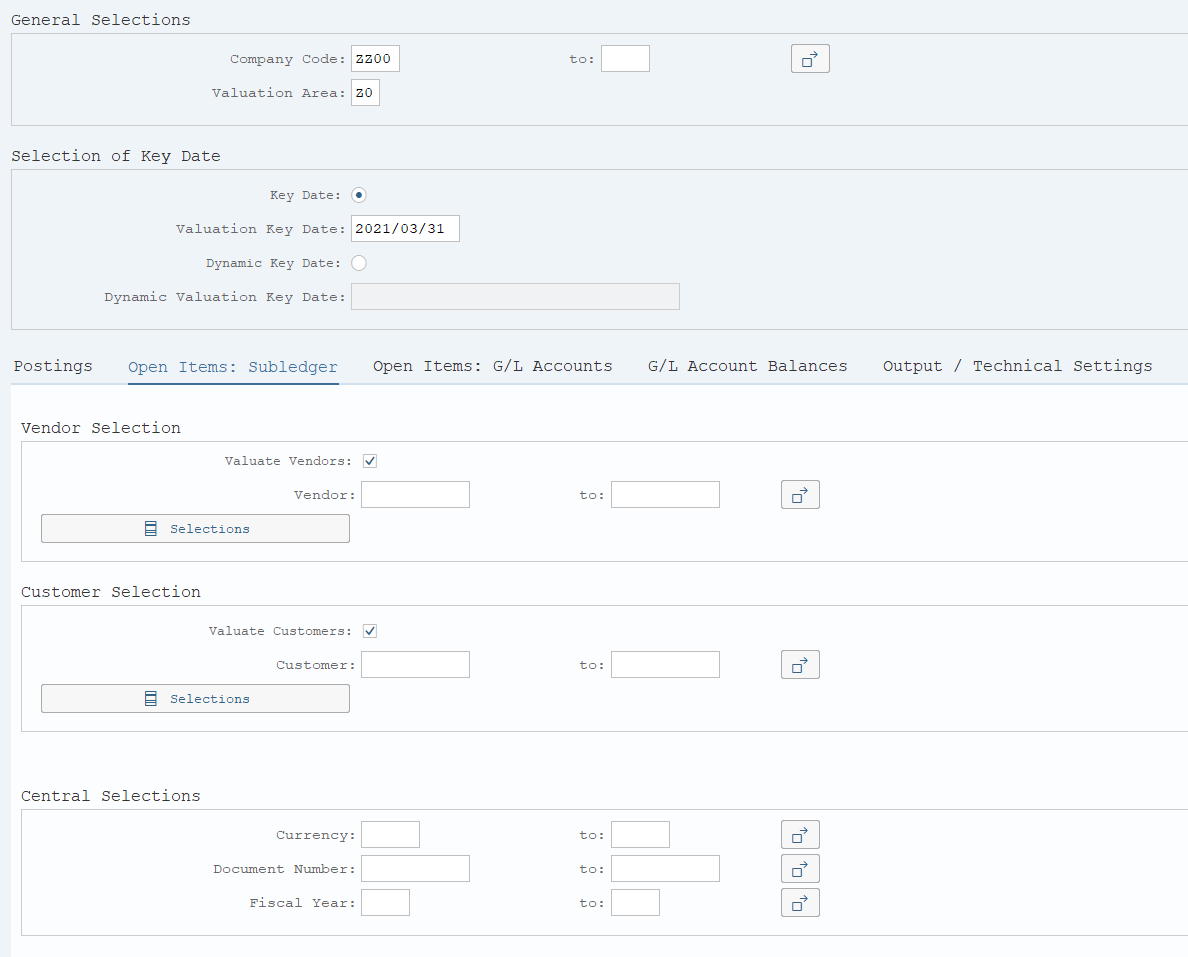
| Vendor Selection | |||
| 1. | {Valuate Vendors} | Select this option when executing evaluation of vendor items. | |
| Customer Selection | |||
| 2. | {Valuate Customers} | Select this option when execution evaluation of customer items. | |
| 3. |
 |
Select the [Open Items: G/L Accounts] tab. | |
Screen 3:
Operation Process:
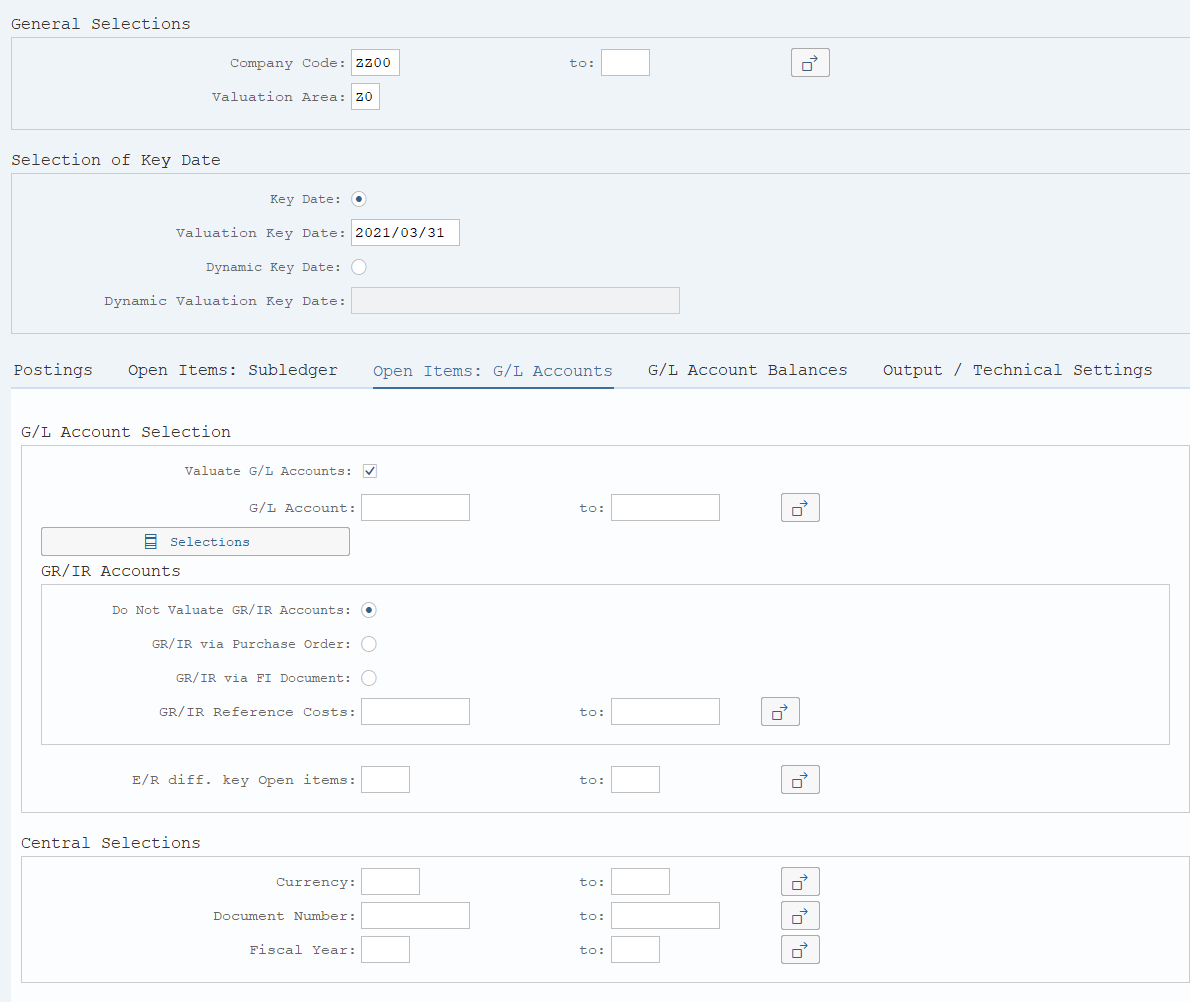
| G/L Account Selection | |||
| 1. | {Valuate G/L Accounts} | Select this option when executing evaluation of G/L balances. | |
| 2. |
 |
Select the [G/L Accounts Balances] tab. | |
Screen 4:
Operation Process:
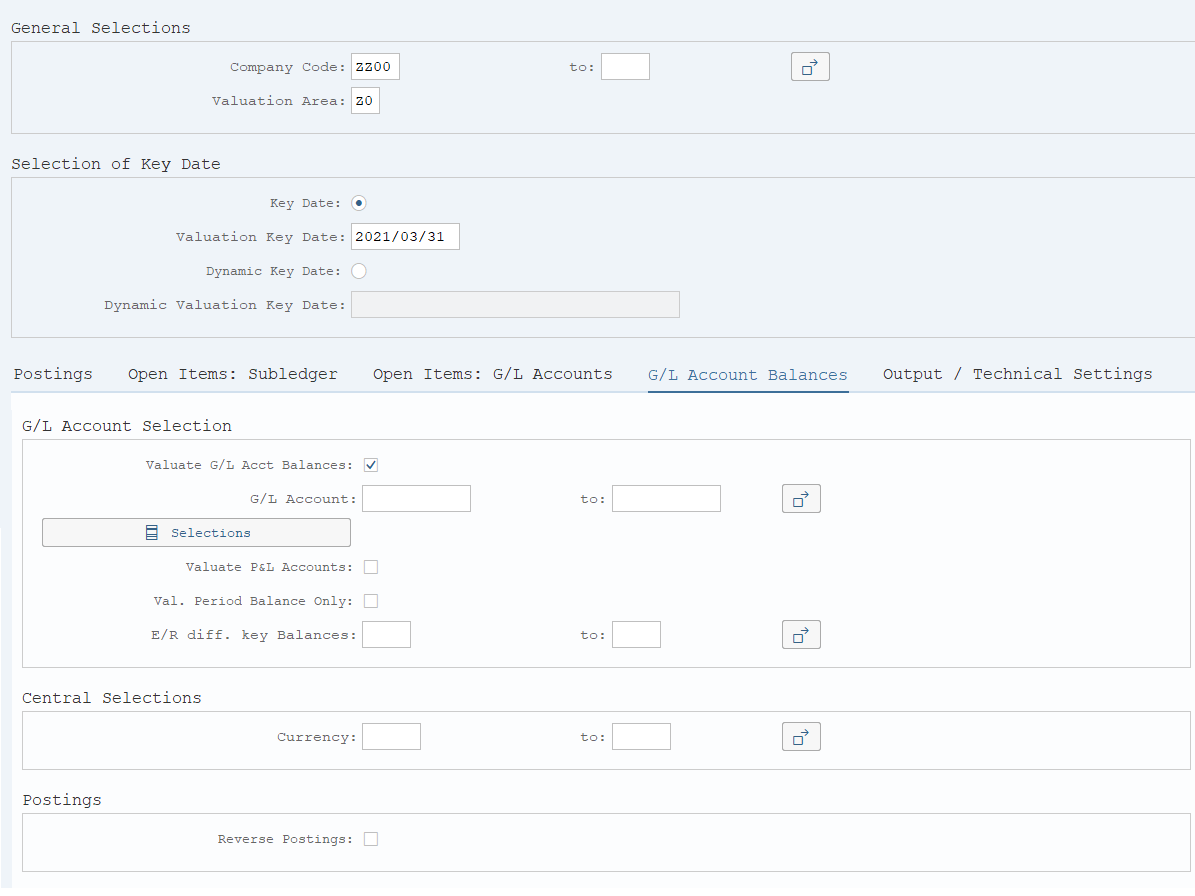
| G/L Account Selection | |||
| 1. | {Valuate G/L Account Balances} | Select this option when executing evaluation of G/L balances. | |
| Postings | |||
| 2. | {Reverse postings} | Select this option when reversing the posting of G/L account balance also. | |
| 3. |
 |
Click [Execute]. | |
Screen 5:
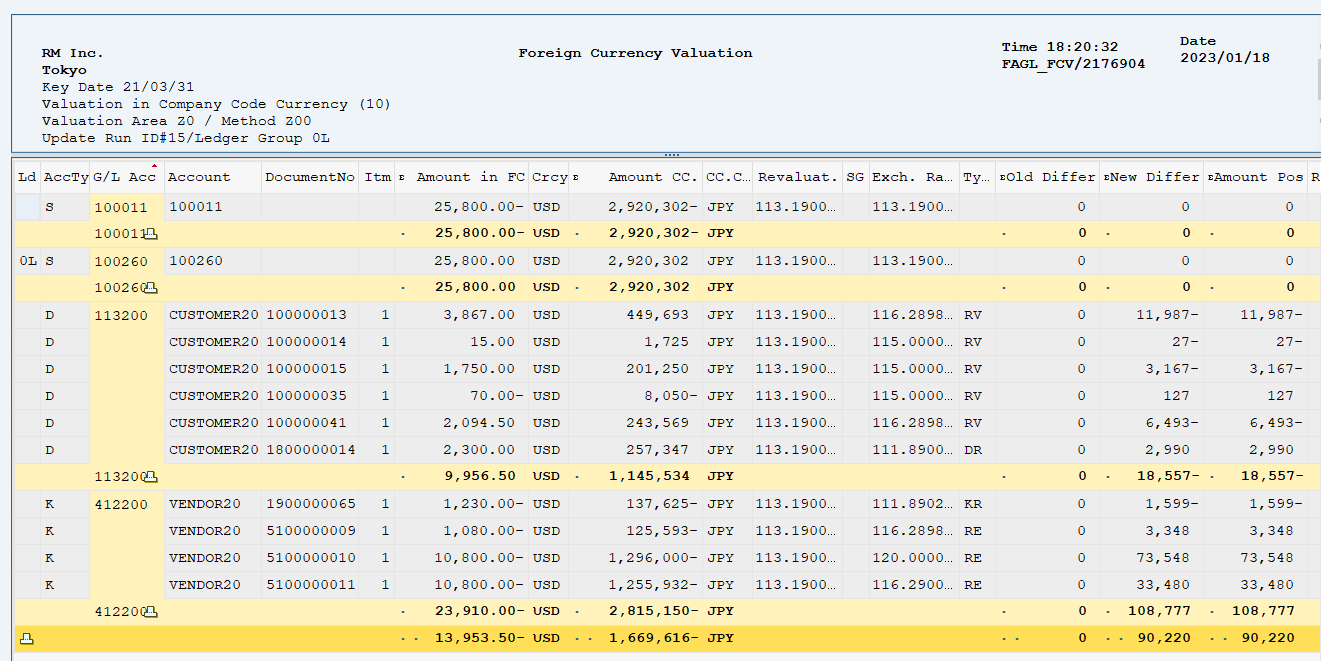
A list of the items to be evaluated is created. (Confirm)
Fields displayed:
| 1. | G/L | Account code of the item to be evaluated | |
| 2. | Account | Customer code or vendor code of the item to be evaluated. | |
| 3. | Document No. | Accounting document number of the item to be evaluated. | |
| 4. | Itm | Item to be evaluated. | |
| 5. | Amount in FC | Document currency amount of the item to be evaluated (foreign currency) | |
| 6. | Crcy | Currency code of the item to be evaluated. | |
| 7. | Amount in LC | Local currency amount of the item to be evaluated. | |
| 8. | LCurr | Local currency of the item to be evaluated. | |
| 9. | Revaluatn | Exchange rate of the item to be evaluated. | |
| 10. | Exch. Rat | Exchange rate of the foreign currency evaluation | |
| 11. | Type | Document type of the item to be evaluated. | |
| 12. | Old Difference | Evaluation difference (transaction currency amount) | |
| 13. | New difference | Evaluation difference (local currency amount) | |
| 14. | Posting amount | Amount of the evaluation difference that was posted |
Operation Process:
| 1. |
 |
Click [Posting]. |
Screen 6:
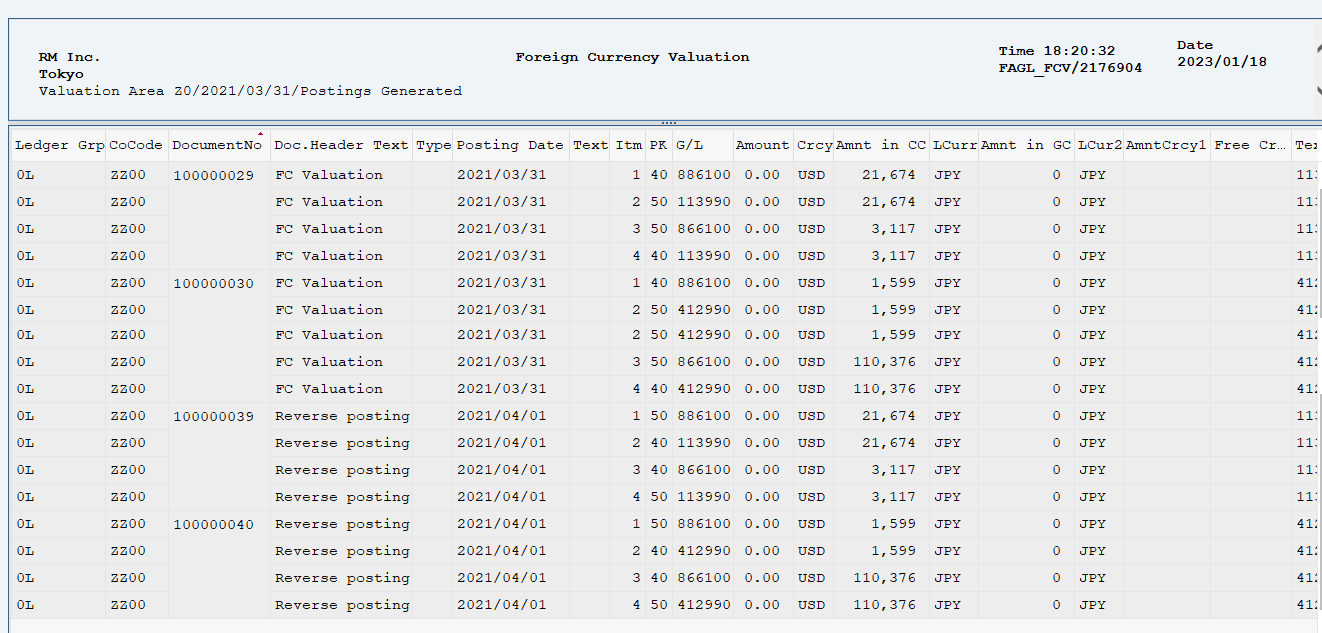
Operation Process:
| 1. | The ledger can be checked. |
Copyright(c) MITSUI KINZOKU YOURSOFT Inc.