Back to Menu No.01-04-04
Display Balances (New) (FAGLB03)
Menu: Accounting > Financial Accounting > General Ledger > Account > Display Balances (New)
Process Overview: Specify the target ledger and display the account balance by period. Data is broken down to the item and to the original document levels.
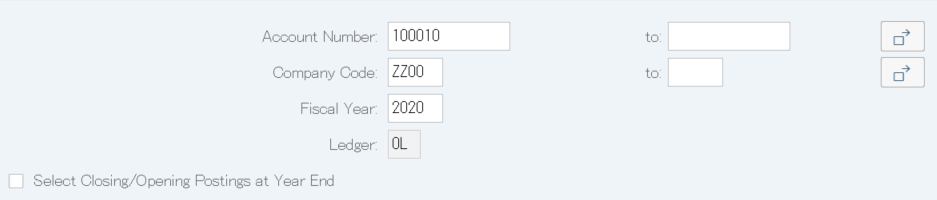
Screen 1:
Operation Process:
| 1. | {{Account Number}} | Enter the Account code of balance display. | |
| 2. | {{Company Code}} | Enter the Company code of balance display. | |
| 3. | {{Fiscal Year}} | Enter the Fiscal year of balance display. | |
| 4. |  |
Click [Choose Ledger] |
Supplement :
| 1. | The selected ledger is displayed in gray. If no further selection is required, proceed to Screen 3. |
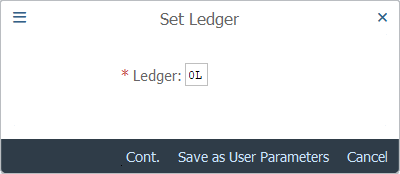
Screen 2:
Operation Process:
| 1. | {{Ledger}} | Select a Ledger from which data is to be extracted. | |
| 2. |  |
Click [Continue]. |
Operation Process:
| 1. |  |
Click [Free Selections]. |
Supplement :
| 1. | When not selecting extraction conditions, proceed to Screen 5. |
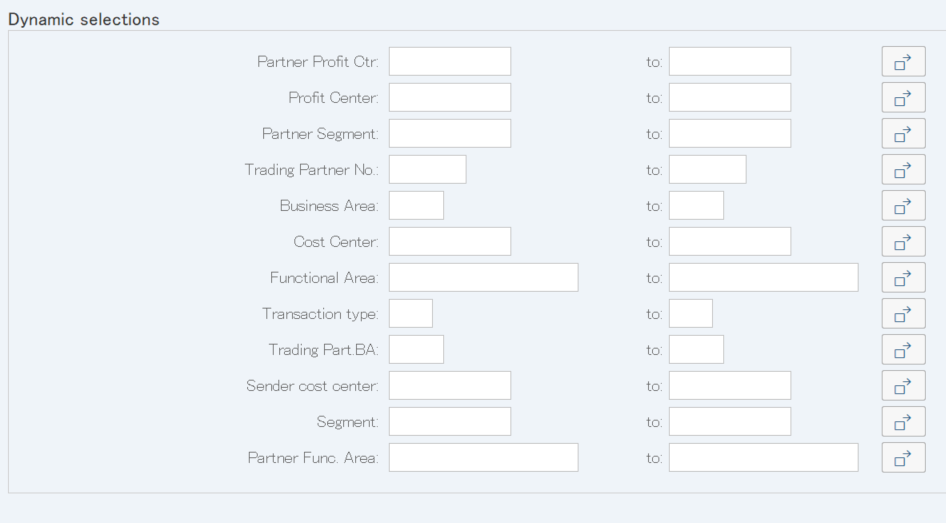
Screen 4:
Operation Process:
| 1. | {Profit Center} | Enter the Profit center for which the balance is to be displayed. | |
| 2. | {Business Area} | Enter the Business area for which the balance is to be displayed. | |
| 3. | {Segment} | Enter the Segment for which the balance is to be displayed. | |
| 4. |  |
Click [Save]. |
Operation Process:
| 1. |  |
Click [Execute]. |
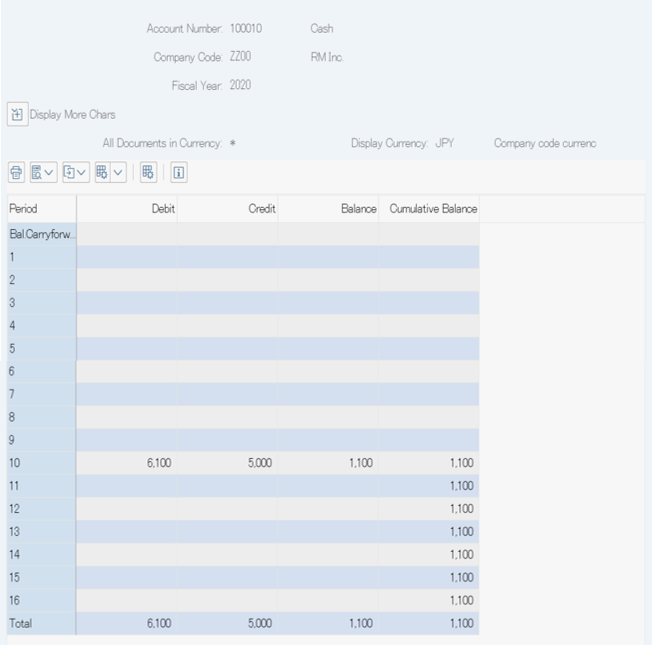
Screen 6:
Operation Process:
| 1. | When the amount is double-clicked, an item list is displayed. | |
| *By double-clicking on the balance of 04, the balance generated in the 4th accounting period can be displayed. | ||
| By double-clicking on the cumulative balance of 06, the item of the balance generated in the 6th accounting period can be displayed. |
Supplement :
| 1. | When  [Expand data areas] is clicked on, the item selected in Screen 4 is displayed. [Expand data areas] is clicked on, the item selected in Screen 4 is displayed. |
Screen 7:
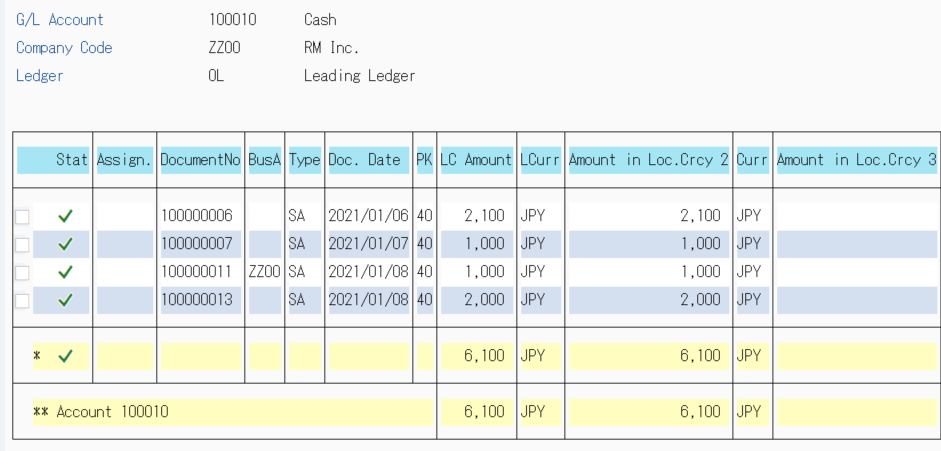
Operation Process:
| 1. | Set the cursor to the item whose base document is to be checked. | ||
| 2. | Menu: | More > Environment > Display Document. | |
Screen 8:
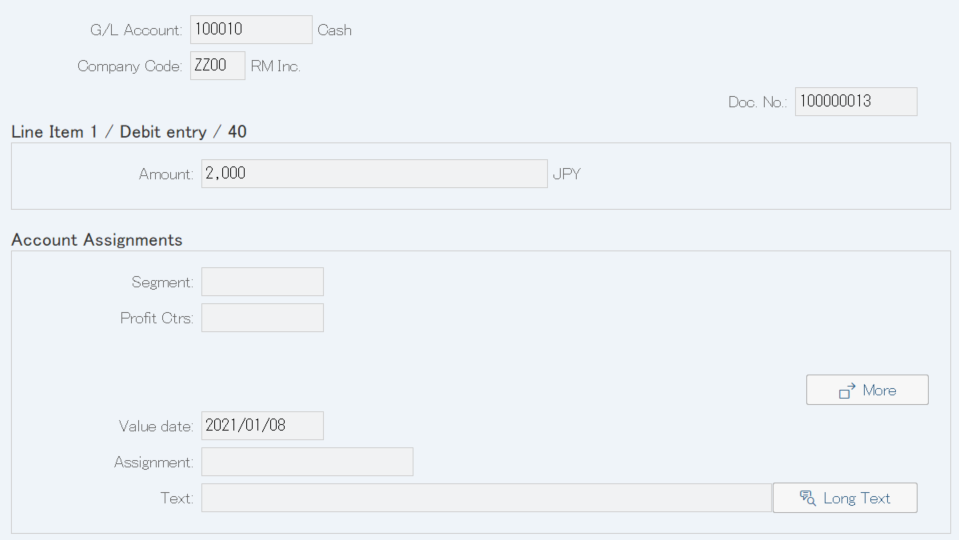
Operation Process:
| 1. |  |
Click [Call Up Document Overview]. |
Screen 9:
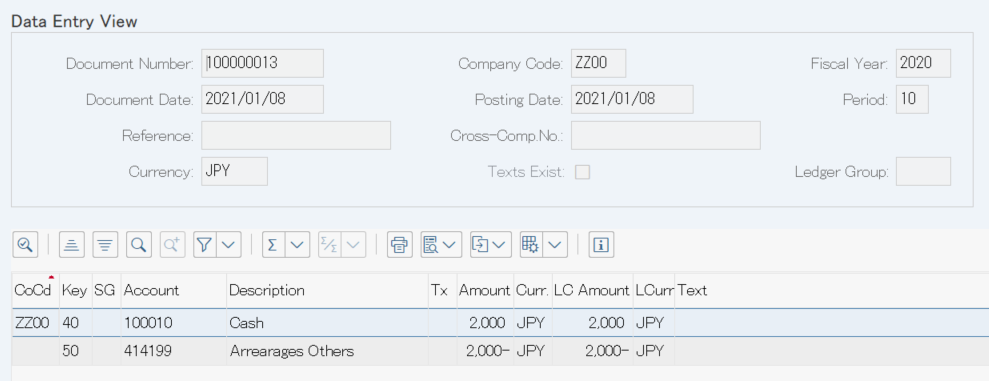
Operation Process:
| 1. |  |
Click [Display Document Header]. |
Screen 10:
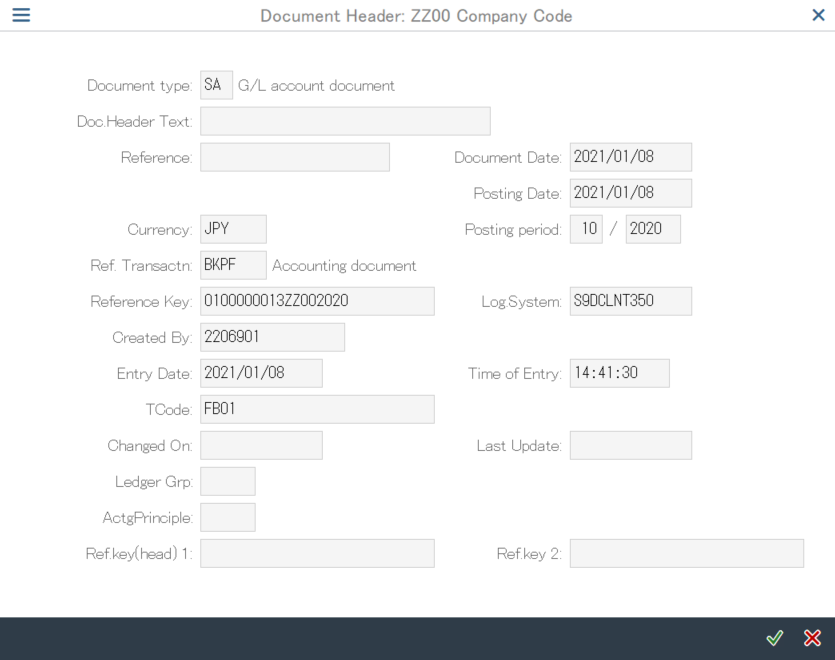
Copyright(c) MITSUI KINZOKU YOURSOFT Inc.