Back to Menu No.01-04-05
Display/Change Items (FAGLL03)
Menu: Accounting > Financial Accounting > General Ledger > Account > Display/Change Line Items
Process Overview: Search account items, open items, and cleared items by specifying the ledger for selecting data.
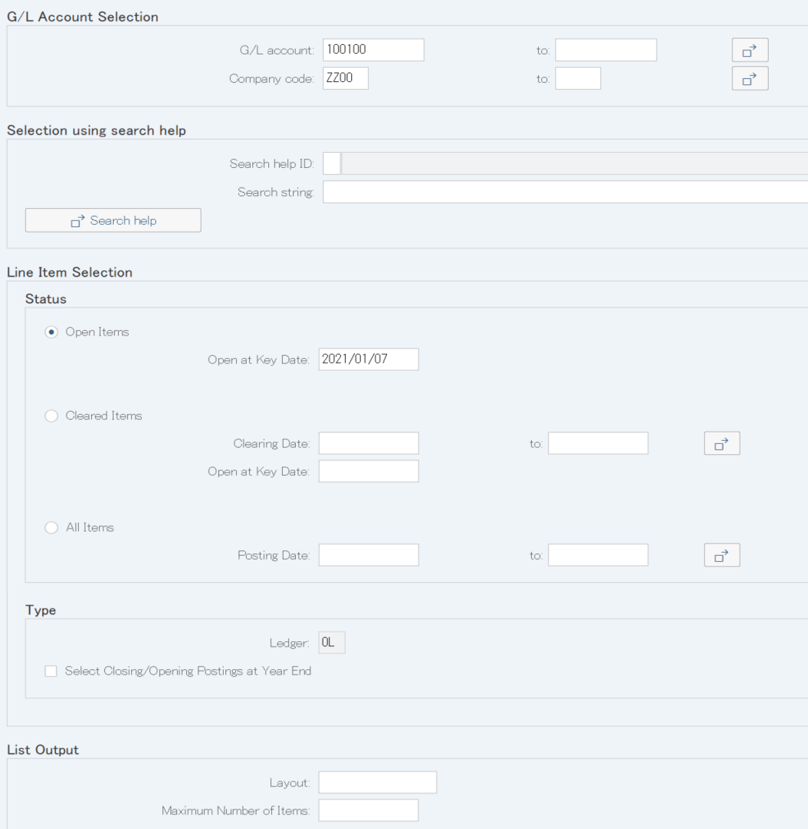
Screen 1:
Operation Process:
| G/L account selection | |||
| 1. | {{G/L account}} | Enter the Account code to be displayed. | |
| 2. | {{Company code}} | Enter the Company code to be displayed. | |
| Line Item Selection | |||
| 3. | {{Status}} | ||
| Open Items | Create an Open item list. | ||
| Cleared Items | Crate a Cleared item list. | ||
| All Items | Create an open/cleared item list. | ||
| 4. |  |
Click [Choose Ledger]. | |
Supplement :
| 1. | Enter a date of each processing in 'Status'. | |
| Open Items : Open at Key Date | ||
| Cleared Items : Clearing Date or Open at Key Date | ||
| All Items : Posting Date | ||
| 2. | The selected ledger is displayed in gray. Proceed to Screen 3 if no reselection is required. |
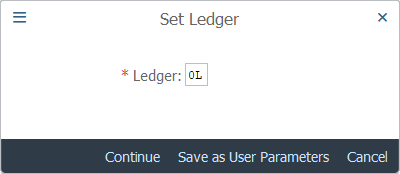
Screen 2:
Operation Process:
| 1. | {{Ledger}} | Select the Ledger to be extracted. | |
| 2. |  |
Click [Continue]. |
Screen 3:
Operation Process:
| 1. |  |
Click [Custom Selections]. |
Supplement :
| 1. | If no selection condition is selected, proceed to Screen 5. |
Screen 4:
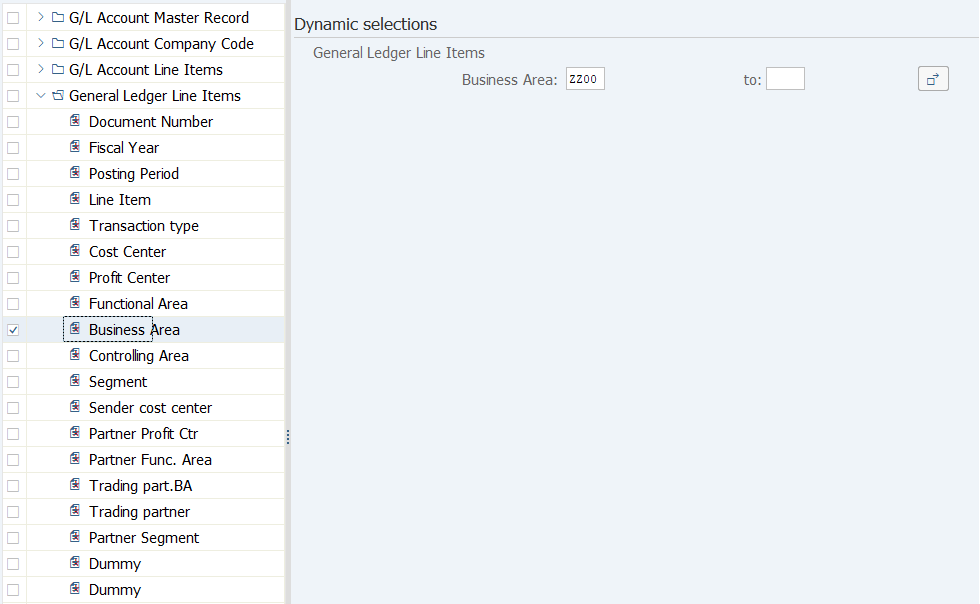
Operation Process:
| 1. | By double-clicking a selection field on the left side, enter a selection condition. | ||
| 2. |  |
Click [Save]. |
Supplement :
| 1. | Multiple dynamic selection fields can be specified. |
Operation Process:
| 1. |  |
Click [Execute]. |
Screen 6:
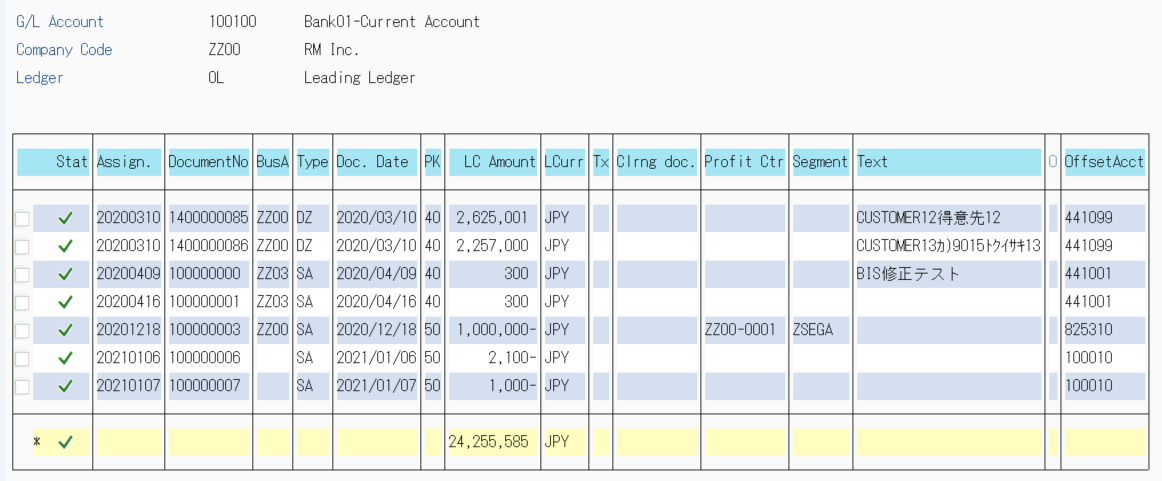
Supplement :
| 1. | In an item list, sorting of document numbers and aggregation by date can be performed. | |
| Refer to the manual "Other 01-10 SAP ERP Useful function 7". |
Copyright(c) MITSUI KINZOKU YOURSOFT Inc.