Back to Menu
No.02-02-08
Change Incoming Payment Adjustment Item Layout (FB00)
Menu: Accounting > Financial Accounting > General Ledger > Environment > User Parameters > Editing Options
Process Overview: Set the layout for the line item when clearing Customer/Vendor/Account open items.
Supplement: Layout can be changed from other menus also (Accounts Receivable and Accounts Payable).
Reference:
Line Layout : None (Standard)
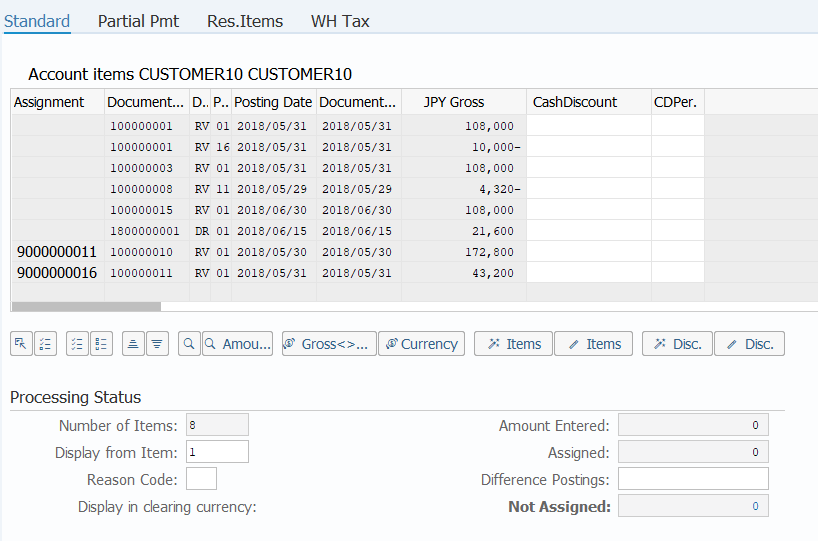
Line Layout : Z2 (Incoming payment adjustment)
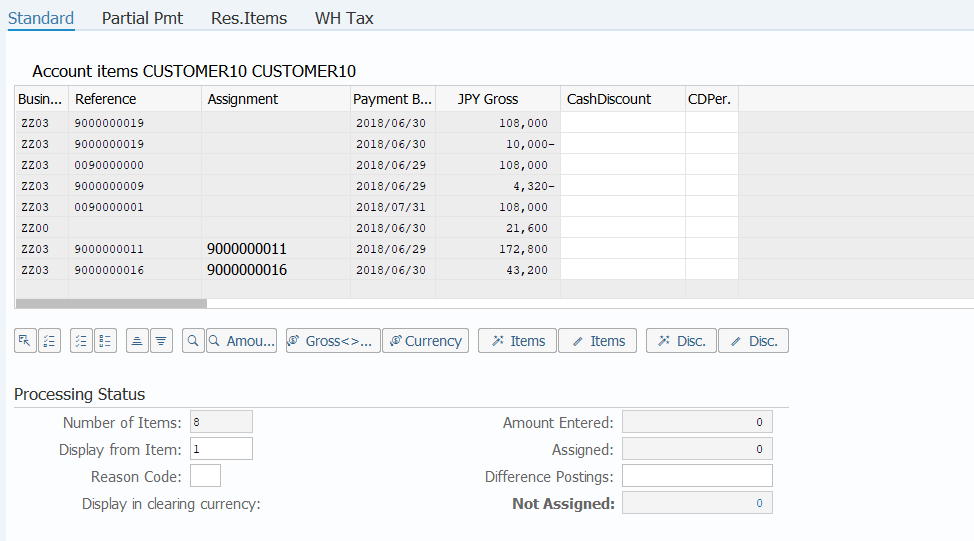
Line Layout : Z3 (Incoming payment adjustment NEW)
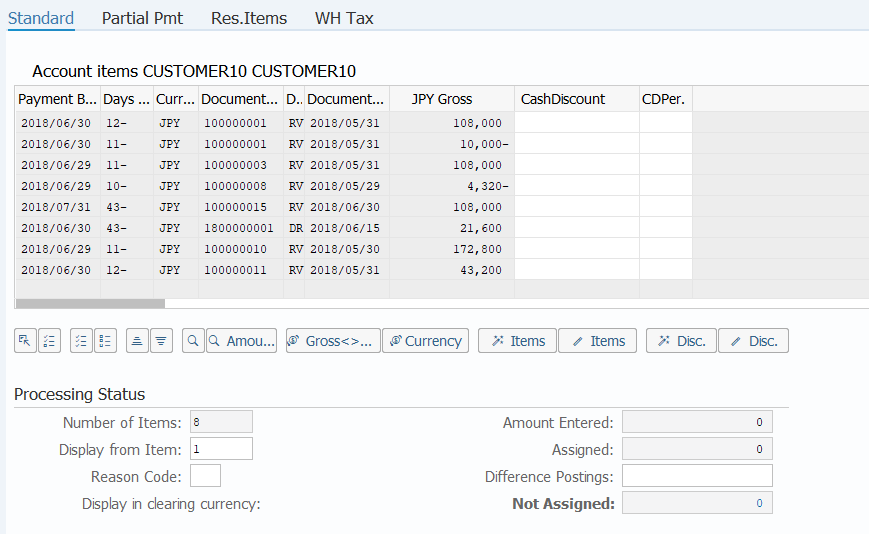
Screen 1:
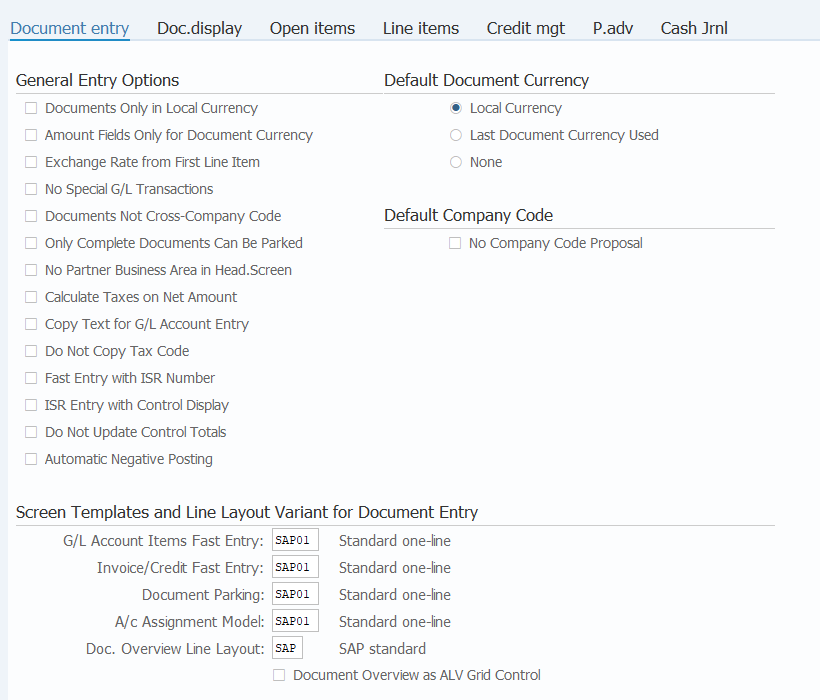
Operation Process:
| |
1. |
 |
Proceed to the next screen by double-clicking on the [Open items] tab. |
Screen 2:
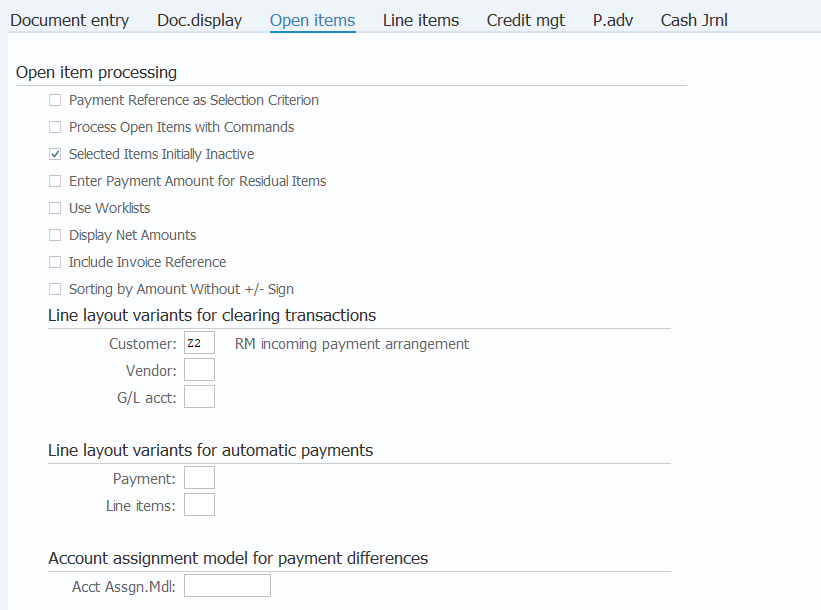
Operation Process:
| |
1. |
{Customer} |
Enter the Item layout key. (Ex. 'Z2' Incoming payment adjustment 'Z3' Incoming payment adjustment NEW) |
|
2. |
{Vendor} |
Enter the Item layout key. (Ex. 'ZA' Change Item (Text.G/L) 'ZB' Change Item (Allocation.Text)) |
|
3. |
{G/L acct} |
Enter the Item layout key. (Ex. 'Z7' Account (Allocation) 'Z8' Account (Text)) |
| |
4. |
 |
Click [Change user master]. |
Remarks:
| |
1. |
Check the difference of the display after layout change on the reference screen. |
Supplement:
| |
1. |
RealModel uses the following layout. |
| |
|
The layout for customers |
| |
|
| Layout |
Fields1 |
Fields2 |
Fields3 |
Fields4 |
Fields5 |
Fields6 |
Fields7 |
| Z2 |
incoming payment arrangement |
Business Area |
Reference |
Assignment |
Baseline Payment Date |
|
|
|
| Z3 |
incoming payment arrangement (NEW) |
Reference |
Billing Document |
Baseline Payment Date |
Text |
|
|
|
| Z4 |
incoming payment (Text.G/L) |
Text |
G/L Account |
Document Number |
Posting Date |
Document Type |
Currency |
|
| Z5 |
incoming payment (Allocation.Text) |
Assignment |
Text |
Reference |
Baseline Payment Date |
Currency |
Posting Date |
Document Number |
| Z6 |
incoming payment (Bline Date.Arrers) |
Baseline Payment Date |
Days in arrears |
Currency |
Document Number |
Document Type |
Document Date |
|
|
| |
|
The layout for vendors |
| |
|
| Layout |
Fields1 |
Fields2 |
Fields3 |
Fields4 |
Fields5 |
Fields6 |
Fields7 |
| ZA |
Change Item (Text.G/L) |
Text |
G/L Account |
Document Number |
Posting Date |
Document Type |
Currency |
|
| ZB |
Change Item (Allocation.Text) |
Assignment |
Text |
Reference |
Baseline Payment Date |
Currency |
Posting Date |
Document Number |
| ZC |
Change Item (Bline Date.Arrears) |
Baseline Payment Date |
Days in arrears |
Currency |
Document Number |
Document Type |
Document Date |
|
| ZD |
Change Item (Purchasing.Bline Date) |
Reference |
Purchasing Document |
Baseline Payment Date |
Text |
Currency |
|
|
|
| |
|
The layout for G/L account |
| |
|
| Layout |
Fields1 |
Fields2 |
Fields3 |
Fields4 |
Fields5 |
| Z7 |
Account (Allocation) |
Assignment |
Document Type |
Posting Key |
Posting Date |
Document Number |
| Z8 |
Account (Text) |
Text |
Document Type |
Posting Date |
|
|
| Z9 |
Account (Bline Date.Text) |
Baseline Payment Date |
Text |
Document Number |
Posting Date |
|
|
Copyright(c) MITSUI KINZOKU YOURSOFT Inc.