Back to Menu No.03-03-05
Change Item Selection Initial Value (FB00)
Menu: Accounting > Financial Accounting > General Ledger > Environment > User Parameters > Editing Options
Process Overview: Set the initial settings of selection all data or not, when the open items are displayed at screen of clearing procedure by Customer / Vendor / Account.
At open item editing (Account Receivable/Account Payable clearing), all the items are selected (processed) when the list is displayed.
When changing this initial setting (all unselected), perform the following processing.
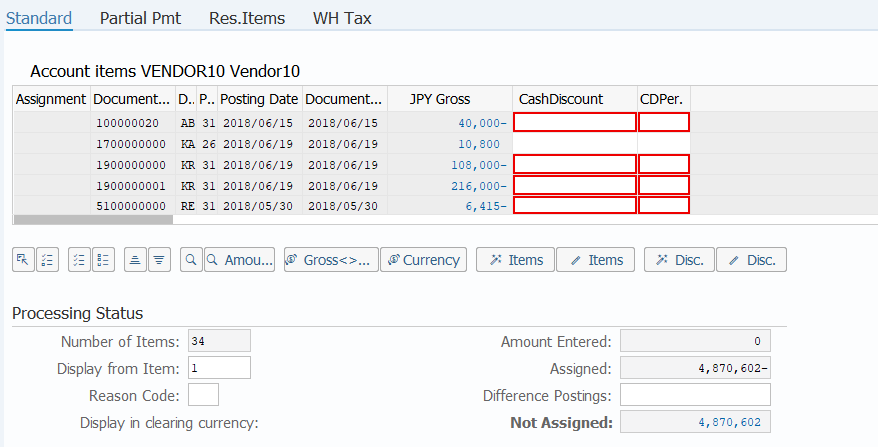
Clearing item: Initial value Select all
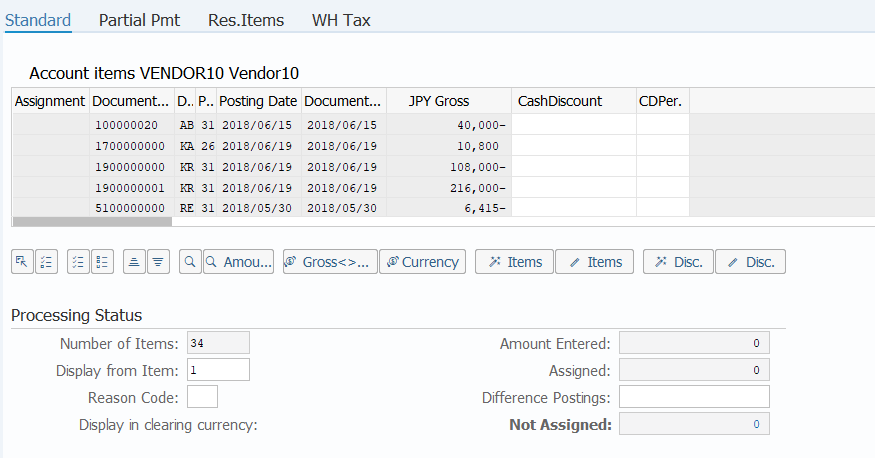
Clearing item: Initial value Unselect
Screen 1:
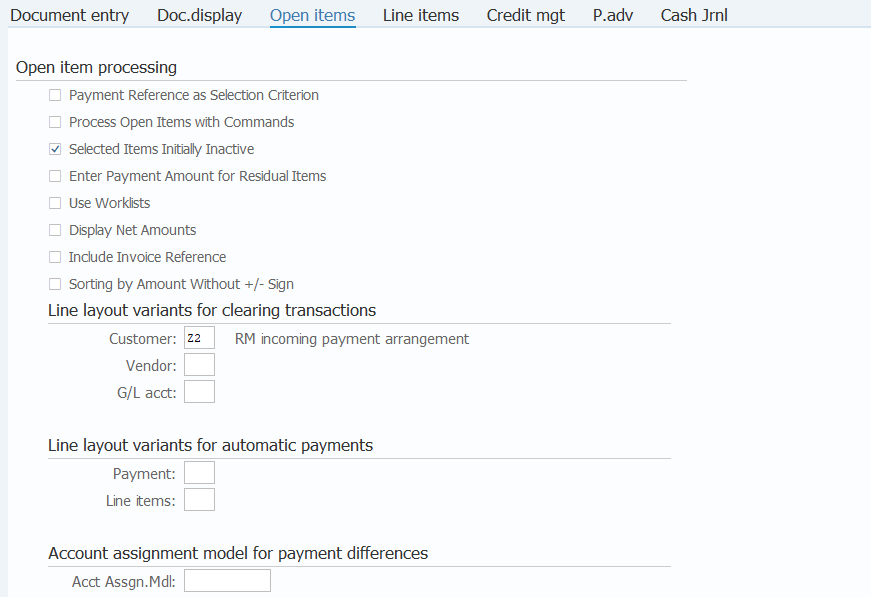
Operation Process:
| 1. | {Selected Items Initially Inactive} | Select this option when displaying items in an unselected state. | |
| 2. |  |
Click [Change user master]. |
Supplement :
| 1. | When Z2 (incoming payment adjustment) is specified as the customer of the clearing procedure item layout version, the invoice number is displayed in the item list of the incoming payment screen, not the accounting document number. |
Copyright(c) MITSUI KINZOKU YOURSOFT Inc.