
Back to Menu No.01-04-06
Display Document (FB03)
Menu: Accounting > Financial Accounting > General Ledger > Document > Display
Process Overview: Display the registered documents, individually and collectively.
Supplement: In this manual, create and display a list of documents that are registered within a fixed posting date.
Screen 1:
Operation Process:
| 1. |  |
Click [Create Document List/Find Documents]. |
Screen 2:
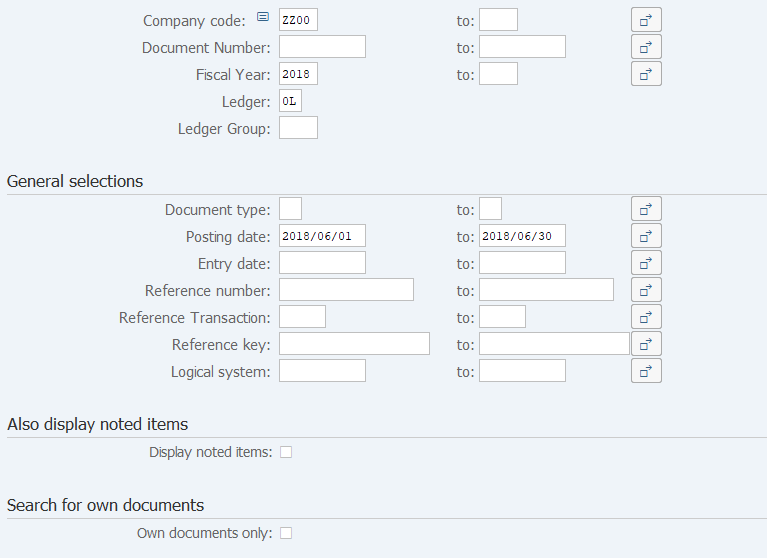
Operation Process:
| 1. | {Company code} | Enter the Company code of the document to be referenced. | |
| 2. | {Fiscal Year} | Enter the Fiscal year of the document to be referenced. | |
| 3. | {Ledger} | Enter the Ledger of the document to be referenced. | |
| General selections | |||
| 4. | {Posting date} | Enter the Posting date of the document to be referenced. | |
| Search for own documents | |||
| 5. | {Own documents only} | Select this field when displaying only the document registered by you. | |
| 6. |  |
Click [Execute]. | |
Screen 3:
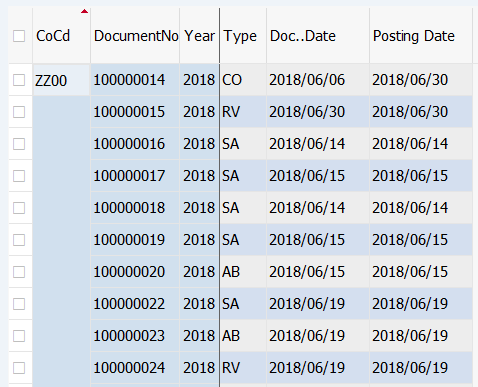
Operation Process:
| 1. | Double-click on the document to be displayed. |
Screen 4:
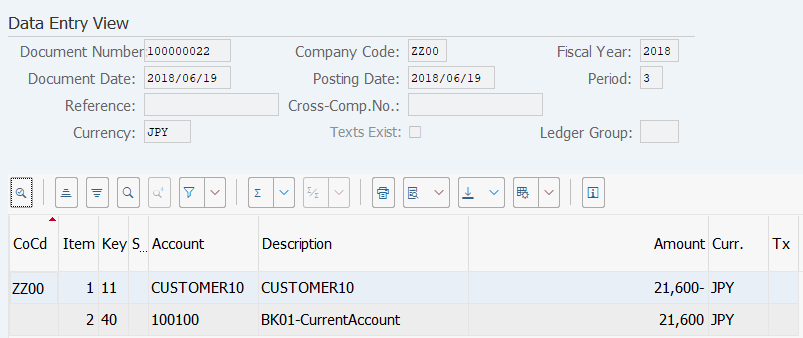
Operation Process:
| 1. |  |
Click [Document Display: General Ledger View]. |
Remarks:
| 1. | When sales are reported to different Profit centers, accounts receivable by Profit center can be displayed by the above processing. |
Screen 5:
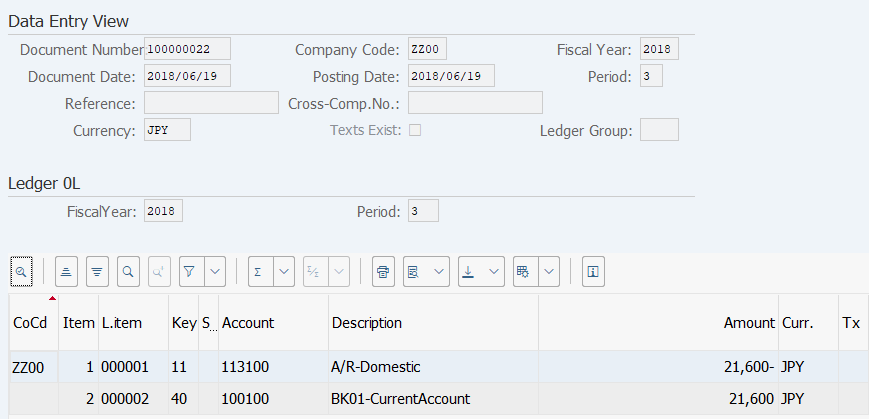
Operation Process:
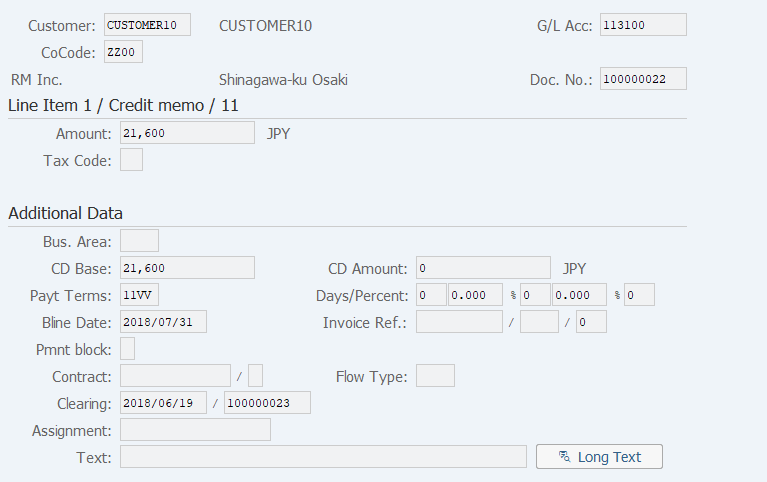
| 1. | When displaying details of an item, double-click on the item. |
Screen 6:
Copyright(c) MITSUI KINZOKU YOURSOFT Inc.