Display/Change Items (FBL3N)
Overview: Display Open items & Cleared items which belong to the Chart of account related to the company.
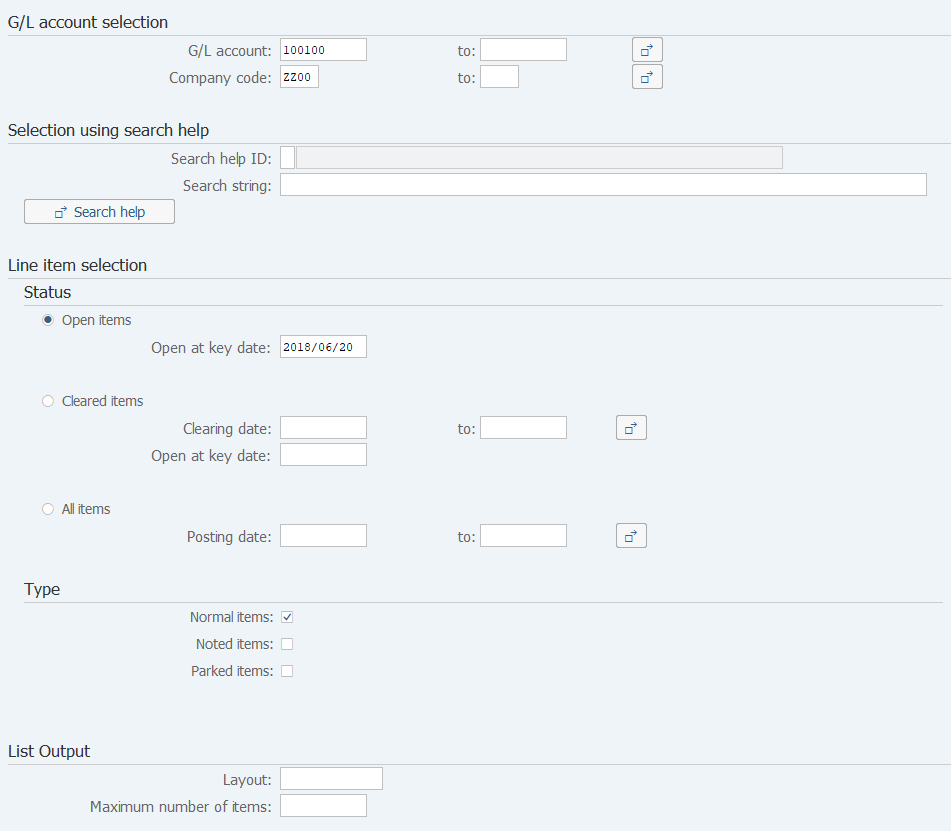
Screen 1:
Operation Process:
| G/L account selection | |||
| 1. | {G/L account} | Enter the Account code to be displayed. | |
| 2. | {Company code} | Enter the Company code to be displayed. | |
| Line item selection | |||
| 3. | {Status} | ||
| Open items | Create an Open item list. | ||
| Cleared items | Crate a Cleared item list. | ||
| All items | Create an open/cleared item list. | ||
| 4. | {Type} | ||
| Normal items | Select this option when displaying Normal items. | ||
| Parked items | Select this option when displaying Parked items. | ||
| 5. |  |
If selection condition is selected, Click [Dynamic selections]. | |
| If you need not to select parameters. To Screen 3. | |||
Remarks:
| 1. | Select one or more [Type]. (Multiple types can be selected.) | |
| 2. | Enter a date of each processing for [Status]. | |
| (Enter the Baseline date for an Open item, the Baseline date or the Clearing date for a Cleared item, and the Posting date for All items.) |
Screen 2:

Operation Process:
| 1. | By double-clicking a selection field on the left side, enter a selection condition. | ||
| 2. |  |
Click [Hide dynamic selections]. |
Supplement:
| 1. | Multiple dynamic selection fields can be specified. |
Operation Process:
| 1. |  |
Click [Execute]. |
Screen 4:
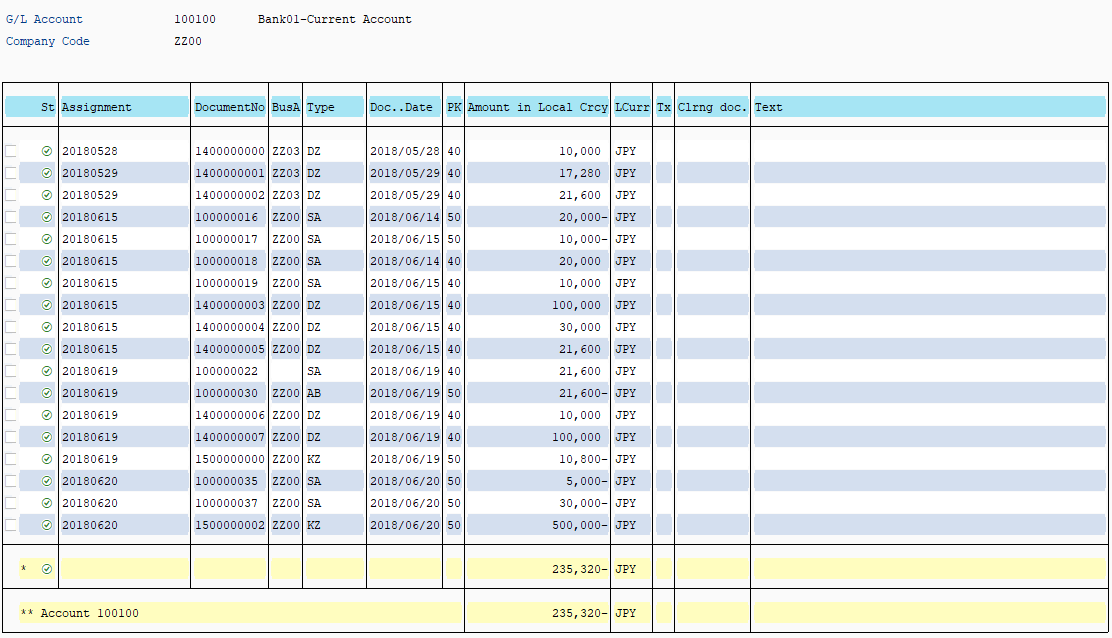
Supplement:
| 1. | In an item list, sorting of document numbers and aggregation by date can be performed. Refer to the manual [ Others 01-10 SAP ERP Useful function 7 ]. |
Copyright(c) MITSUI KINZOKU YOURSOFT Inc.