Back to Menu No.01-04-07
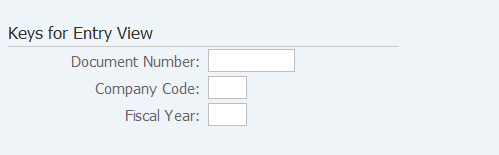
Display Sample Document (FBM3)
Menu: Accounting > Financial Accounting > General Ledger > Document > Reference Documents > Sample Documents > Display
Process Overview: Display the registered model documents, individually and collectively.
Screen 1:
Operation Process:
| 1. |  |
Click [Create Document List/Find Documents]. |
Screen 2:
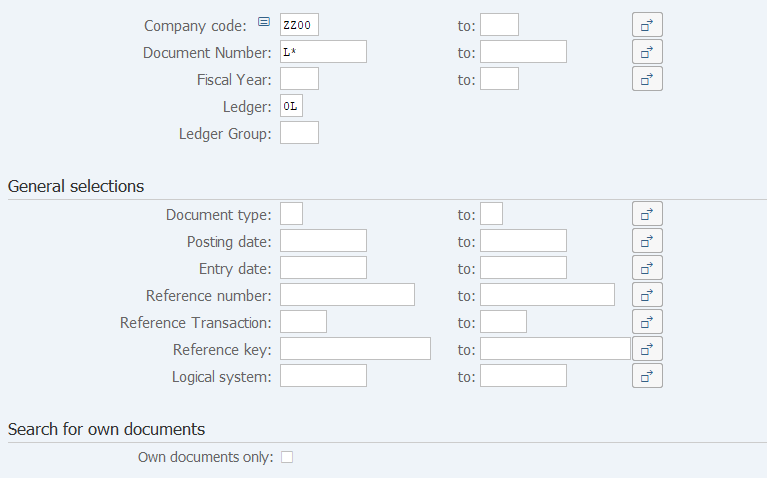
Operation Process:
| 1. | {{Company code}} | Enter the Company code of the model document to be referenced. | |
| 2. | {Document Number} | Enter the Model document number to be referenced. | |
| 3. | {Fiscal Year} | Enter the Accounting fiscal year of the model document to be referenced. | |
| 4. |  |
Click [Execute]. |
Supplement:
| 1. | The extraction condition can be specified in the same way as that described in the manual "01-04-07 Accounting document list" (FB03). |
Screen 3:
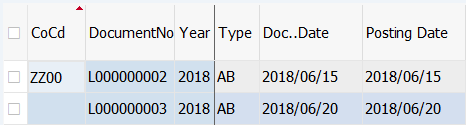
Operation Process:
| 1. | By double-clicking the document, the overview of the model document can be checked. |
Copyright(c) MITSUI KINZOKU YOURSOFT Inc.