
Back to Menu No.03-06-02
Vendor Balance List (FK10N)
Menu: Accounting > Financial Accounting > Accounts Payable > Account > Display Balances
Process Overview: Create a balance list (drill-down report) by Vendor/Month.
Screen 1:
Operation Process:
| 1. | {{Vendor}} | Enter the target Vendor account. | |
| 2. | {{Company code}} | Enter the Customer code. | |
| 3. | {{Fiscal year}} | Enter the Fiscal year for creating a list. | |
| 4. |  |
Click [Execute]. |
Screen 2:
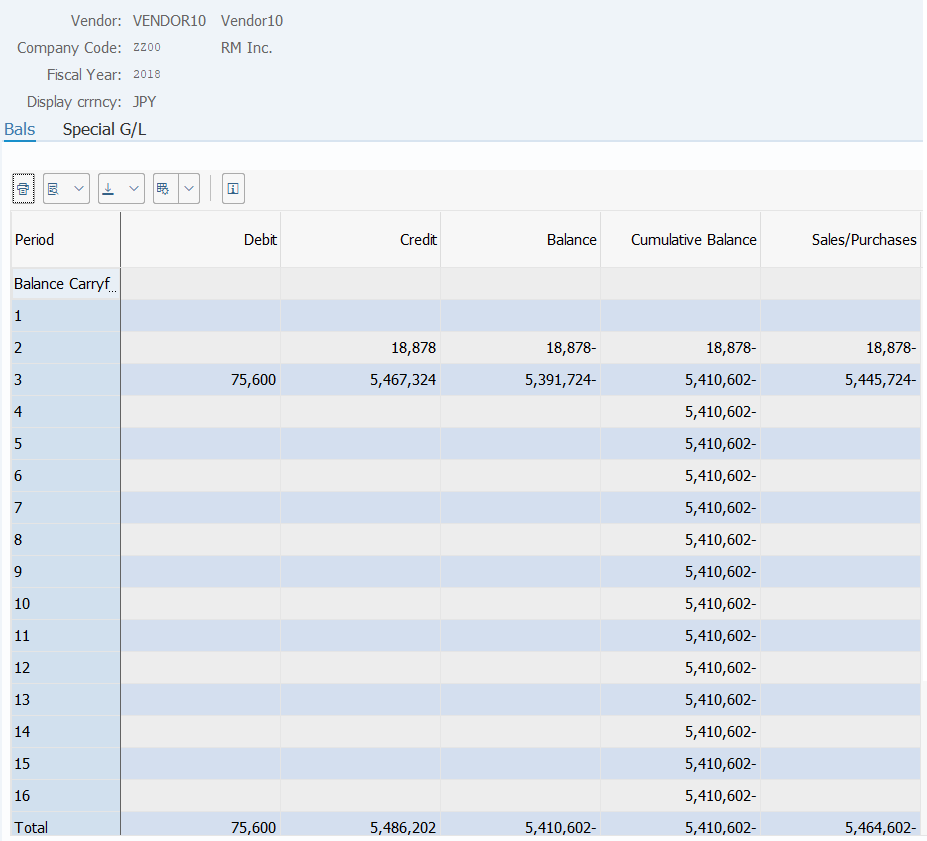
Operation Process:
| 1. | Debit, Credit, Balance, Cumulative balance, and Sales/Purchase can be checked for each accounting period. | ||
| 2. |  |
Select the [Special G/L] tab. | |
Screen 3:
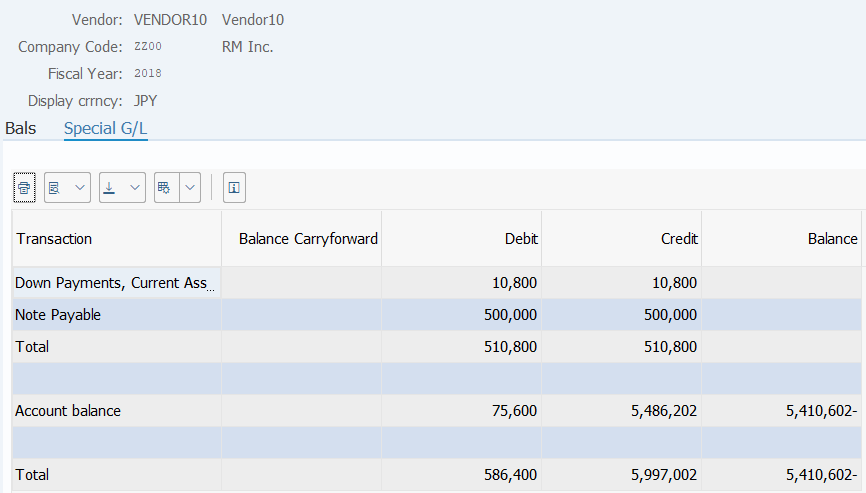
Operation Process:
| 1. | Enables the checking of Balance Carry forward, Debits, Credits, and Balances of various special G/Ls. | |
| 2. | By double-clicking on the amount, the breakdown item list can be displayed. |
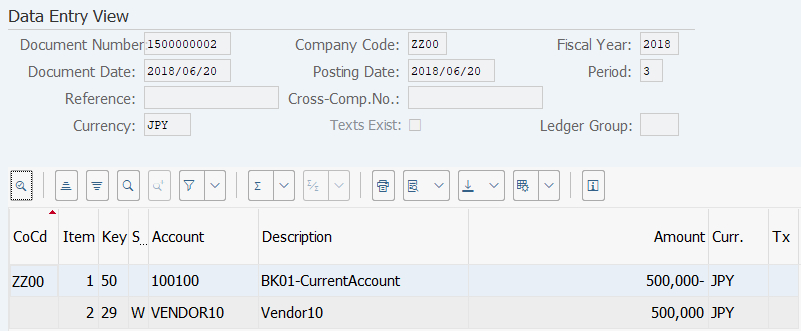
Screen 4:
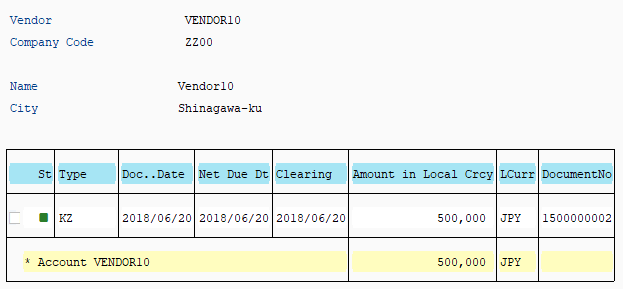
Operation Process:
| 1. | By double-clicking on the item, the original document can be referenced. |
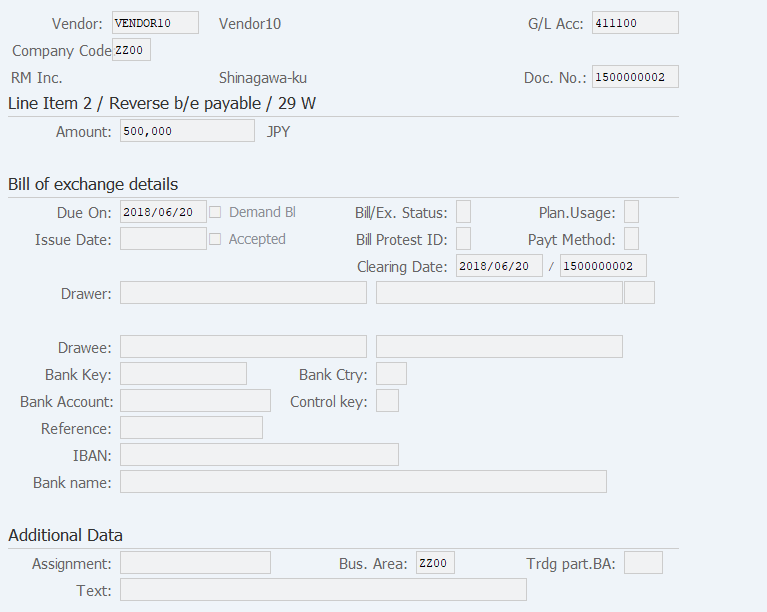
| 2. |  |
Click [Call Up Document Overview]. |
Copyright(c) MITSUI KINZOKU YOURSOFT Inc.