Back to Menu No.02-04-01
Accounts Receivable Schedule Report (S_ALR_87012173)
Menu: Accounting > Financial Accounting > Accounts Receivable > Information System > Reports for Accounts Receivable Accounting > Customers: Items > List of Customer Open Item for Printing
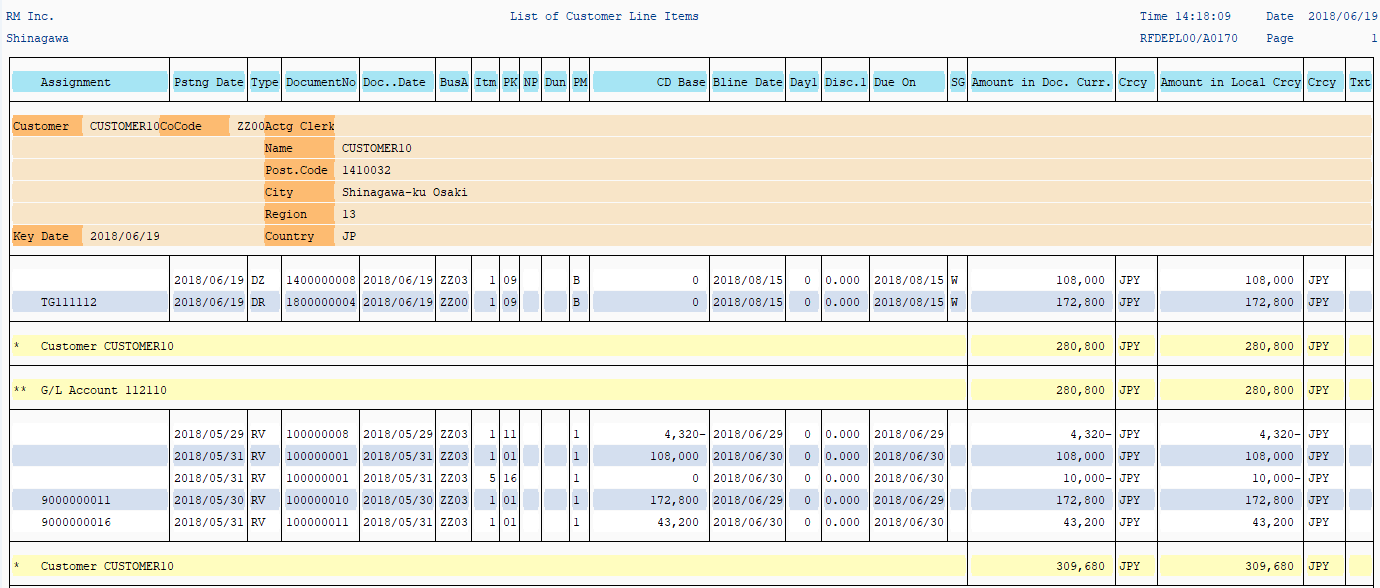
Process Overview: Display an account receivable schedule report of Customer open items.
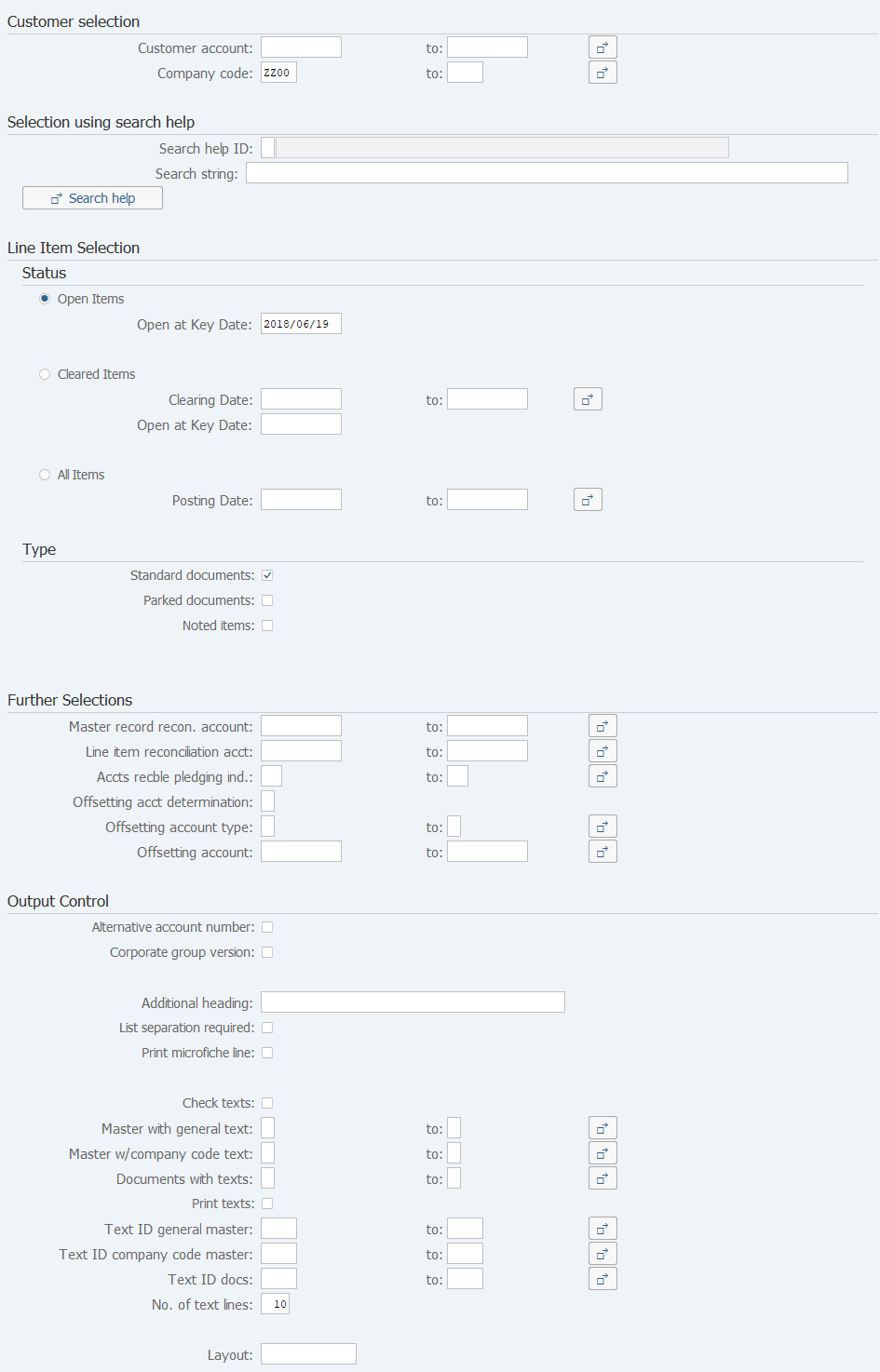
Screen1:
Operation process:
| Customer selection | |||
| 1. | {{Customer account}} | Enter the Customer account for creating a list. | |
| 2. | {{Company code}} | Enter the Company code for creating a list. | |
| Line Item Selection | |||
| 3. | {{Open at Key Date}} | Display the Open items registered on or before the specified date. | |
| 4. |  |
Click [Execute]. | |
Screen2:
Copyright(c) MITSUI KINZOKU YOURSOFT Inc.