Back to Menu No.01-04-08
G/L Account Balances (S_ALR_87012277)
Menu: Accounting > Financial Accounting > General Ledger > Information System > General Ledger Reports > Account Balances > General > G/L Account Balances > G/L Account Balances
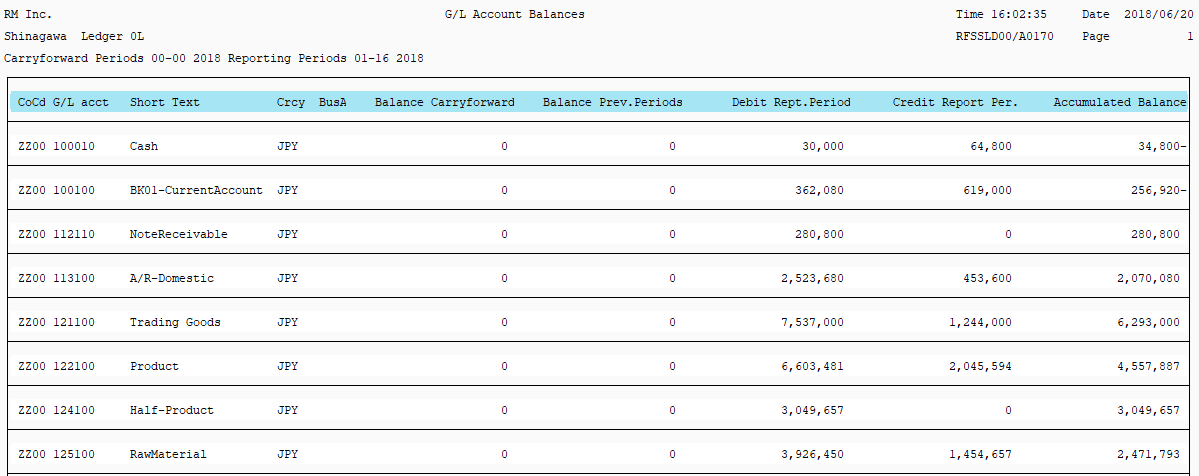
Process Overview: Display balance carry forward, the previous period balance amount, amount increased/decreased in the current period, and the balance amount of the current period.
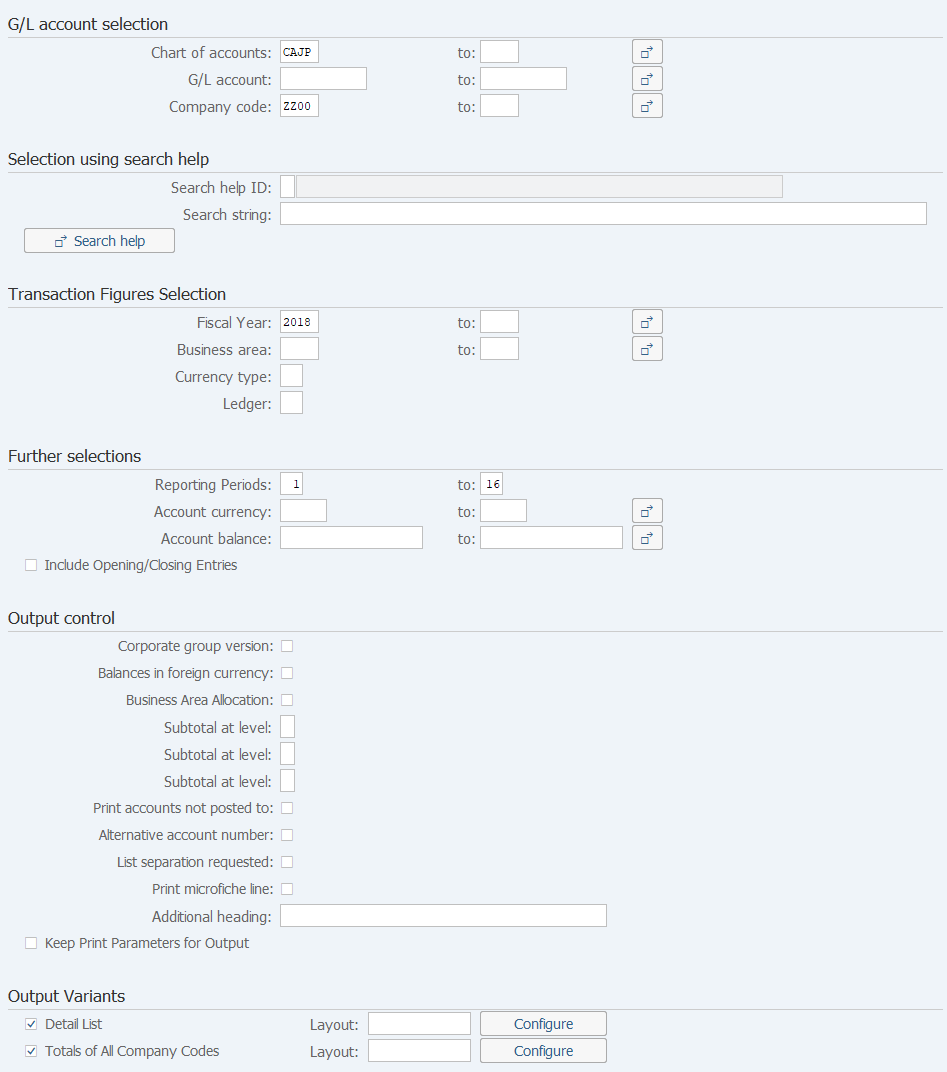
Screen 1:
Operation Process :
| G/L account selection | |||
| 1. | {Chart of accounts} | Enter the account code report used for managing a gross account ledger. (Ex. CAJP: Chart of accounts - Japan) | |
| 2. | {G/L account} | Enter the Account code for creating a list. | |
| 3. | {Company code} | Enter the Company code for creating a list. | |
| Transaction Figures Selection | |||
| 4. | {{Fiscal Year}} | Enter the Fiscal year for creating a list. | |
| 5. | {Business area} | Enter the Business area for creating a list. | |
| 6. | {Currency type} | Enter the Currency type for creating a list. | |
| 7. | {Ledger} | Enter the Ledger for creating a list. | |
| Further selections | |||
| 8. | {Reporting Periods} | Enter the accounting period for creating a list. (Ex. Enter '01' in both fields to select data of April only.) | |
| 9. |  |
Click [Execute]. | |
Supplement:
| 1. | When any input field is left blank, the entire field is targeted. |
Screen 2:
Copyright(c) MITSUI KINZOKU YOURSOFT Inc.