Back to Menu No.01-04-10
Compact Document Journal (S_ALR_87012289)
Menu: Accounting > Financial Accounting > General Ledger > Information System > General Ledger Reports > Document > General > Compact Document Journal
Process Overview: Display the list of document by specifying Document number, Posting date, etc.
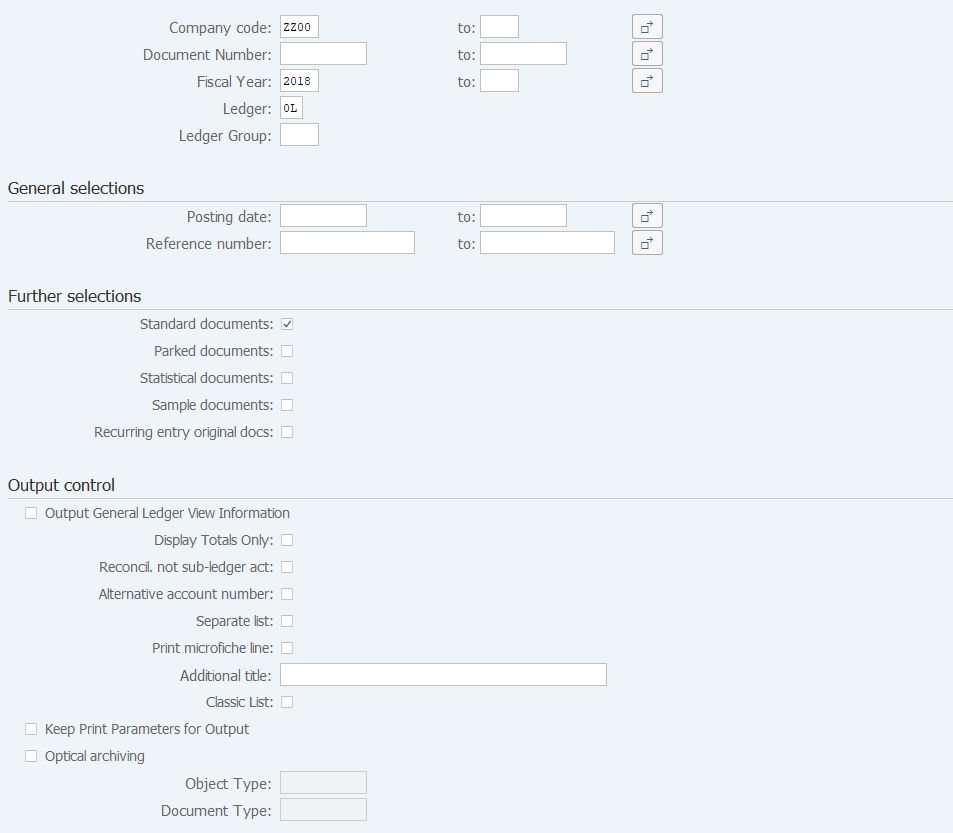
Screen 1:
Operation process:
| 1. | {Company code} | Enter the Company code for creating a list. | |
| 2. | {Document Number} | Enter the Document number for creating a list. | |
| 3. | {Fiscal Year} | Enter the Fiscal year for creating a list. | |
| 4. | {Ledger} | Enter the Ledger for creating a list. | |
| General Selections | |||
| 5. | {Posting date} | Enter the Posting date for creating a list. | |
| Further Selections | |||
| 6. | {Standard documents} | Select this option when displaying Standard documents. | |
| 7. | {Parked documents} | Select this option when displaying Parked documents. | |
| Output control | |||
| 8. | {Output General Ledger View Information} | Select this option when displaying items documented for balancing with segment and so on. | |
| 9. | {Display Totals Only} | Displays the total debit/credit amount for each period. | |
| 10. |  |
Click [Execute]. | |
Supplement:
| 1. | Multiple items can be selected for [Further Selections] and [Output Control]. |
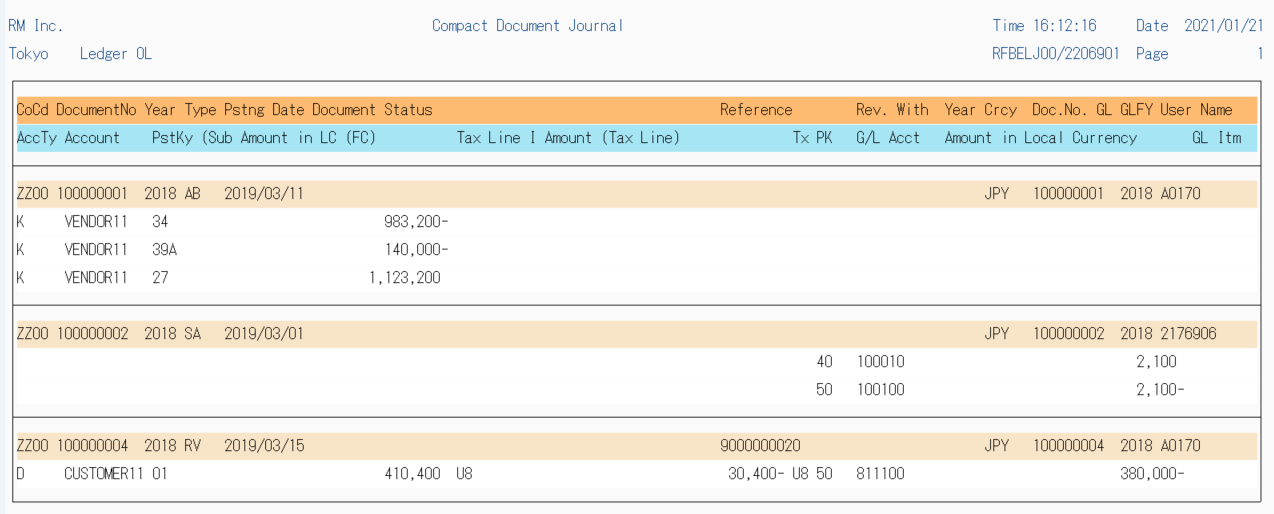
Screen 2:
Copyright(c) MITSUI KINZOKU YOURSOFT Inc.