Back to Menu No.07-02-01
G/L Account List (S_ALR_87012333)
Menu: Accounting > Financial Accounting > General Ledger > Information System > General Ledger Reports (New) > Master Data > G/L Account List
Process Overview: Create the list of G/L account master record.
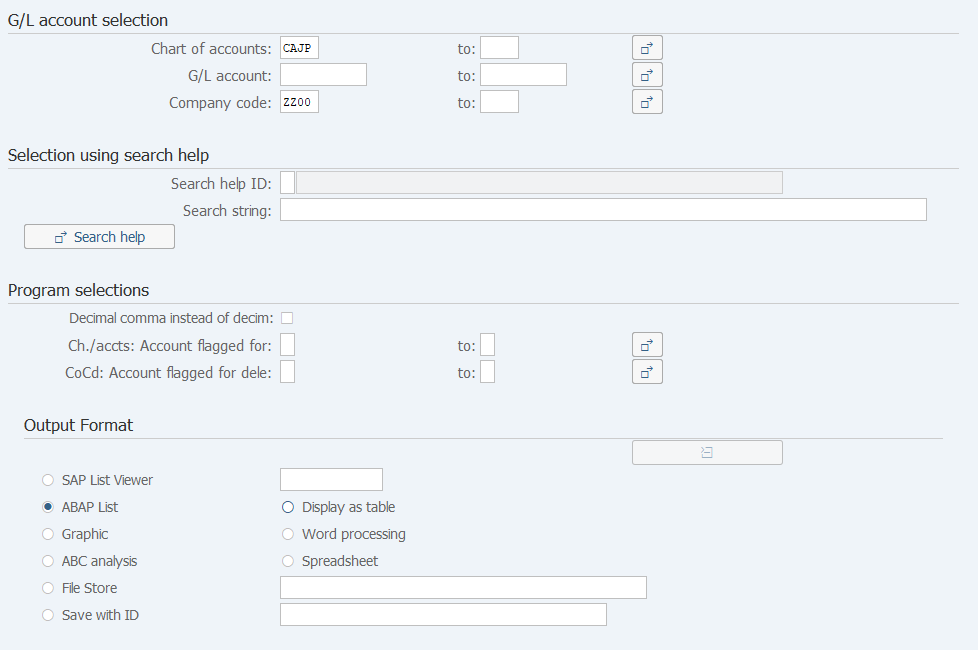
Screen 1:
Operation Process:
| G/L account selection | |||
| 1. | {Chart of accounts} | Enter the target Account code table. (Ex. 'CAJP' Chart of accounts - Japan) | |
| 2. | {G/L account} | Enter the target Account code. | |
| 3. | {Company code} | Enter the target Company code. | |
| 4. |  |
Click [Execute]. | |
Supplement:
| 1. | Any blank input fields are targeted. |
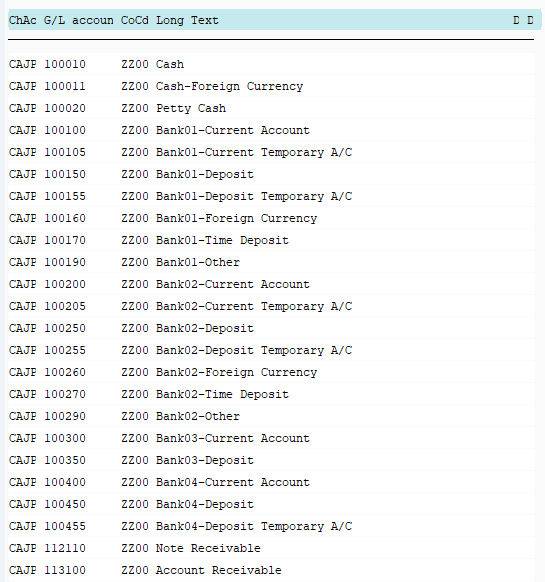
Screen 2:
Copyright(c) MITSUI KINZOKU YOURSOFT Inc.