Back to Menu No.01-04-01
Financial Statement: Ledger Comparison (S_EBS_44000137)
Menu: Accounting > Financial Accounting > General Ledger > Information System > General Ledger Reports > Financial Statement/Cash Flow > General > Actual/Actual Comparisons > Financial Statement: Ledger Comparison
| Process Overview: | Display Balance Sheets and Profit and Loss statements. |
|
Comparison between actual duration and comparison period can be confirmed. It brings you to the original item level from BS & PL. |
Screen 1:
Operation Process :
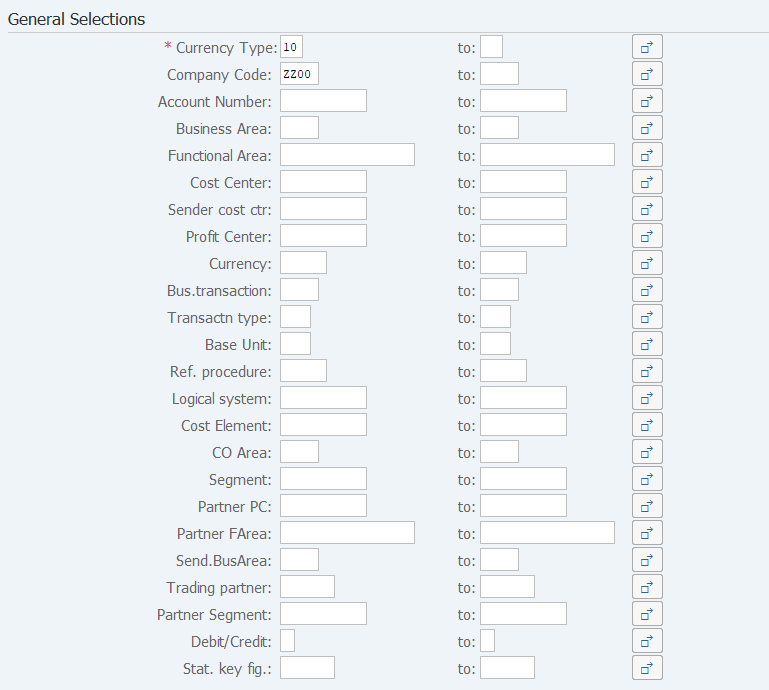
| General Selections | |||
| 1. | {{Currency Type}} | Enter the Currency type. (Ex. '10' Company code currency) | |
| 2. | {Company Code} | Enter the Company code for creating a list. | |
| 3. | {Account Number} | Enter the Account number for creating a list. | |
| 4. | {Business Area} | Enter the Business area for creating a list. | |
Remarks:
| 1. | Multiple Account numbers, Company codes, and Business areas can be selected. If the fields are left blank, all the data are targeted. | |
| 2. | If a list is created by specifying a range for account numbers, the value of the current period is not output correctly. |
Screen 2:
Operation Process :
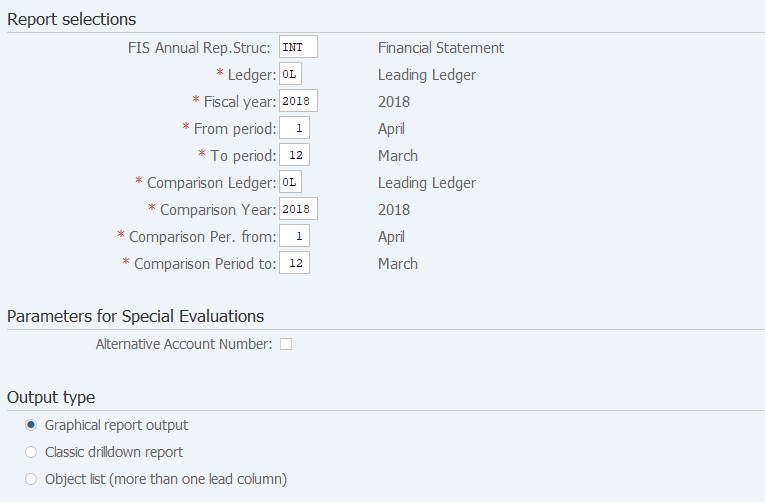
| Report selections | |||
| 1. | {FIS Annual Rep.Struc} | Select the version of the financial statement. | |
| 2. | {{Ledger}} | Select the Ledger from which data is to be selected. | |
| 3. | {{Fisical year}} | Enter the Reporting Year. | |
| 4. | {{From period}} | Enter the Reporting Start period. | |
| 5. | {{To period}} | Enter the Reporting End period. | |
| 6. | {{Comparison Year}} | Enter the Comparison year. | |
| 7. | {{Comparison Per. from}} | Enter the Comparison start period. | |
| 8 | {{Comparison Period to}} | Enter the Comparison end period. | |
| Output type | |||
| 9. | {{Graphical report output}} | Select [Graphical report output]. | |
| 10. |  |
Click [Execute]. | |
Screen 3:
Operation Process :
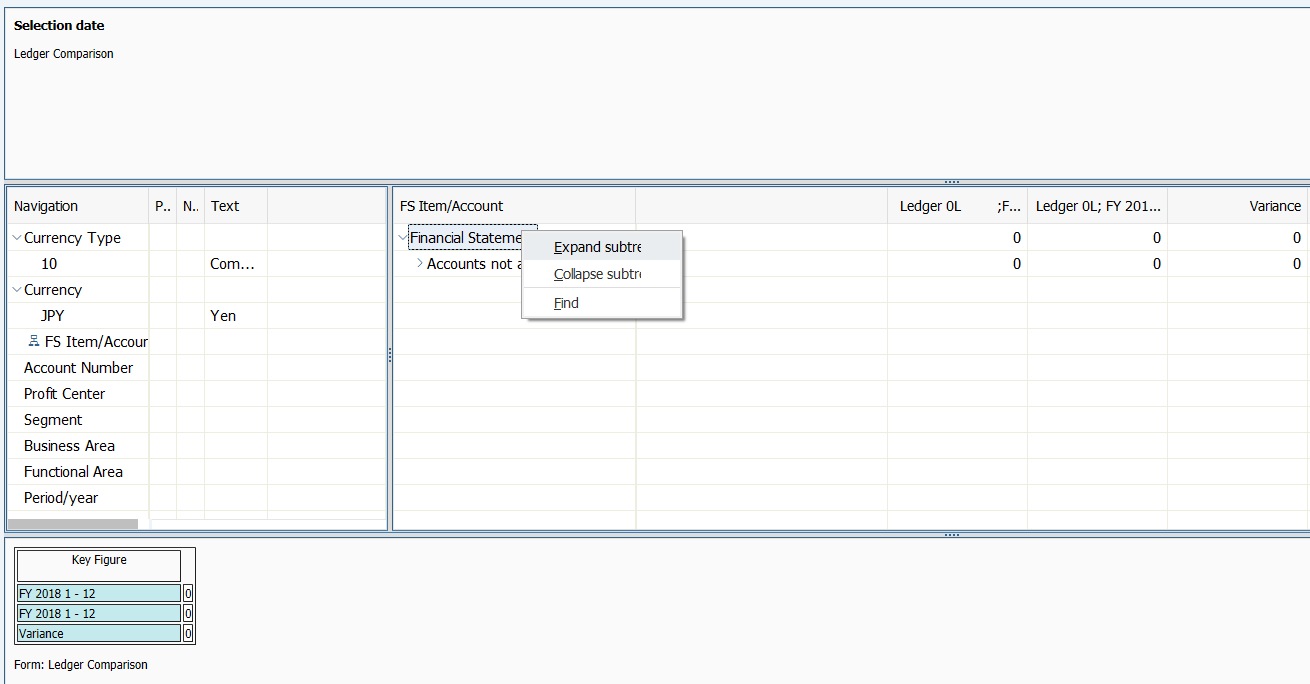
| Structure expansion | |||
| Click the right button on the field to be expanded and select 'Expand subtree'. | |||
| Structure compression | |||
| Click the right button on the field to be compressed and select 'Collapse subtree'. | |||
Supplement:
| 1. | Individual expansion and compression are possible using
 and and  . . |
Screen 4:
Operation Process :
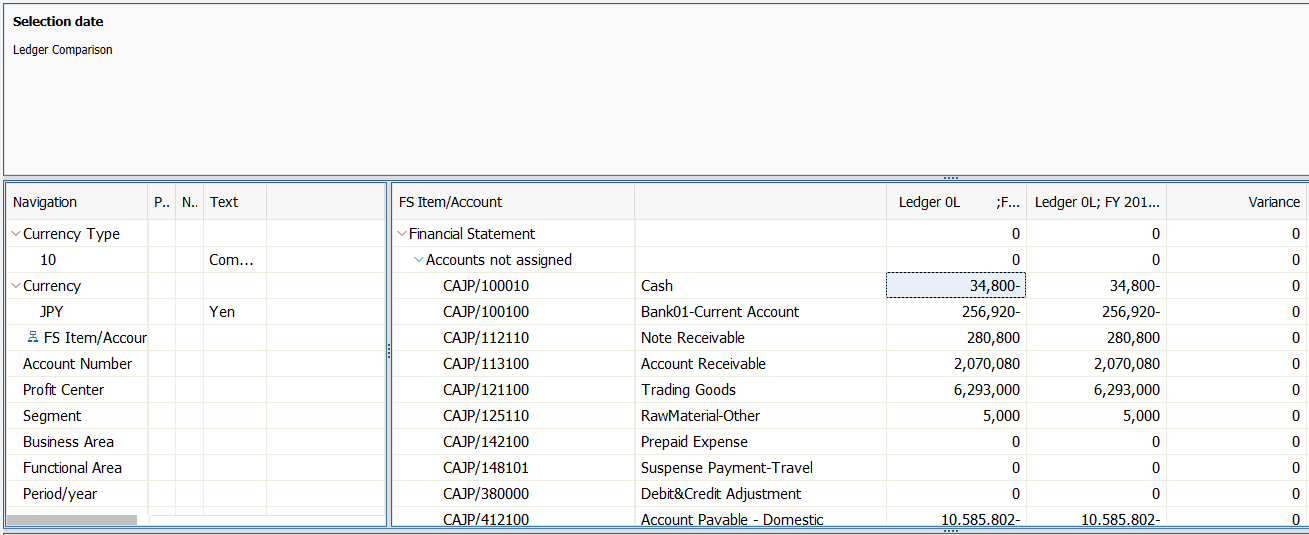
| 1. | To display items, double-click on the amount at the lowest level. |
Screen 5:
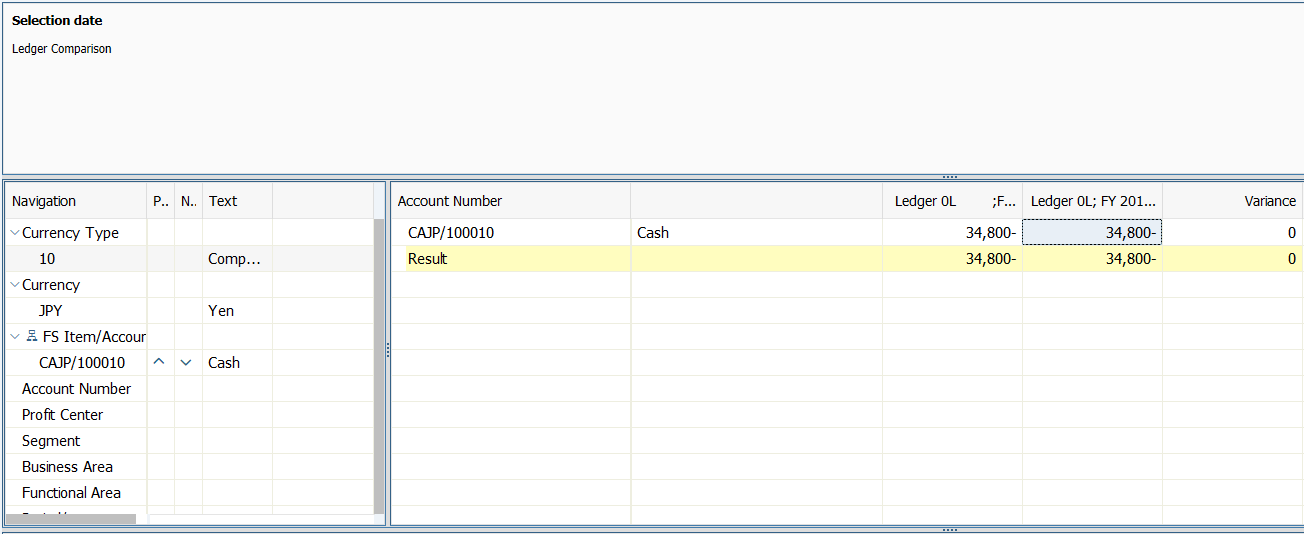
Operation Process:
| 1. | Click on the amount. |
Remarks:
| 1. | Always select 'No' as the response to the message "Save data?" displayed at the end of reports of B/S and P/L. |
Copyright(c) MITSUI KINZOKU YOURSOFT Inc.