Back to Menu No.02-05-04
Data Download For Netting System(YAFI0T16)
Menu: Accounting > Financial Accounting > Add: Document printing>Data Download For Netting System(Master Maintenace)
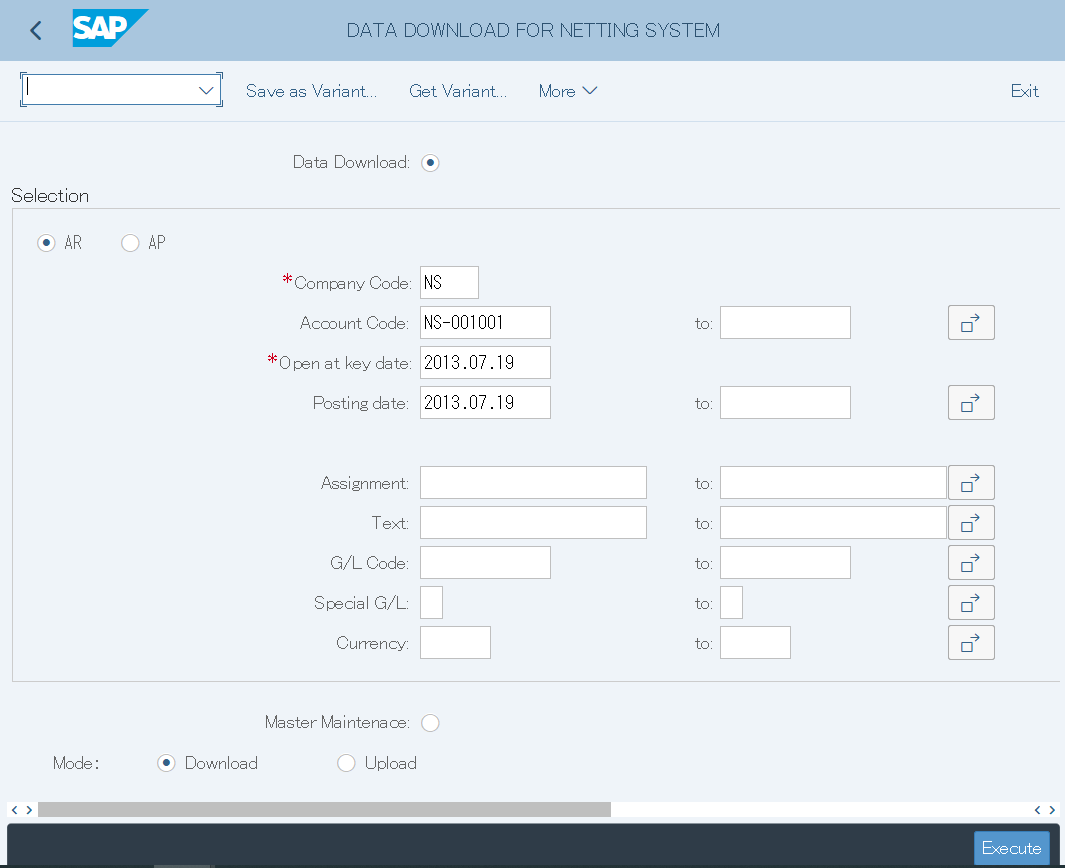
Screen1:
Operation process:
| 1. | {Data Download} | Select when download data | |
| 2. | {AR} | Select when extracting receivables data | |
| 3. | {AP} | Select when extracting debt data | |
| 4. | {{Company Code}} | Enter the target Company Code | |
| 5. | {{Account Code}} | Account Code |
| 6. | {{Open at key date}} | Open at key date | |
| 7. | {Posting date} | Posting date | |
| 8. | {Assignment} | Assignment | |
| 9. | {Text} | Text | |
| 10. | {G/L Code} | G/L account code |
| 11. | {Special G/L} | Special G/L | |
| 12. | {Currency} | Currency | |
| 13. |  |
Press "Execute" and Excel will start. |
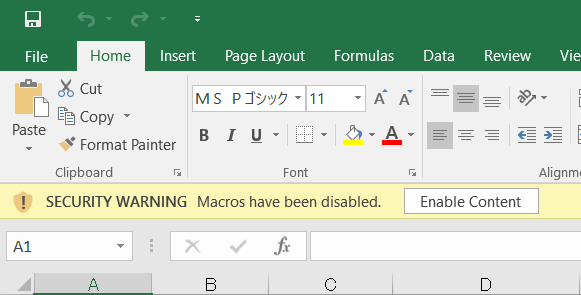
Screen2:
Operation process:
| 1. |  |
Click [Enable Content] to the next screen. |
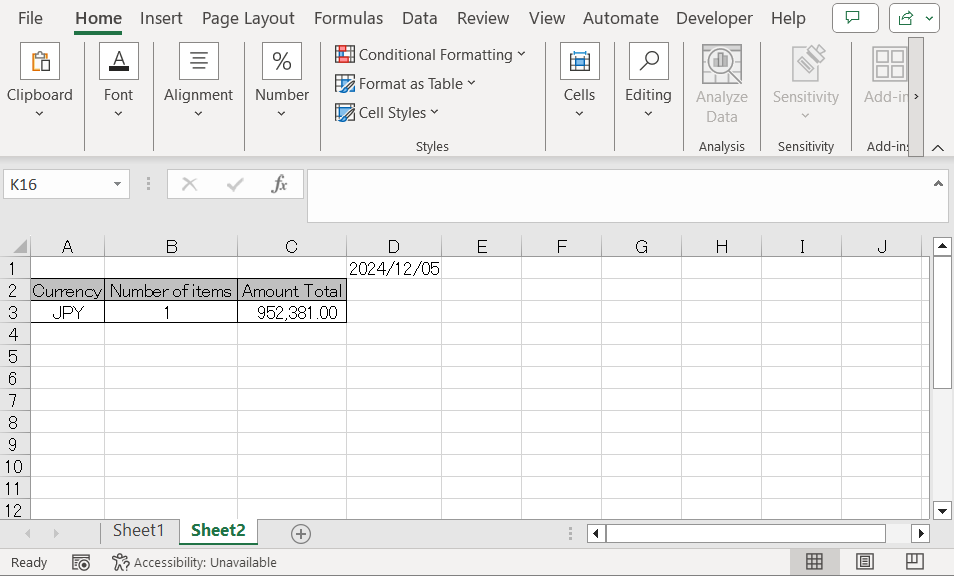
Screen3:
Total table:
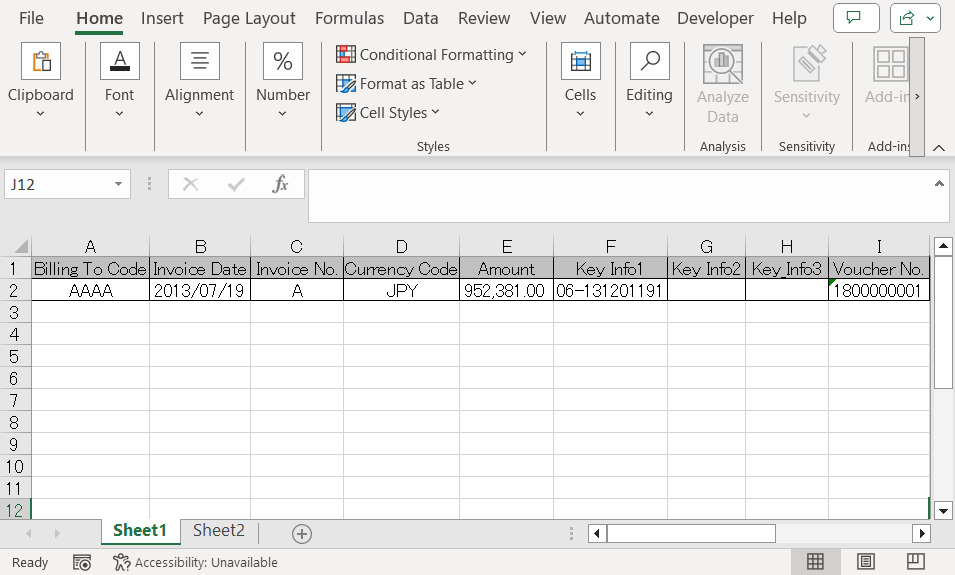
Detail table:
Screen4:
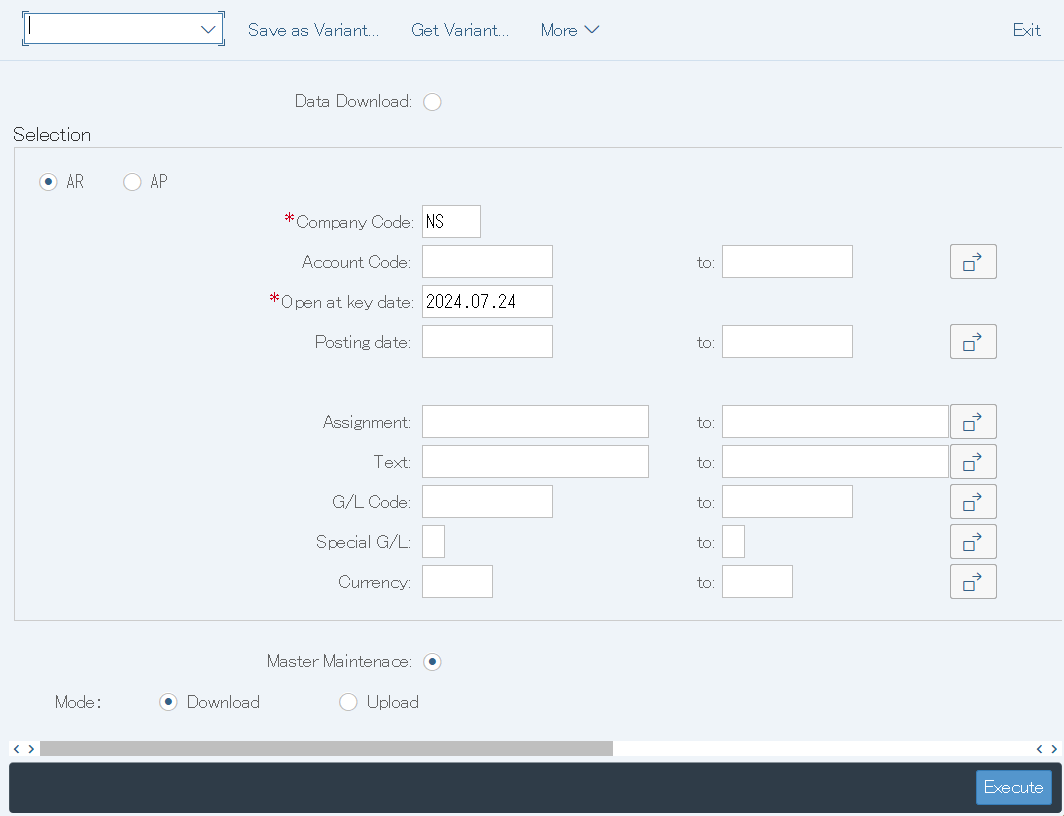
Operation process:
| 1. | {Master Maintenace} | Select when performing master maintenance. |
| 2. | {Download} | Select when downloading master data. |
| 3. |
|
Enter the target Company Code. |
| 4. | |
Press "Execute" and Excel will start. |
Screen5:
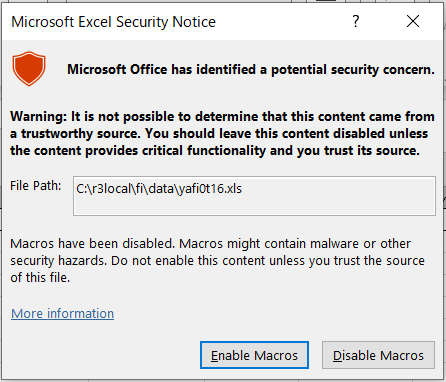
Operation process:
| 1. |  |
Press「Enable Macros」 to the next screen. |
Screen6:
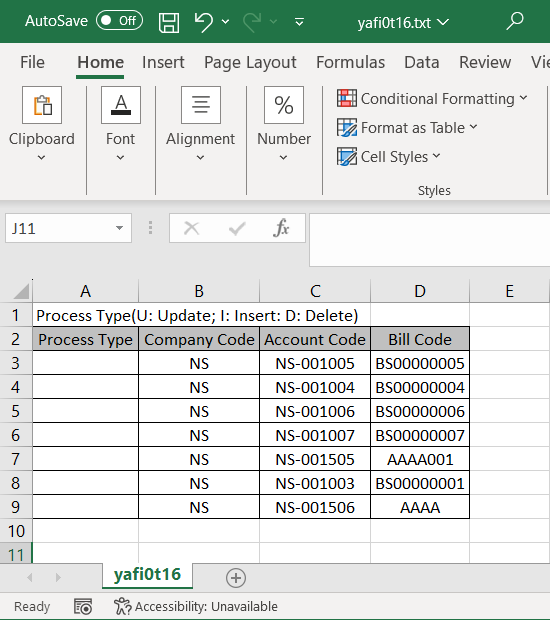
Operation process:
| 1. | {Process Type} | Process type: Update (U), Insert (I), or Delete (D) and go to the next screen. |
Screen7:
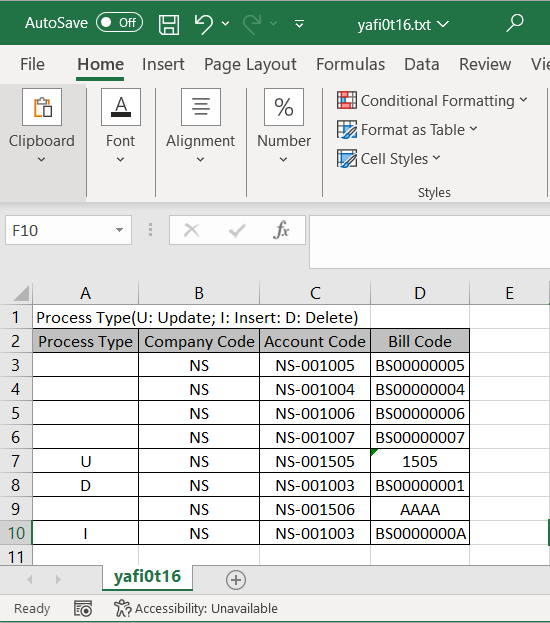
Operation process:
| 1. |  |
Click 「Save」 and go to the next screen. |
Screen8:
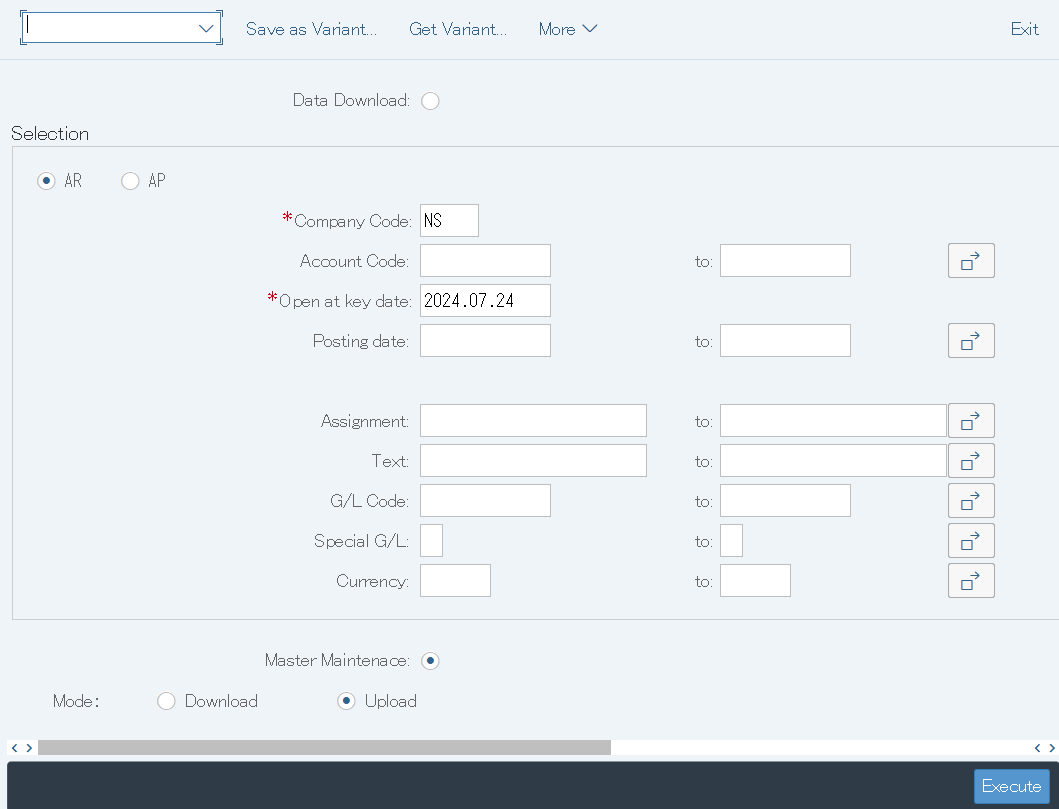
Operation process:
| 1. | {Master Maintenace} | Select when performing master maintenance. |
| 2. | {Upload} | Select when uploading master data. |
| 3. |
|
Enter the target Company Code. |
| 4. | |
Press "Execute" and Excel will start. |
Screen9:
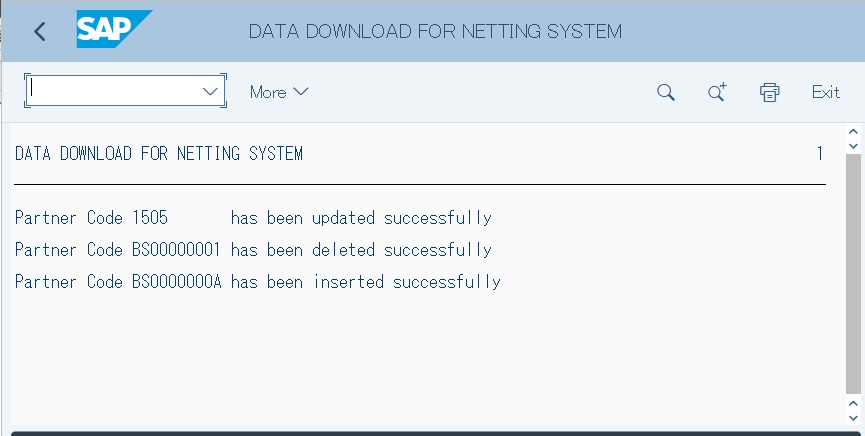
Operation process:
| 1. | Check the screen log to check it is processed normally. |
Copyright(c) MITSUI KINZOKU YOURSOFT Inc.