Back to Menu No.01-01-10
Batch Reversal Documents (YRFI0014)
Menu: Accounting > Financial Accounting > Add: Function > Add: General Ledger > Batch Reversal Documents
Process Overview: Cancel clearing process and post the reverse document against the clearing document.
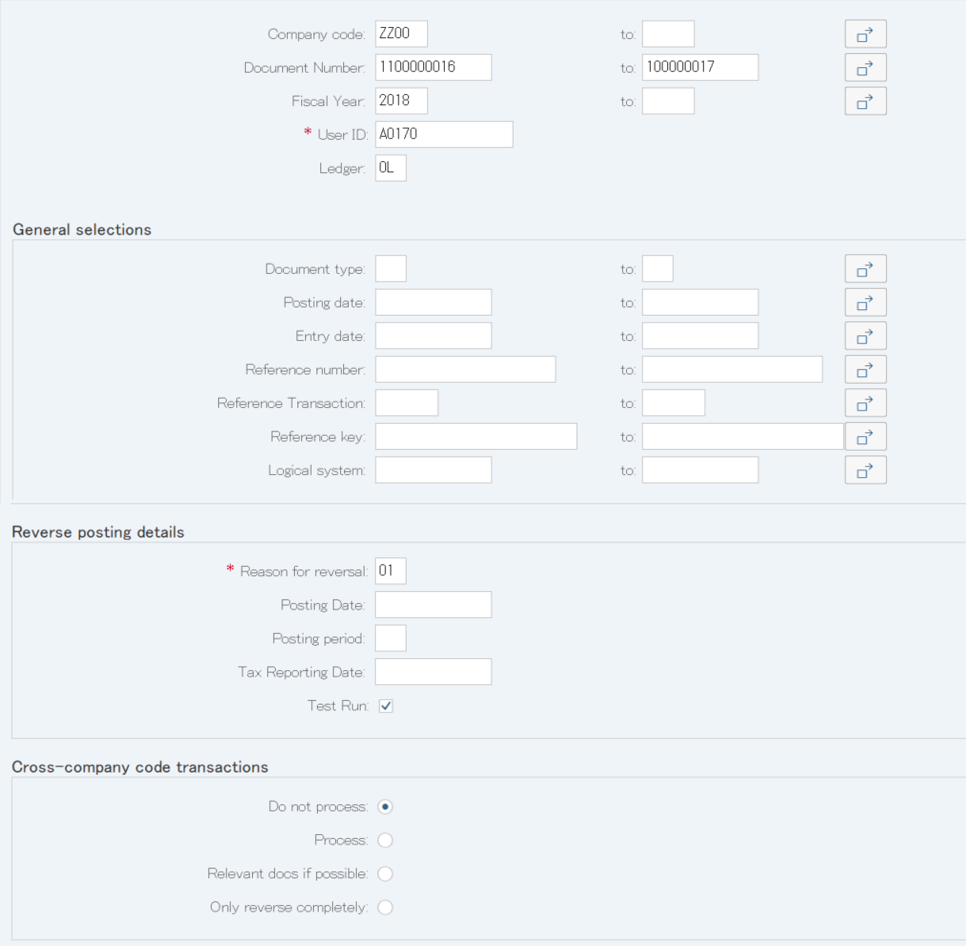
Screen 1:
Operation Process:
| 1. | {Company code} | Enter the Company code of the document to be reversed. | |
| 2. | {Document Number} | Enter the Accounting document number of the document to be reversed. | |
| 3. | {Fiscal Year} | Enter the Fiscal year of the document to be reversed. | |
| 4. | {{User ID}} | Enter the registrar of the document to be reversed. | |
| 5. | {Ledger} | Enter the Ledger of the document to be reversed. | |
|
General selections |
|||
| 6. | {Document type} | Enter the Document type of the document to be reversed. | |
| 7. | Enter other necessary conditions. | ||
|
Details of Reversal posting |
|||
| 8. | {{Reason for reversal}} | Enter the Reason for reversal. | |
| 9. | {Posting Date} | Enter the Posting date of the reversal document. (If a date is not entered, the document is issued with the Posting date of the document to be reversed.) |
|
| 10. | {Fiscal period} | Enter the Accounting period of the reversal document. (If a period is not entered, the document is issued with the Accounting period of the document to be reversed.) |
|
| 11. | {Test Run} | Select this option when executing a test. | |
| 12. |
 |
Click [Execute]. | |
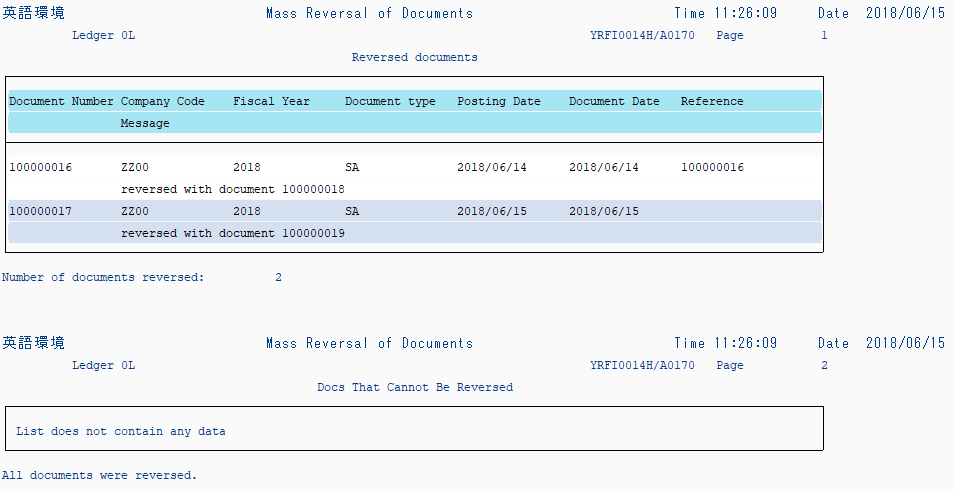
Screen 2:
Operation Process:
| 1. | The Document number that was reversed and the Reversal document number are displayed. | |
| 2. | When reversal processing is not executed, the Document number and the reason are displayed. |
Copyright(c) MITSUI KINZOKU YOURSOFT Inc.