Back to Menu No.01-05-06
Advance Return for Tax (YRFI0015)
Menu: Accounting > Financial Accounting > Add: Download > Add: General Ledger > Advance Return for Tax
Process Overview: Download the monthly summary report of consumption tax etc. as a reference material for tax return.
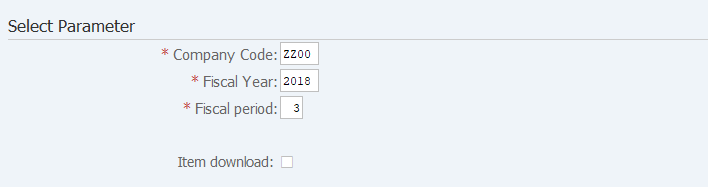
Screen 1:
Operation Process:
| Select Parameter | |||
| 1. | {{Company Code}} | Enter the Company code. | |
| 2. | {{Fiscal Year}} | Enter the Fiscal Year for extraction. | |
| 3. | {{Posting period}} | Enter the Posting period for extraction. | |
| 4. | {Item download} | Tick for downloading item lists before summed up. | |
| 5. |  |
Click [Execute]. | |
Screen 2:
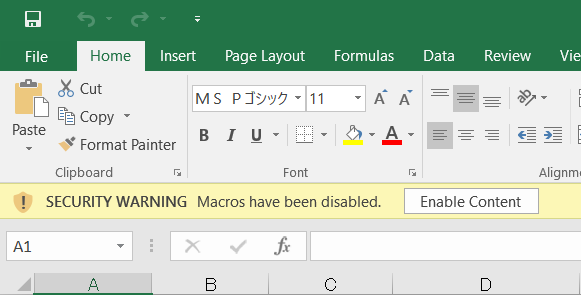
Operation Process:
| 1. |  |
Click [Enable Content]. |
Screen 3:
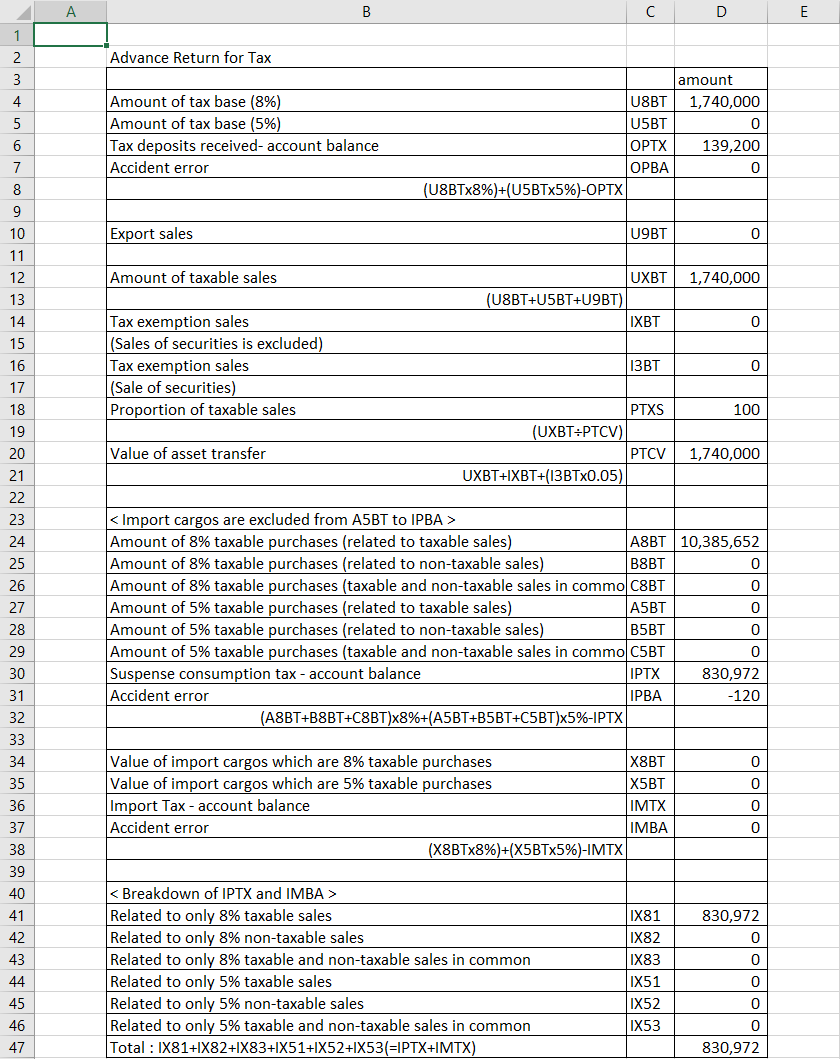
Supplement:
| 1. | If Item download'is selected: | |
| (1) Item list of Output Tax is saved as '\r3local\fi\data\yrfi0015t02.txt'. | ||
| (2) Item list of Input Tax is saved as '\r3local\fi\data\yrfi0015t03.txt'. | ||
| (3) To refer to the item lists, select Excel file and open. | ||
| (4) Not refer to Excel when the text file is exceeded from the maximum line of Excel. (Necessary to edit data in the text file within the maximum line.) |
Copyright(c) MITSUI KINZOKU YOURSOFT Inc.