Maintain Posting Periods (YRFI0019)
Menu: Accounting > Financial Accounting > Add: Function > Add: General Ledger > Maintain Posting Periods
Process Overview: Control a period for posting accounting data.
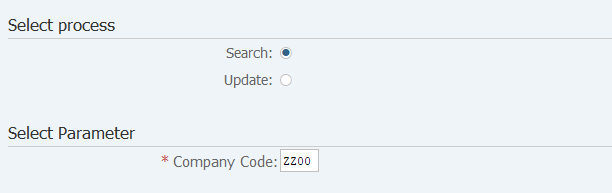
Screen 1:
Operation Process:
| Select process | |||
| 1. | {{Select process}} | Select [Search]. | |
| Select Parameter | |||
| 2. | {{Company Code}} | Enter the Company code. | |
| 3. |  |
Click [Execute]. | |
Screen 2:
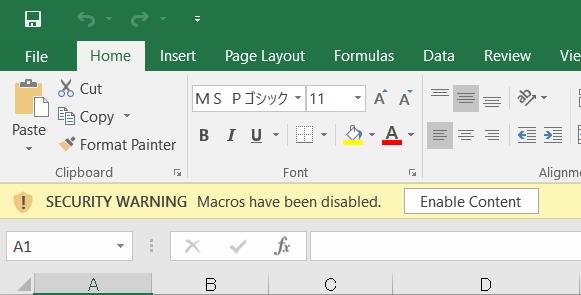
Operation Process:
| 1. |  |
Click [Enable Content]. |
Screen 3:
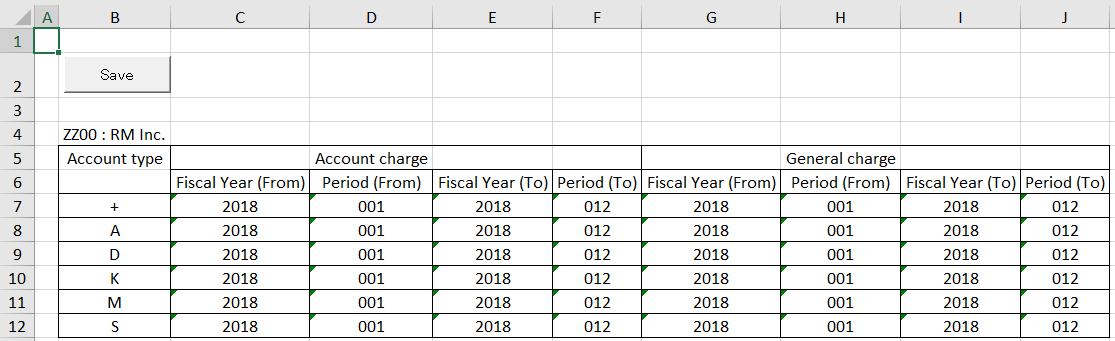
Operation Process:
| Account charge | |||
| 1. | {{Fiscal Year (From)}} | Enter the Fiscal year for which an accountant can register documents. | |
| 2. | {{Period (From)}} | Enter the Accounting period for which an accountant can register documents. | |
| 3. | {{Fiscal Year (To)}} | Enter the Fiscal year for which an accountant cannot register documents. | |
| 4. | {{Period (To)}} | Enter the Accounting period for which an accountant cannot register documents. | |
| General charge | |||
| 5. | {{Fiscal Year (From)}} | Enter the Fiscal year for which a general person in charge can register documents. | |
| 6. | {{Period (From)}} | Enter the Accounting period for which a general person in charge can register documents. | |
| 7. | {{Fiscal Year (To)}} | Enter the Fiscal year for which a general person in charge cannot register documents. | |
| 8. | {{Period (To)}} | Enter the Accounting period for which a general person in charge cannot register documents. | |
| 9. |  |
Click [Save]. | |
Remarks:
| 1. | To perform period control of an accountant and a general person in charge, authorization setting is necessary. |
Screen 4:
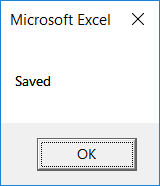
Operation Process:
| 1. |  |
Click [OK]. |
Screen 5:
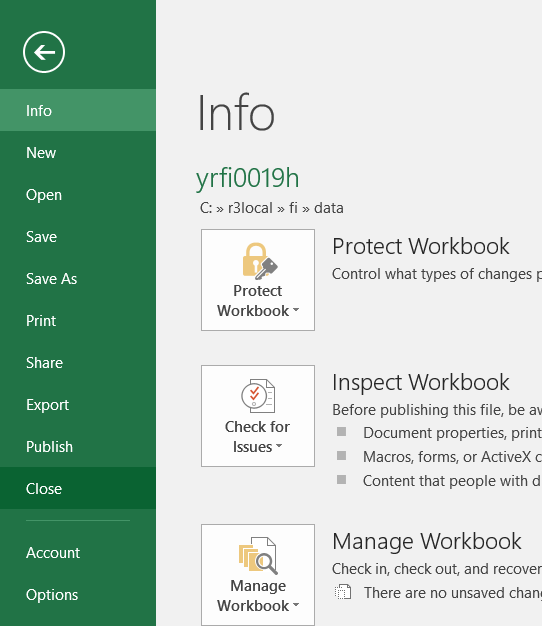
Operation Process:
| 1. | Menu: File > Close |
Screen 6:
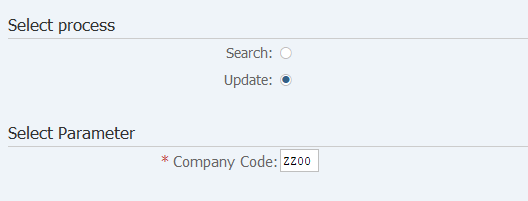
Operation Process:
| Select Process | |||
| 1. | {{Select process}} | Select [Update]. | |
| Select Parameter | |||
| 2. | {{Company Code}} | Enter the Company code. | |
| 3. | |
Click [Execute]. | |
Screen 7:
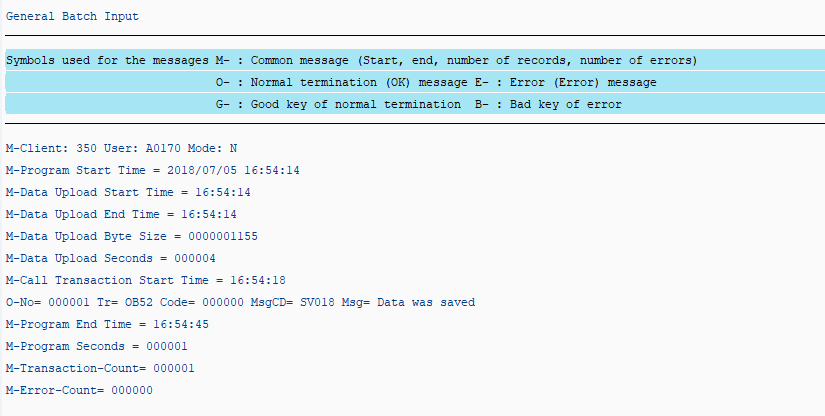
Operation Process:
| 1. | Make sure that there are no errors. |
|
| 2. | Execute the search again when you want to confirm the results of the update. |
Copyright(c) MITSUI KINZOKU YOURSOFT Inc.