Back to Menu No.06-01-02
Update Exchange Rates (YRFI0043)
Menu: Accounting > Financial Accounting > Add: Function > Add: General Ledger > Update Exchange Rates
Process Overview: Registers an exchange rate.
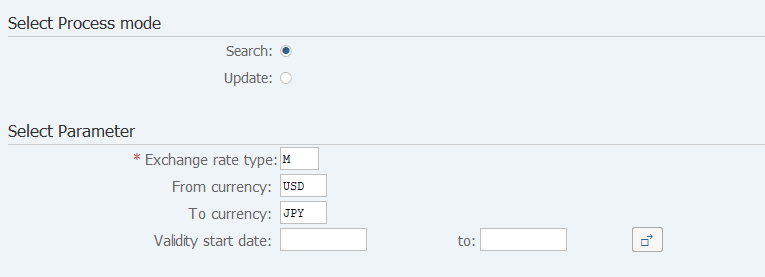
Screen 1:
Operation Process:
| 1. | {{Select Process mode}} | Select Search. | |
| Other than EURO - Selecting an exchange rate of Japanese yen | |||
| 2. | {{Exchange rate type}} | Enter the Exchange rate type. (Ex. M) | |
| 3. | {From currency} | Enter the Currency code of the conversion source. (Ex. USD) | |
| 4. | {To currency} | Enter the Currency code after conversion. (Ex. JPY) | |
| EURO - Selecting an exchange rate of Japanese yen | |||
| 2. | {{Exchange rate type}} | Enter the Exchange rate type. (Ex. EURX) | |
| 3. | {From currency} | Enter the Currency code after conversion. (Ex. JPY) | |
| 4. | {To currency} | Enter the Currency code of conversion destination. (Ex. EUR) | |
| 5. | {Validity start date} | Enter the Valid starting date of the exchange rate. | |
| 6. |  |
Click [Execute]. | |
Screen 2:
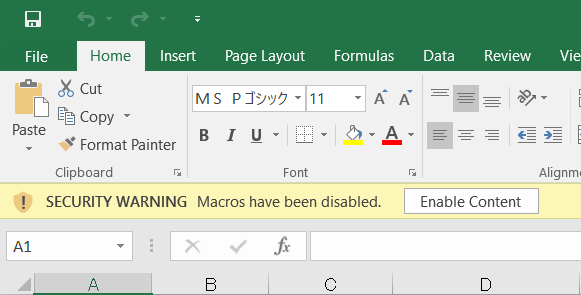
Operation Process:
| 1. |
 |
Click [Enable Content]. |
Screen 3:
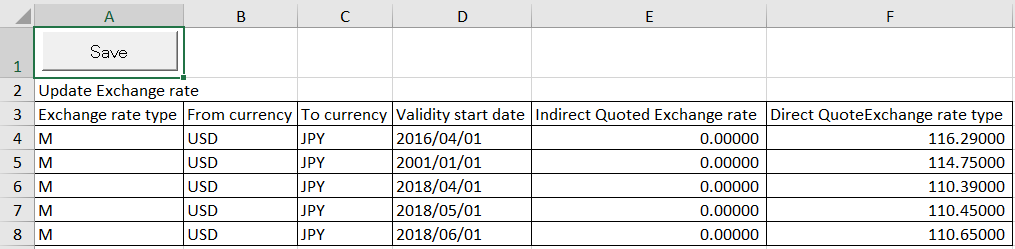
Operation Process:
| 1. | {{Exchange rate type}} | Enter the Exchange rate type. | |
| 2. | {{From currency}} | Enter the currency before conversion. | |
| 3. | {{To currency}} | Enter the currency after conversion. | |
| 4. | {{Validity start date}} | Enter the Validity start date. | |
| 5. | {{Indirect Quoted Exchange rate}} | Enter the Exchange rate. | |
| 6. | {{Direct Quote Exchange rate type}} | Enter the Exchange rate. | |
| 7. |  |
Click [Save]. |
Remarks:
| 1. | In case To currency is 'EUR', Exchange rate type has to be 'EURX'. | |
| 2. | Indirect Quoted EExchange rate and Direct Quote Exchange rate type can't be input at the same time. | |
| 3. | It is necessary to register Indirect Quoted Exchange rate and Direct Quote EExchange rate type as follows respectively. | |
| Ex)From currency To currency Direct Quote EExchange rate type ■Rate conversion result | ||
| USD -> JPY 115.00000 1$=115yen | ||
| Ex)From currency To currency Indirect Quote EExchange rate ■Rate conversion result | ||
| JPY -> USD 115.00000 1yen=1/115.00000$ |
Screen 4:
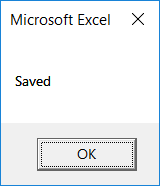
Operation Process:
| 1. |
 |
Click [OK]. |
Screen 5:
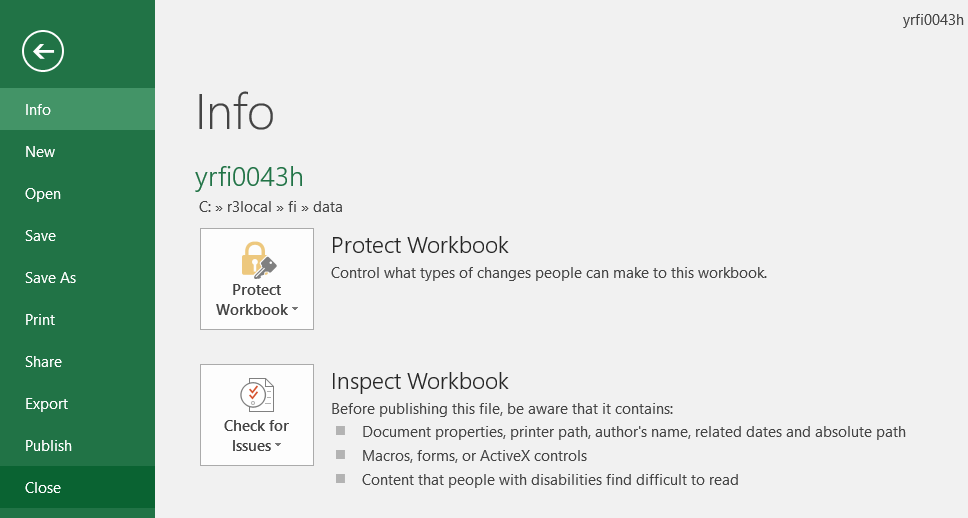
Operation Process:
| 1. |
Menu: File > Close. |
Screen 6:
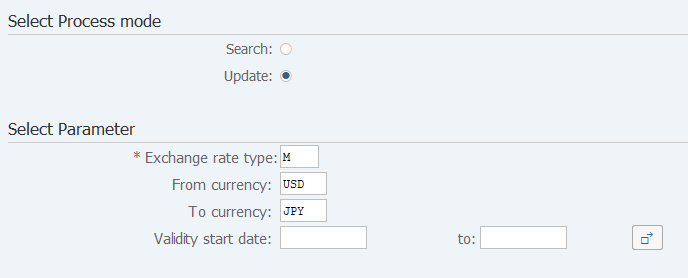
Operation Process:
| Select Process mode | |||
| 1. | {{Select Process mode}} | Select Update. | |
| 2. | |
Click [Execute]. | |
Remarks:
| 1. | The data of the same key (currency before conversion and currency after conversion) is overwritten. | |
| 2. | Select Parameter on the screen is invalidity. |
Screen 7
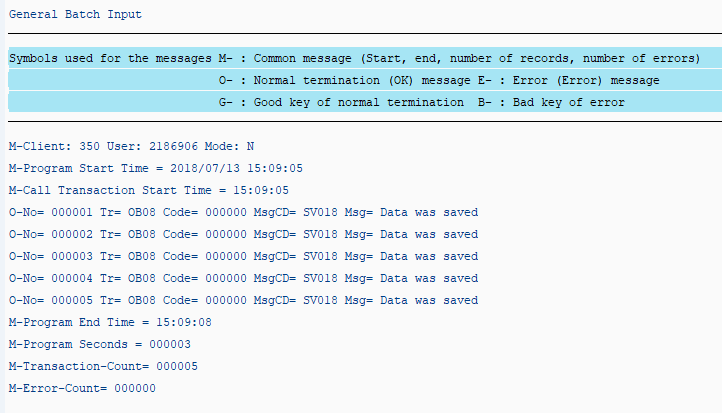
Operation process:
| 1. | Check that there is no error message. |
Copyright(c) MITSUI KINZOKU YOURSOFT Inc.