
Back to Menu No.01-02-04
Delete Sample Document (YRFI0053)
Menu: Accounting > Financial Accounting > Add: Function > Add: General Ledger > Delete Sample Document
| Process Overview: | Delete Sample documents collectively. |
| The User ID in the deleting document has to be the same as the User ID of the person who is executing the transaction to prevent from deleting documents by mistake. |
Screen 1:
Operation Process:
| Select Parameter | |||
| 1. | {{Company Code}} | Enter the Company code of target document. | |
| 2. | {{Fiscal Year}} | Enter the target Fiscal year of entry document. | |
| 3. | {{Sample document}} | Enter the target Sample document number to be deleted. | |
| 4. |  |
Click [Execute]. | |
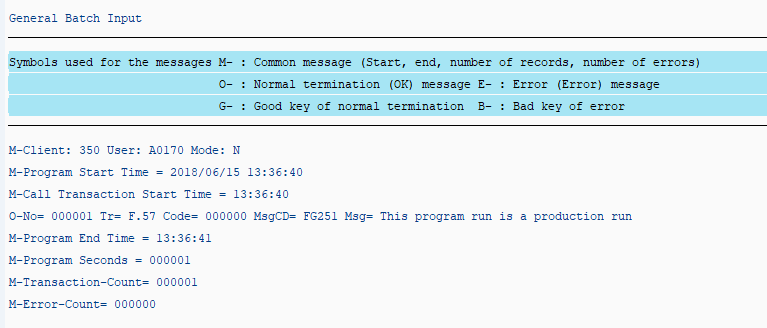
Screen 2:
Operation Process:
| 1. | Confirm log messages. | |
| M-Transaction Count: Number of normal records | ||
| M-Error-Count: Number of error records |
Copyright(c) MITSUI KINZOKU YOURSOFT Inc.