Back to Menu No.05-02-02
Memo Record List (FF6A)
Menu: Accounting > Financial Supply Chain Management > Cash and Liquidity Management > Memo Record > Edit Memo Record List for Cash Position
Process Overview: This is the guide for changing or deleting a memo record that you created by 05-02-01.Create Memo Record.
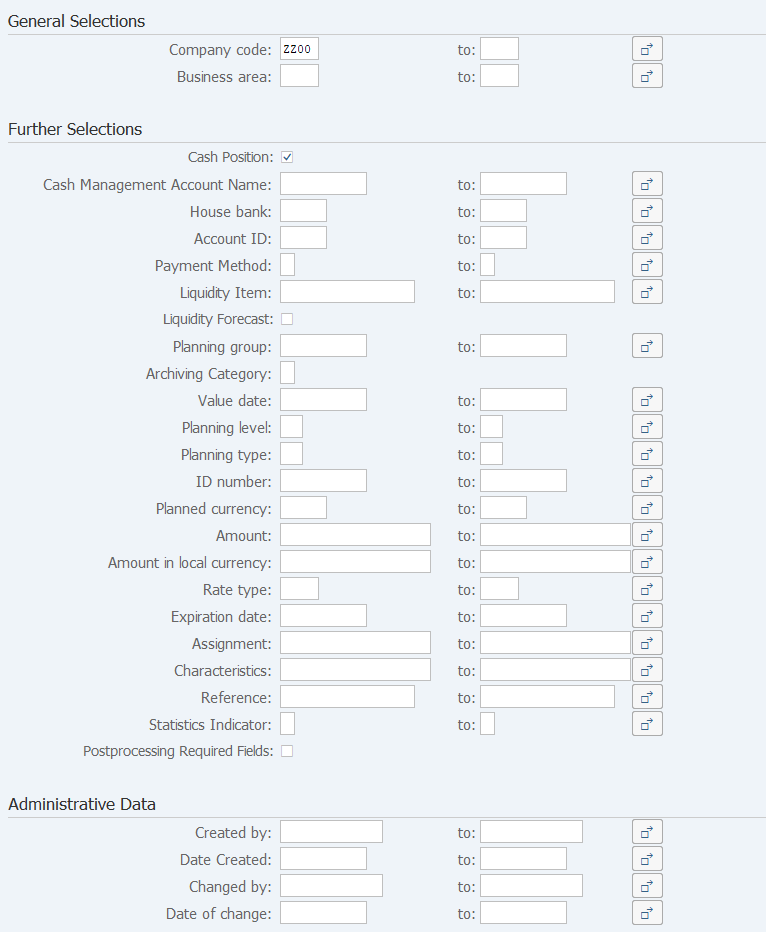
Screen 1:
Operation Process:
| General Selections | |||
| 1. | {Company code} | Enter the Company code of the memo record report. | |
| 2. | {Business area} | Enter the Business area of the memo record report. | |
| Further Selections | |||
| 3. | {Cash Position} | Enter the list of memo records to the bank account. | |
| 4. | {Archiving Category} | Specify this option when referencing archived memo records. (Ex. 'A' Stored for 12 months) | |
| Reference subsequent (2) Archiving memo record archive. | |||
| 5. | {others} | Specify other memo record search conditions. | |
| 6. |  |
Click [Execute]. | |
Screen 2:

| 1. | Editing memo records: (1)Editing memo records | |
| 2. | Archiving memo records (Not displaying in a memo record list): (2)Archiving memo record archive |
Operation Process:
| 1. | Double-click on the line of the record to be changed or deleted. |
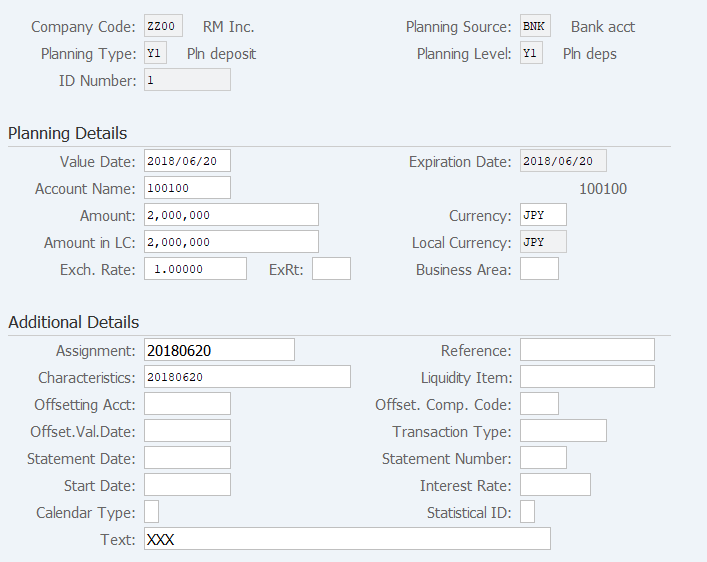
Screen (1)-1:
Operation Process:
*Deletion
| 1. |  |
Click [Delete]. |
*Changing the contents
| 1. |  |
Click [Display memo record]. | |
| 2. | Subsequent procedure is the same as 05-02-01.Create Memo Record (FF63). |
Supplement:
| 1. | Check if the result is reflected in 05-01-03.Liquidity Forecast List (FF7BN). |
Operation Process:
| 1. |  |
Check the record. | |
| 2. |  |
Click [Convert]. |
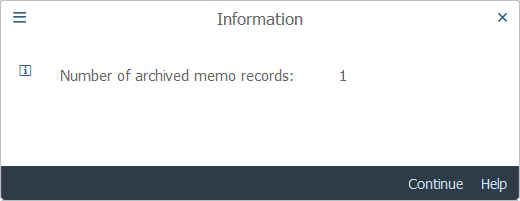
Screen (2)-1:
Operation Process:
| 1. |  |
Check the number of records and click [Continue]. |
Supplement:
| 1. | Check if the result is reflected in 05-01-03.Liquidity Forecast List (FF7B). | |
| 2. | When [Archiving Category] is entered in the operation process of Screen 1 and [Money Transfer] processing is applied to the searched records again, the records are re-displayed in the memo record list. (re-validation) |
Copyright(c) MITSUI KINZOKU YOURSOFT Inc.